Supported Database Engines
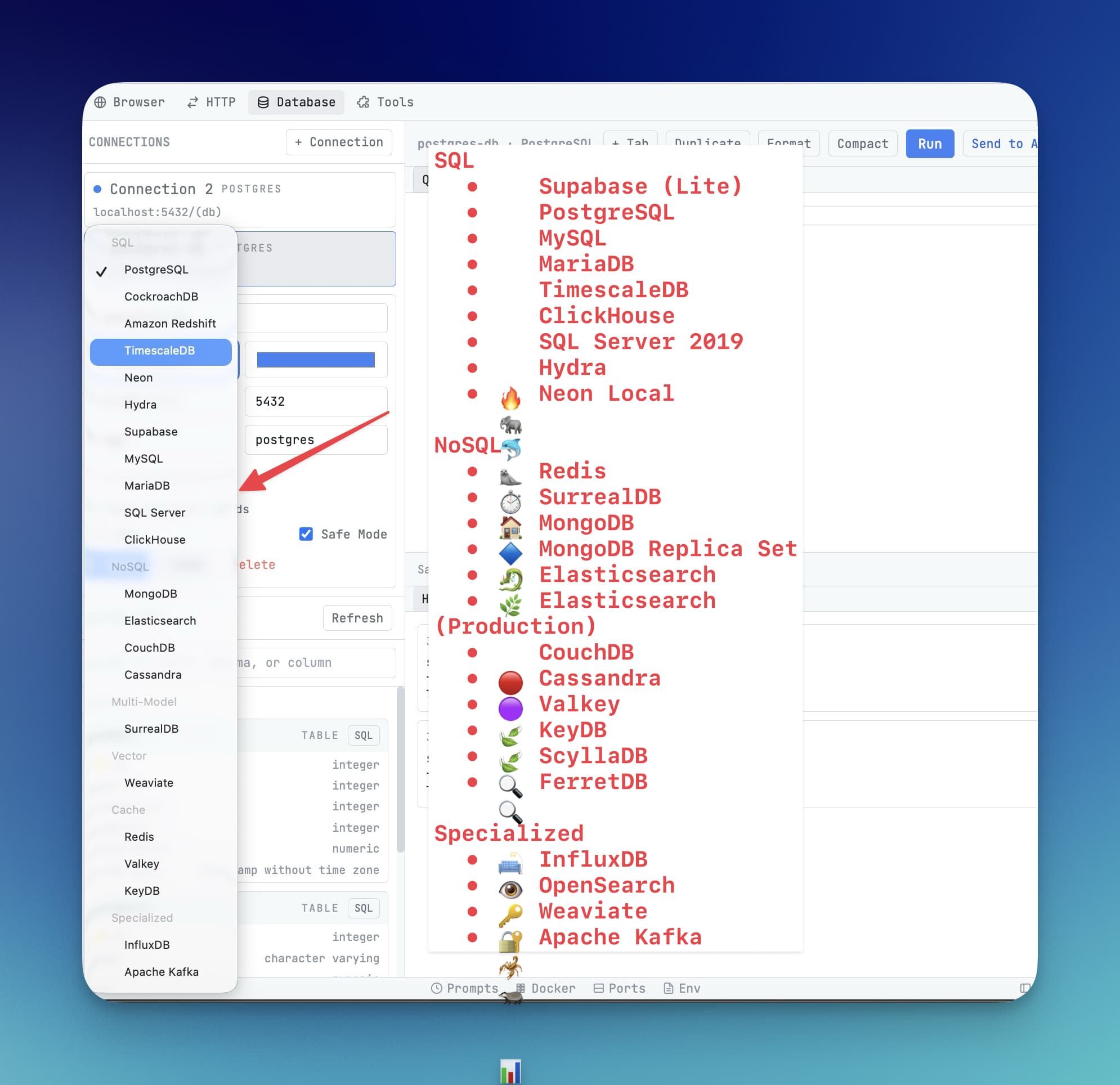
1DevTool connects to 14 database engines — SQL, NoSQL, time-series, and more.
1DevTool supports 14 database engines spanning relational databases, document stores, key-value caches, analytics engines, search engines, vector databases, time-series databases, and message streaming. If you are building any kind of software project, there is a good chance your database is already on this list.
Engine Reference
| Engine | URL Scheme | Default Port | Notes |
|---|---|---|---|
| PostgreSQL | postgresql:// or postgres:// | 5432 | Also works with Supabase, Neon, Timescale, and CockroachDB — they are all PostgreSQL-compatible |
| MySQL | mysql:// | 3306 | Compatible with MySQL 5.7 and 8.x |
| MariaDB | mariadb:// | 3306 | Drop-in replacement for MySQL — use the same SQL syntax |
| Microsoft SQL Server | mssql:// or sqlserver:// | 1433 | Also works with Azure SQL Database and Azure SQL Managed Instance |
| MongoDB | mongodb:// or mongodb+srv:// | 27017 | Use mongodb+srv:// for Atlas clusters — it handles replica set discovery automatically |
| Redis | redis:// | 6379 | Use rediss:// (double s) for TLS/SSL connections, common on cloud providers like Upstash |
| Valkey | valkey:// | 6379 | Open-source Redis fork maintained by the Linux Foundation — fully API-compatible |
| KeyDB | keydb:// | 6379 | Multi-threaded Redis alternative — same protocol, higher throughput |
| Elasticsearch | elasticsearch:// | 9200 | Queries use the REST-based query editor with JSON DSL support |
| ClickHouse | clickhouse:// | 9000 | Columnar analytics database — optimized for aggregations over billions of rows |
| Cassandra | cassandra:// | 9042 | Wide-column, high-availability database — uses CQL (Cassandra Query Language) |
| CouchDB | couchdb:// | 5984 | Document store with an HTTP API — browse and query documents using Mango queries |
| SurrealDB | surrealdb:// | 8000 | Multi-model database — supports SQL-like syntax, documents, graphs, and key-value in one engine |
| Weaviate | weaviate:// | 8080 | Vector database for AI applications — browse classes and run similarity searches |
| InfluxDB | influxdb:// | 8086 | Time-series database — designed for metrics, sensor data, and monitoring data |
| Kafka | kafka:// | 9092 | Message streaming platform — browse topics, partitions, and individual messages |
SQL Server: Windows Authentication
On a domain-joined machine, Windows Authentication is usually the only way in that the DBA will approve — SQL logins are the exception, granted grudgingly if at all.
For Microsoft SQL Server, pick the auth mode directly in the connection form instead of being forced onto a SQL login, and add a domain when the account requires one.
Pasting a connection string that already declares Windows auth fills the form in correctly. All three spellings are recognised:
authentication=windowstrusted_connectionintegrated security
Copying a connection string back out keeps the auth mode, so a string you share in a ticket or runbook still works when a colleague pastes it. Losing the mode in either direction would turn a paste into a silent downgrade to a login that will not work.
Which Engine Should I Use?
If you are just starting a project and are not sure which database to pick, here is a quick guide:
- Building a web app? Start with PostgreSQL. It is reliable, well-supported, and free on platforms like Supabase and Neon.
- Need a cache or session store? Use Redis. It is fast and widely used.
- Working with unstructured or flexible data? Try MongoDB for document storage.
- Running analytics on large datasets? ClickHouse is purpose-built for fast aggregations.
- Building an AI-powered app that needs similarity search? Weaviate stores and searches vector embeddings.
- Storing time-stamped metrics or sensor readings? InfluxDB is designed exactly for that.
All of these can be connected to 1DevTool using the same DATABASE_URL flow, regardless of which engine you choose.
Connecting to Any Engine
The process is identical for every engine: paste a DATABASE_URL (or fill in the fields manually), click Test Connection, and save. See the Connect with DATABASE_URL guide for detailed instructions.