Tasks
A task board your agents can actually work — assign a task and the terminal spawns, runs it, and asks before it commits.
Most task boards are a place to write down what you intend to do. This one dispatches the work.
Assigning a task picks a target agent, spawns its terminal, sends the task, and binds the run to the task — so the board, the terminal, and Mission Control are all describing the same piece of work rather than three separate stories about it.
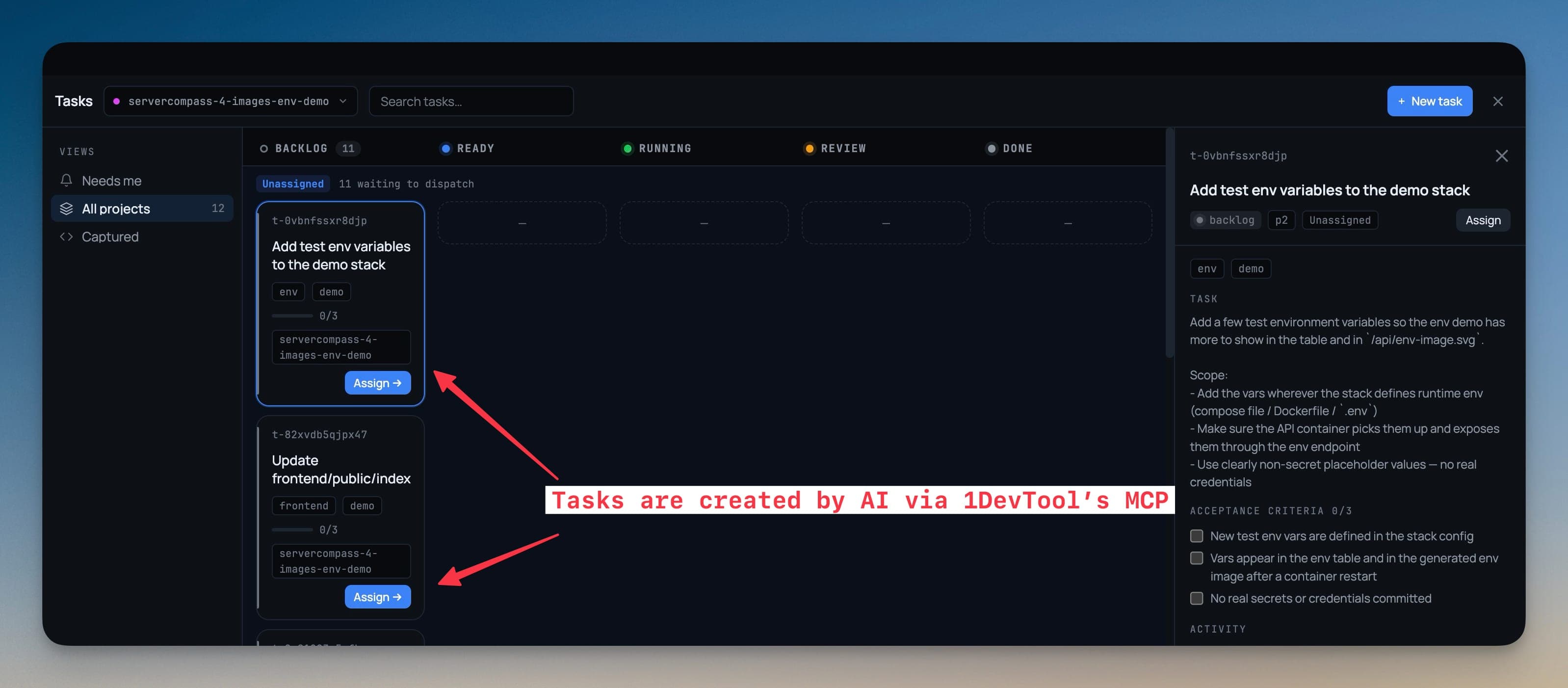
Open the board
Tasks opens as its own full-window workspace, the same way the Git client does — status columns, one swimlane per agent, and a detail pane wide enough to read a plan in.
A views rail switches between three ways of looking at the same work, each carrying its own count:
| View | Shows |
|---|---|
| Needs me | Tasks waiting on your answer — open gates, review requests |
| All projects | Every task across every project in the sidebar |
| Captured | Things you grabbed from a terminal or the editor and haven't refined yet |
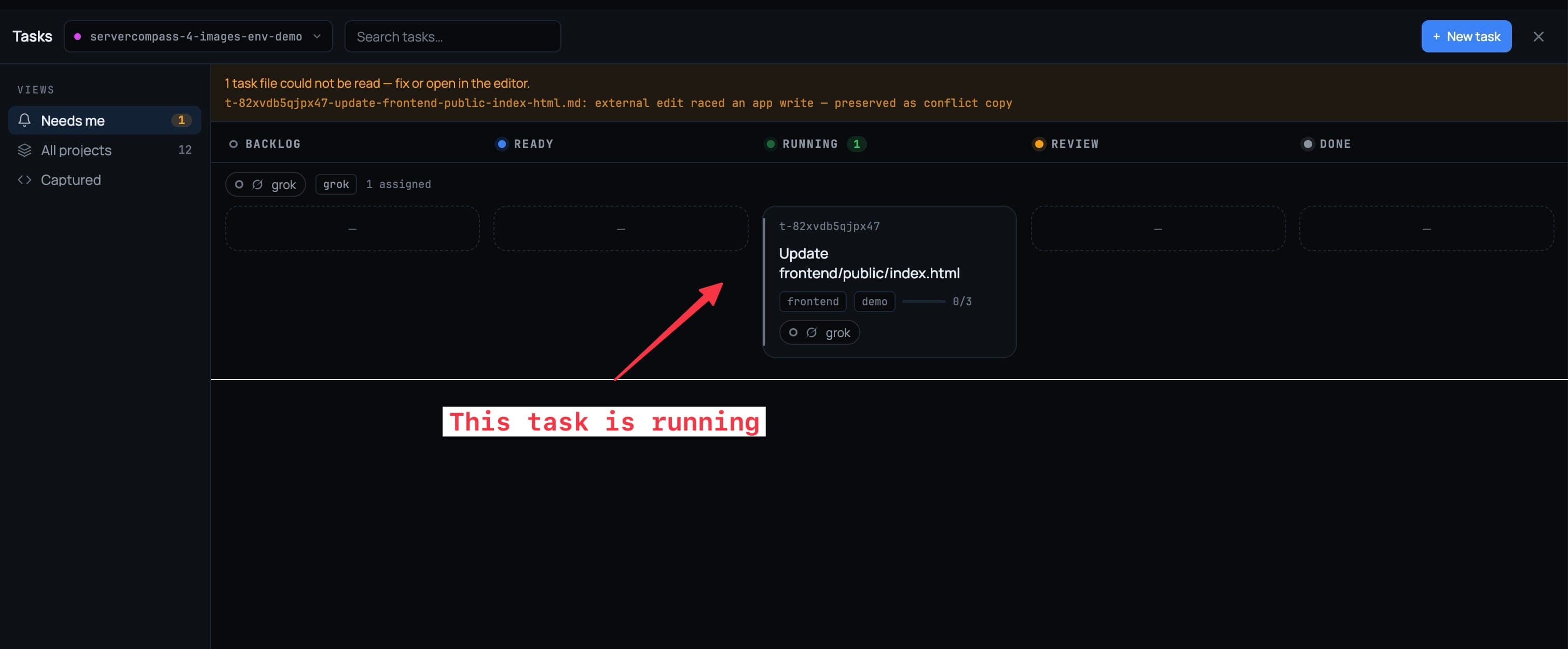
Every card shows who is working it and what that terminal is doing right now — live, waiting on you, idle, or lost.
The statuses
A task moves through seven states:
- Backlog — captured, not refined yet
- Ready — refined and unblocked, so an agent can pick it up
- In progress — claimed by you or by an agent
- Blocked — waiting on a dependency or an unanswered gate
- In review — the agent says it's done and is waiting for your done-gate
- Done
- Cancelled
Assign a task to an agent
Pick a target from the task's detail pane. That single action spawns the terminal, delivers the task, and links the run back to the card.
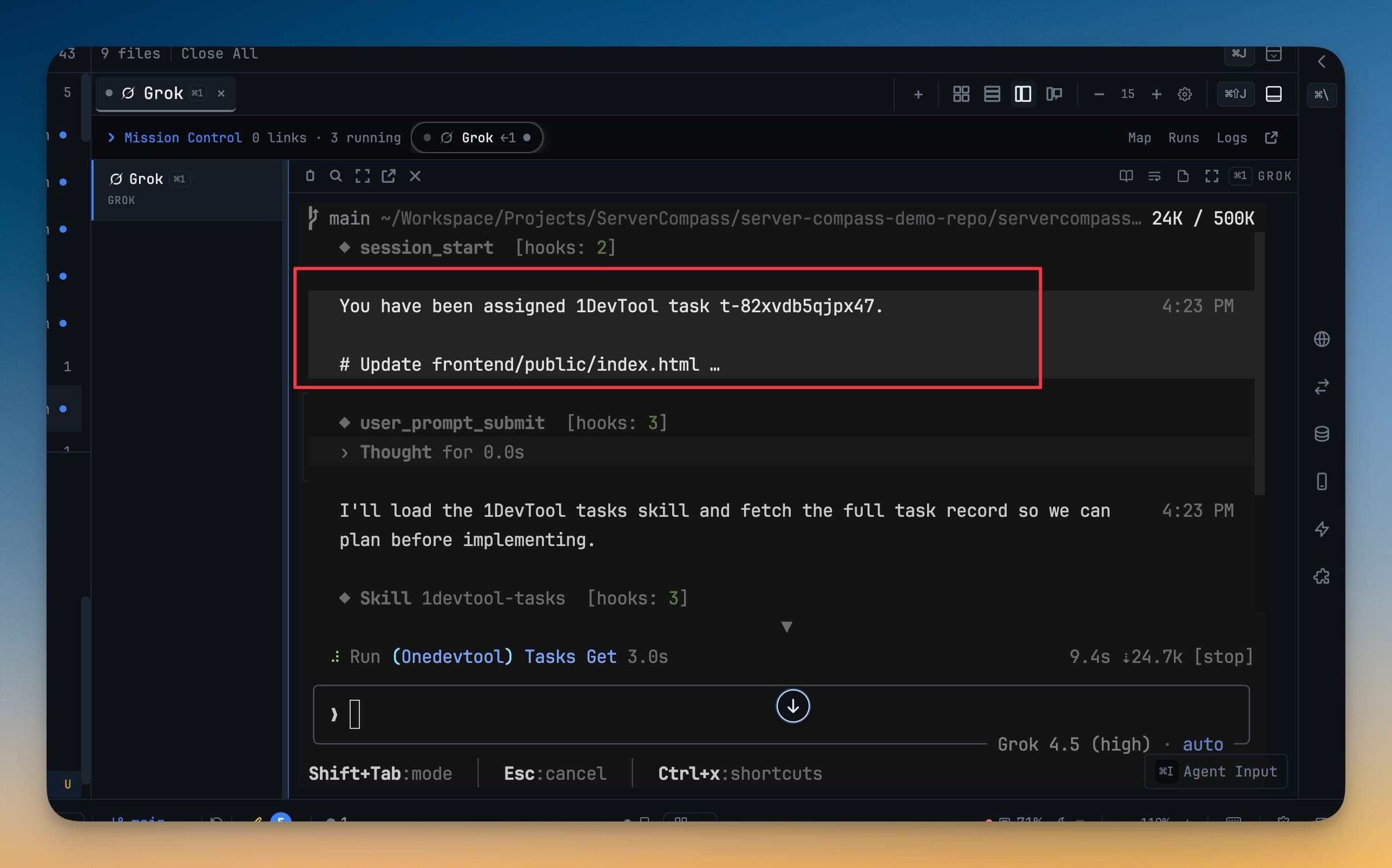
From then on the card tracks the run. If the terminal is working, the card says so; if the agent stops and waits, the card says that too.
Approval gates
An agent asks before it implements a plan, and again before it closes a task. Your verdict reaches it wherever it is, and your words travel verbatim — the agent gets what you actually wrote, not a summary of it.
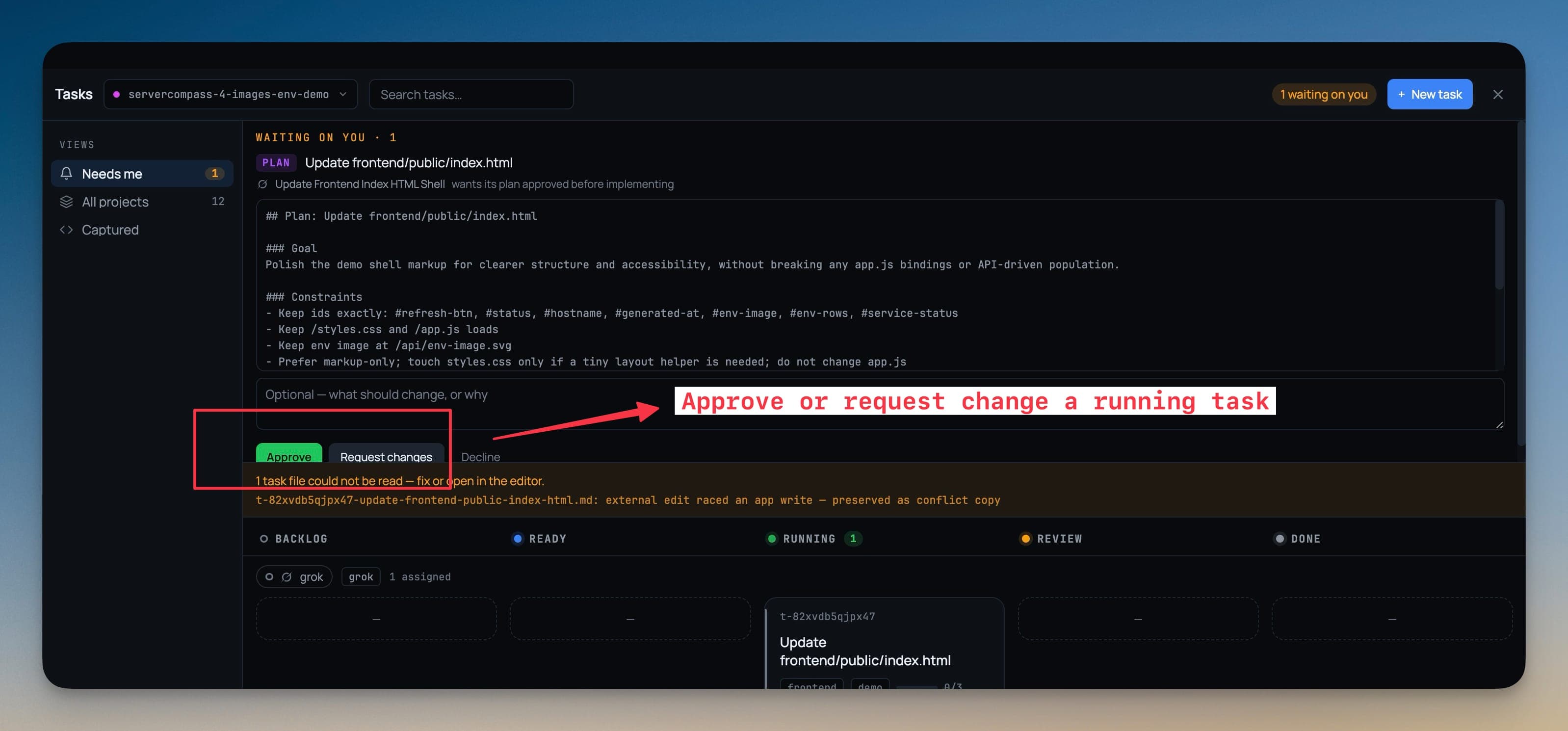
A dedicated review dialog gives the plan a full reading surface. Approve and Request changes sit as equals, and the feedback box is always open — you never have to click something to explain yourself.
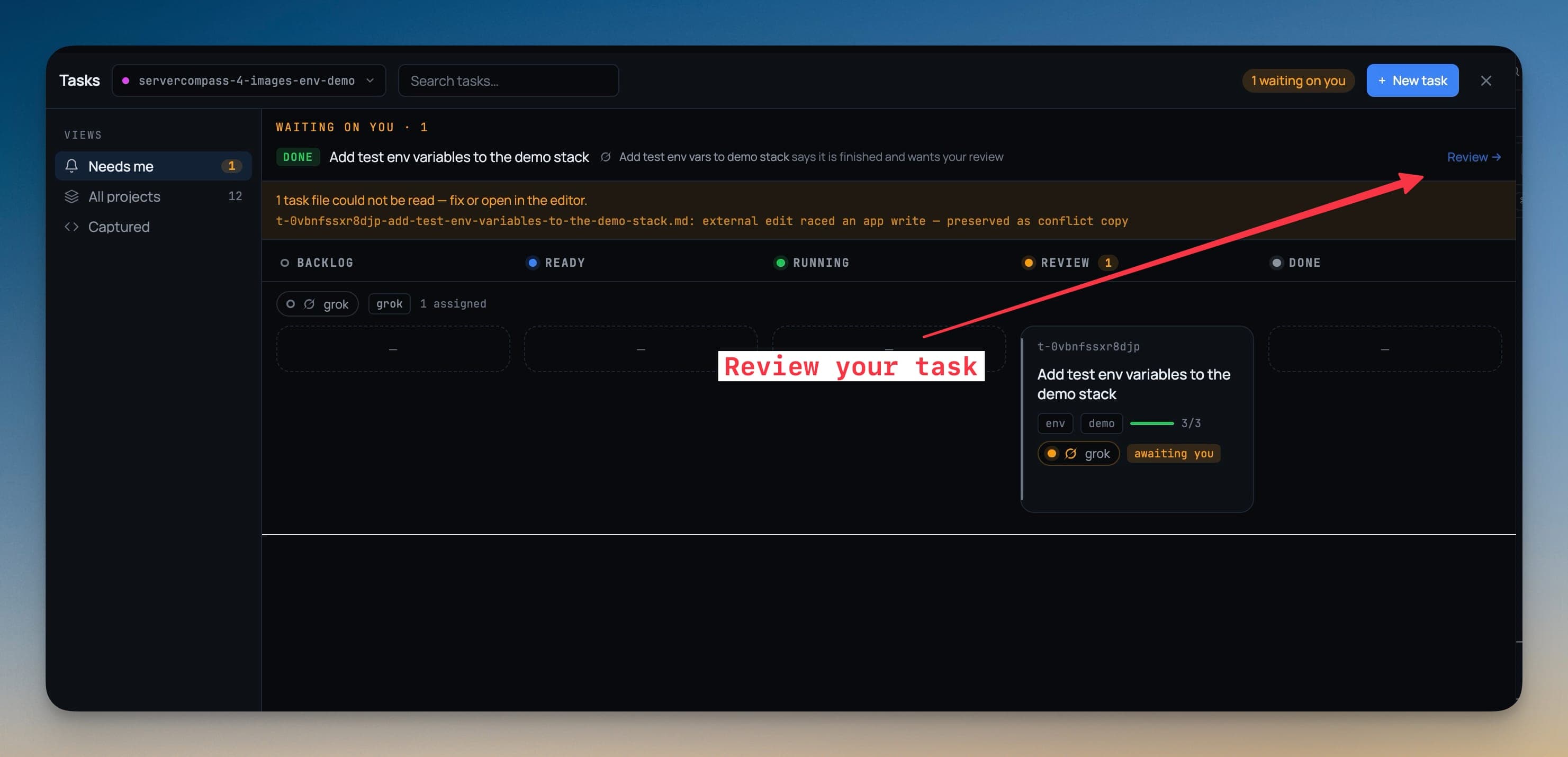
Verdicts reach you in three places: the review queue in the board, a badge in the status bar, and a phone page in Remote Control — so a plan can be approved from the kitchen.
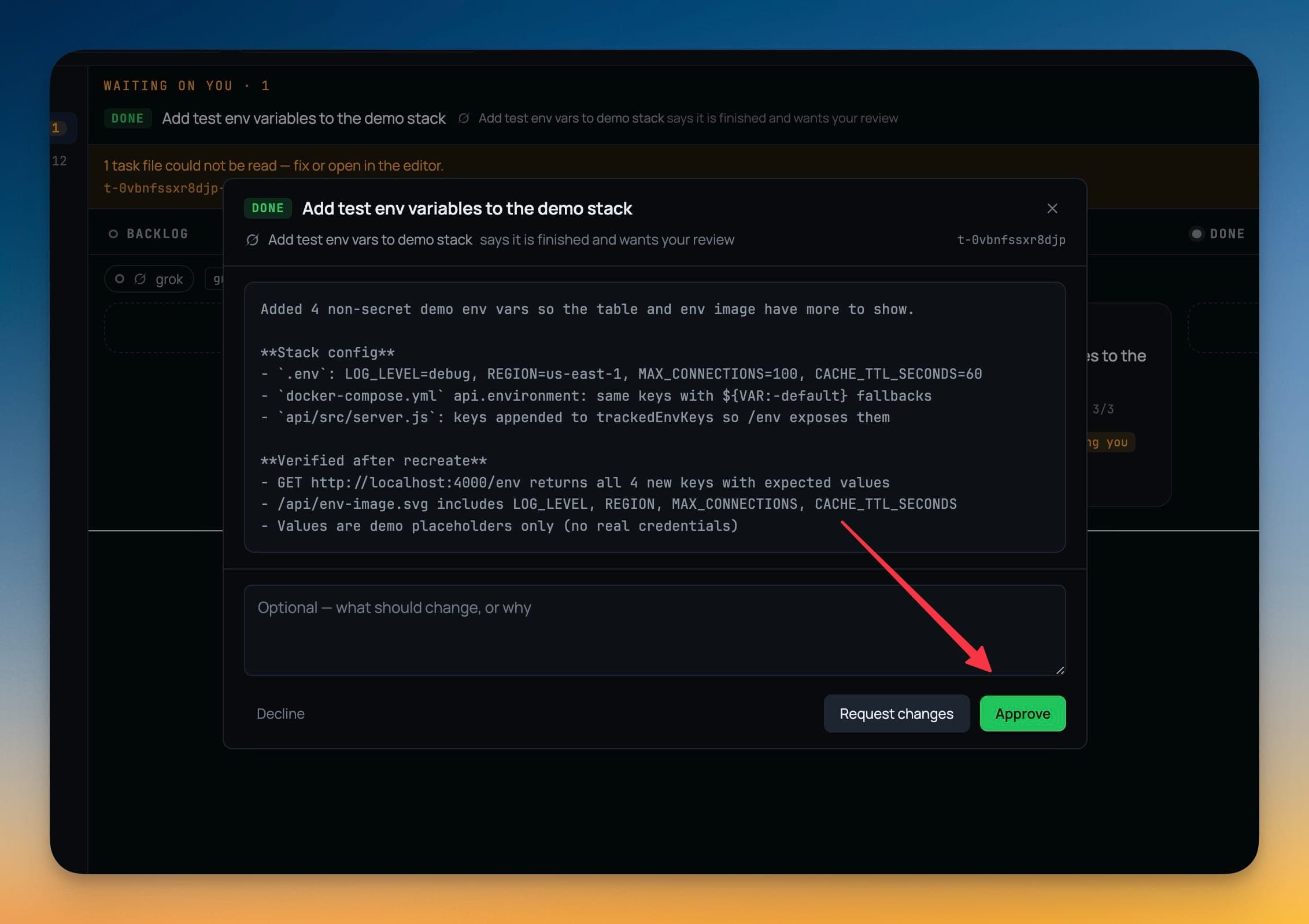
Nothing auto-approves. If nobody answers in time the task blocks, because silence is not consent.
Tasks are files in your repo
Each task is a markdown file under .1devtool/tasks/ in the project, named <id>-<slug>.md. That means they diff, they show up in review, and they travel with a branch like anything else in the repo.
The parts that decide what an agent is allowed to do — who it's assigned to, open gates, run records — are held by the app, not the file. A file edit that crosses an approval boundary is a proposal, not a decision.
Agents work the board over MCP
Ten MCP tools cover the whole loop: list and read tasks, create and update them, comment, link, ask for the next one, request approval, wait on a verdict, and complete. One rule is built in, not configured: an agent cannot assign itself work.
Capture from where problems appear
Most tasks start as something you noticed, not something you sat down to write.
- Select a stack trace in a terminal → right-click → Add task
- Select a few lines in the editor → right-click → Add task
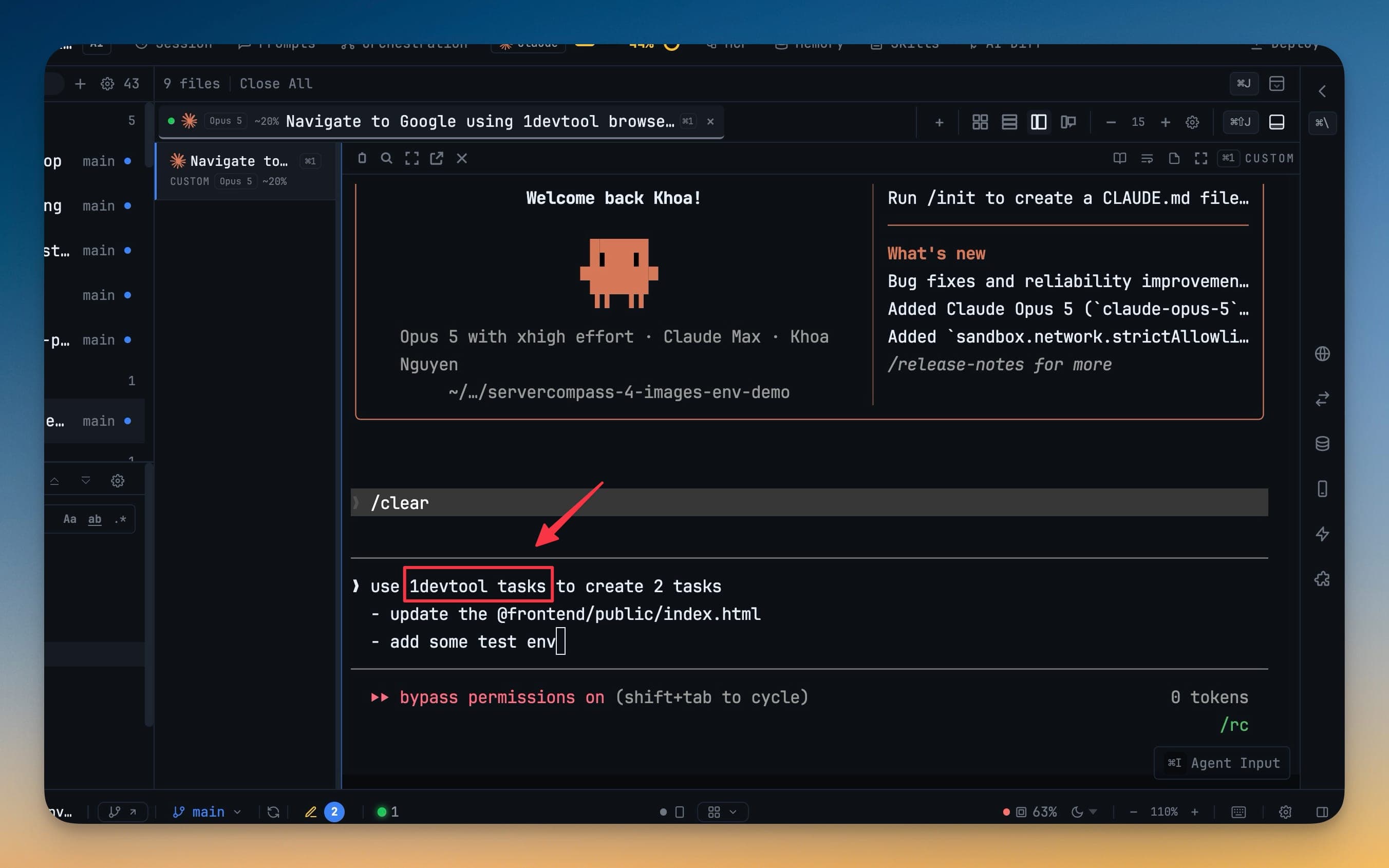
The capture keeps a pointer back to where it came from — the file and line, or the terminal name — so the task still says where you found it a week later.
Start from a goal
Describe an outcome and an agent proposes a task set for you to edit and accept. Nothing is written to your repo until you accept it, so a bad decomposition costs one click rather than a cleanup of .1devtool/tasks/.
Merge duplicates
When the same work gets captured twice, merge the cards. One survives; the rest become tombstones whose ids still resolve — so an agent holding an old id is redirected instead of being sent down a dead end.
Merges are ordinary file changes, so git checkout -- .1devtool/tasks/ undoes one before you commit.
Tasks in Mission Control
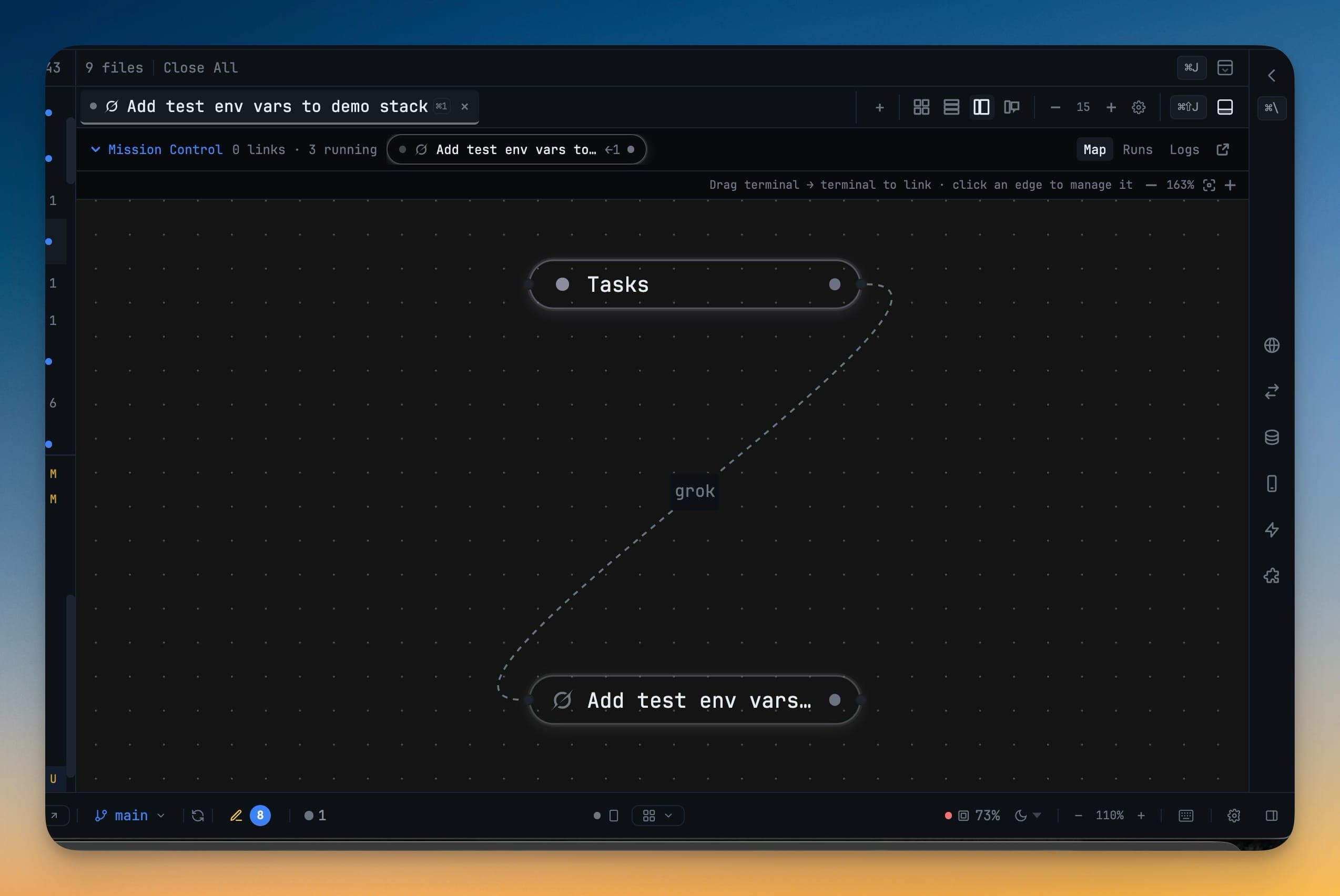
A project running tasks shows them in Mission Control above the terminals, alongside the map of who is talking to whom.
Next
- Mission Control — the cockpit above your terminals
- Agent Teams & Swarms — put several agents on one job
- MCP Control — turn the Tasks tools on and off