Orchestration Overview
Put several AI agents on one job — delegate to a terminal you already have open, form a team, or run a swarm of headless workers.
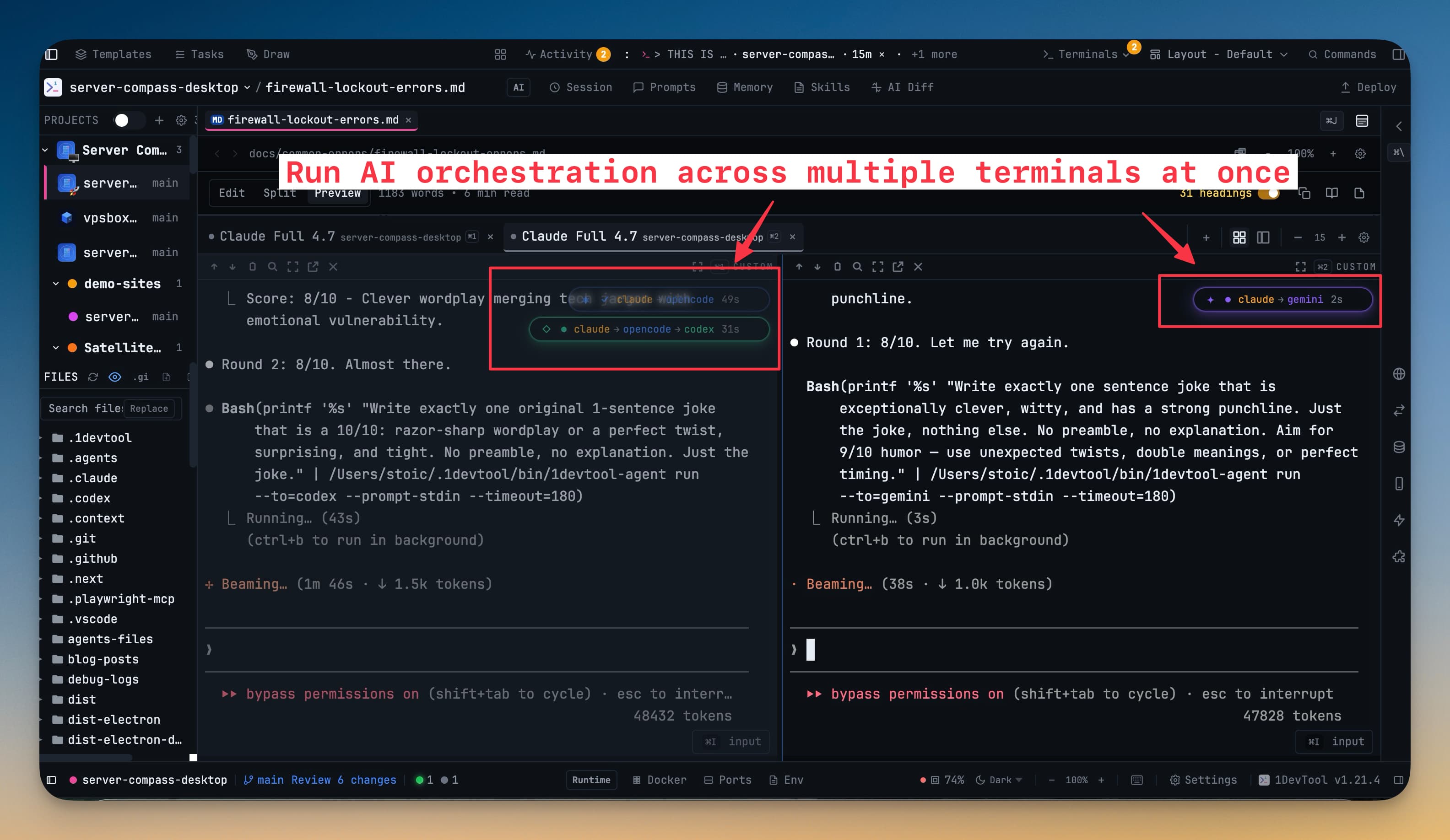
Running one AI agent is useful. Running several that can hand work to each other is a different kind of leverage: one agent writes the feature while another reviews it, a third writes the tests, and you watch all of it happen in the same window.
1DevTool calls this orchestration, and it comes in several shapes. They share one vocabulary and one cockpit, so learning one teaches you the others.
The shapes
Linked terminals are the smallest unit. You @mention an AI terminal you already have open and your prompt is delivered into that live agent instead of spawning a new one. The agent that receives it can reply straight back to you. Links can cross projects, so a terminal working on your API can hand work to an agent sitting in your frontend. See Linked Terminals.
Agent Teams are a named group of agents sharing a workspace and a goal. A team has members, a live status, and a message rail showing the hand-offs between its agents. See Agent Teams & Swarms.
Agent hierarchies give a team a chain of command: seats with managers and subordinates, where an agent may task only its own subordinates and reports its results upward. The chart is enforced rather than suggested. See Agent Hierarchy.
Pipelines are ordered stages that pass work forward — research, then implement, then review — with quality gates that let a stage reject a bad handoff instead of polishing it. See Pipeline.
Swarms are headless workers — no terminal, no window, just N copies of an agent grinding through a brief inside a sandbox and reporting back. Swarm workers must run sandboxed, which means only Codex, Claude, and Cursor can be swarm targets today; asking for anyone else is refused up front with the reason, instead of dying silently a second after launch.
Drawing one
You do not have to describe a team through a stack of dialogs. The Builder is a canvas: drag agents in from a palette rail, wire them together, edit any seat or wire in the inspector, and undo anything with Cmd+Z / Ctrl+Z. Hierarchy, Pipeline, and Router each get their own mode on Cmd+1 / Cmd+2 / Cmd+3, and every consequential action — Apply, Start, removing a role — previews what it will do first.
You can also describe the team in a sentence and have an AI agent draft the chart for you, then edit what comes back. See The Builder.
Picking the right one
Write the prompt and let Auto decide: Agent Input's mode control reads what you typed, applies a pattern, and tells you why (Using Pipeline · you wrote "then"). When it is unsure it asks instead of guessing, and clicking any mode yourself locks it.
The Pattern Guide — the ? beside that control — lays Team, Swarm, Hierarchy, Pipeline and Mesh side by side with the one verb that separates each from the others.
Where you watch it happen
Mission Control is the cockpit. It sits above your terminals in the workspace, not three clicks deep in a dialog, and it renders nothing until a project actually has something live. It shows a rail of agent pills with their status and context usage, the counters that matter (awaiting reply, stuck, quarantined), and one-click actions to nudge, relink, or resume a whole team. See Mission Control.
The Team Map draws your agents as cards and the links between them as edges. Drag one terminal onto another to link them; click an edge to unlink. See Team Map.
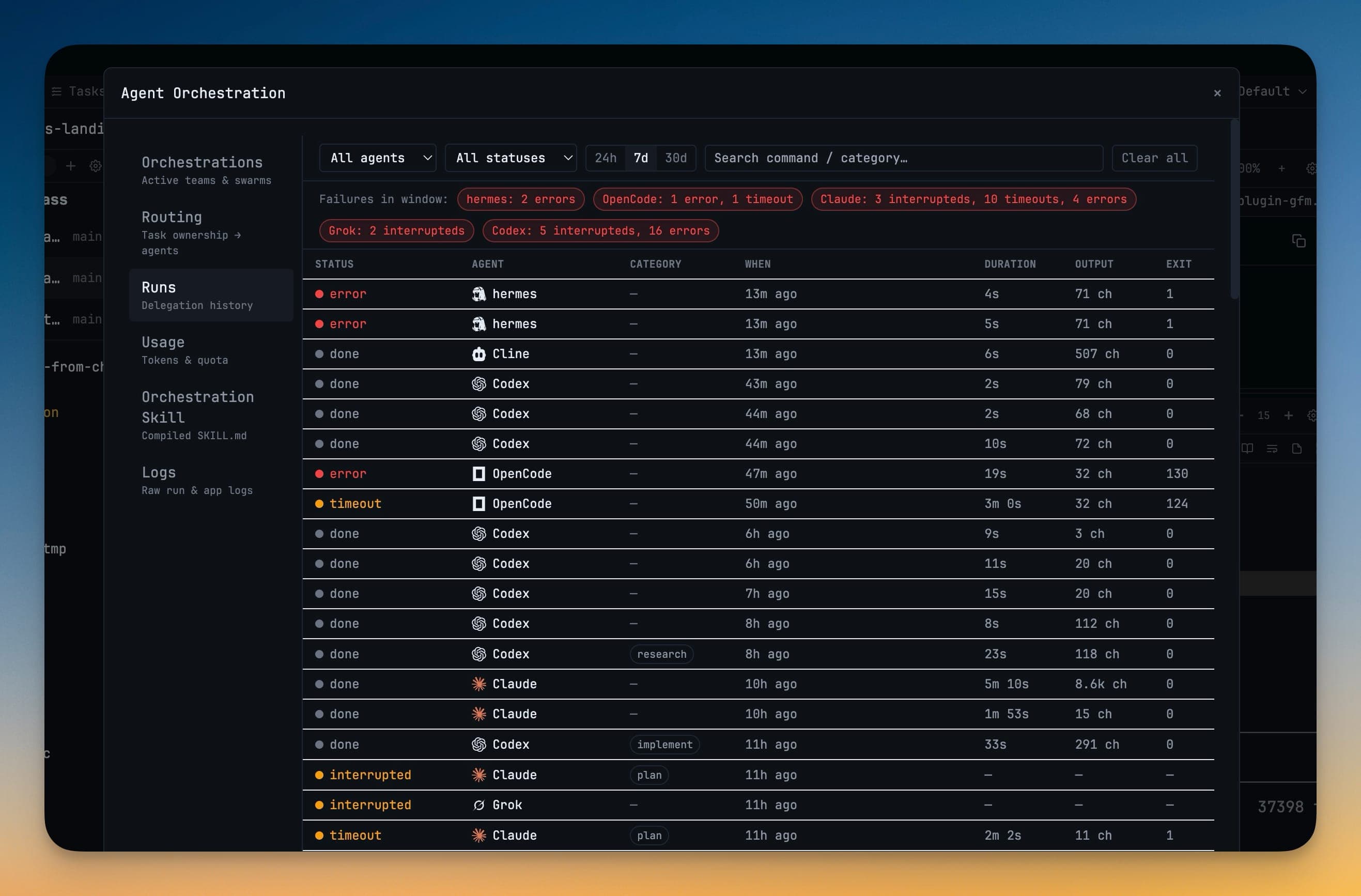
The Orchestration Dashboard opens on the Builder, and is also the historical record — teams, runs, logs, routing, per-team token usage, and the compiled skill your agents are given. See Orchestration Dashboard.
Delivery you can trust
The thing that makes multi-agent work either useful or maddening is whether a message you sent actually arrived. 1DevTool is deliberately strict about this.
A message is marked delivered only once the receiving agent is proven to have accepted that exact text — either it shows up as a real message in that agent's session, or its composer visibly held your text and then cleared. Keystrokes reaching a terminal is not proof, and used to be treated as if it were.
When acceptance cannot be proven, the message is marked delivery-unconfirmed and deliberately not retried. Pressing Enter a second time could run the same task twice, so the call is left to you. A reply only closes the request it answers after that same proof, so an unconfirmed reply can never make outstanding work look finished.
Permissions are opt-in
Agents can read each other's work — recent transcript, full transcript, terminal screen, notes — but every one of those is a separate grant, off by default, given per link. The grant dialog names every agent the content could reach and warns you plainly that a terminal-screen read strips formatting only: keys, tokens, and .env output come back verbatim. See Read Permissions.
Related
- Linked Terminals — delegate to an agent you already have open
- Mission Control — the live cockpit
- Agent Teams & Swarms — many agents, one job
- Tasks — a board your agents can actually work