AI Usage & Quota
Track how much of your Claude, Codex, and Antigravity quota you've used — with live reset times, right in the status bar and on your phone.
When you're running several paid AI agents at once, the last thing you want is to hit a wall mid-task and not know why. 1DevTool keeps a live view of your usage and reset times so you always know how much room you have left.
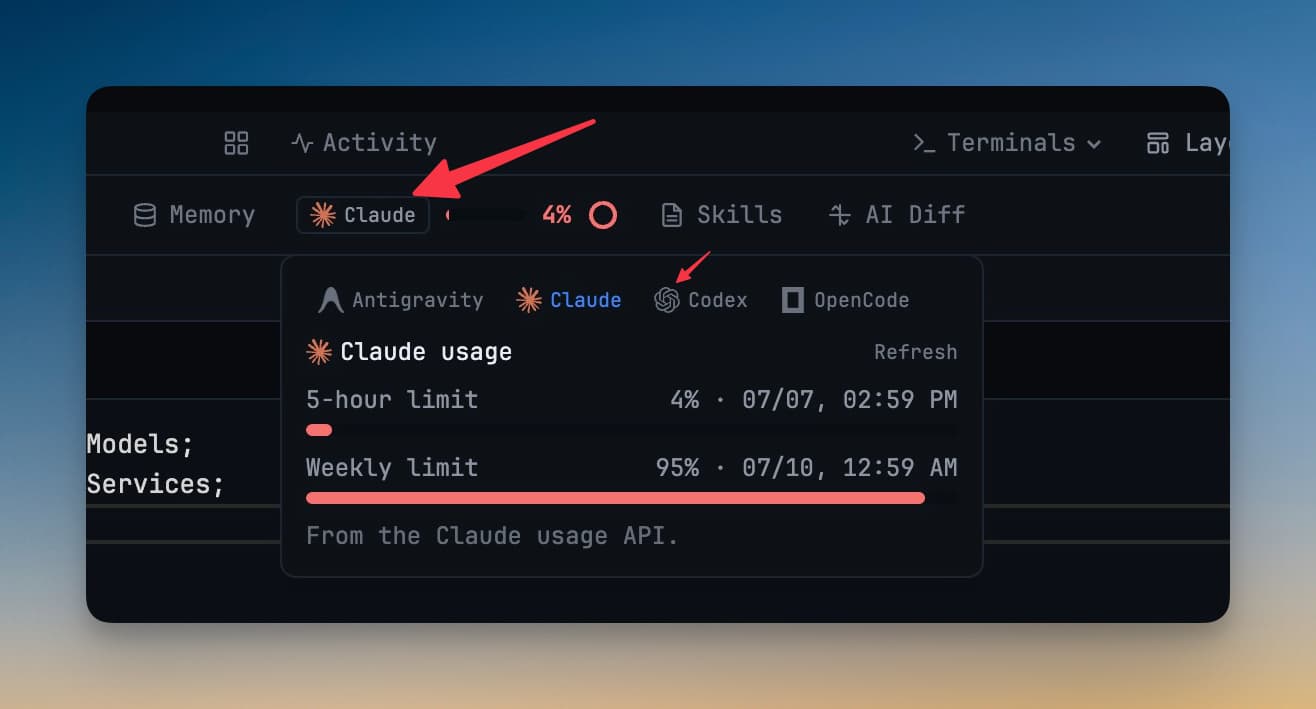
The Usage Pill
A small usage pill lives in the status bar. It shows, in real time, how much of your current allowance each connected agent has consumed — so a quick glance tells you whether you're at 20% or 90% before you fire off another big prompt.
Click the pill to open the full popover with a per-agent breakdown.
Per-Agent Quota
Usage is tracked separately for each provider you've signed into:
- Claude — real-time usage for your Claude account, so you can see how close you are to your limit as you work.
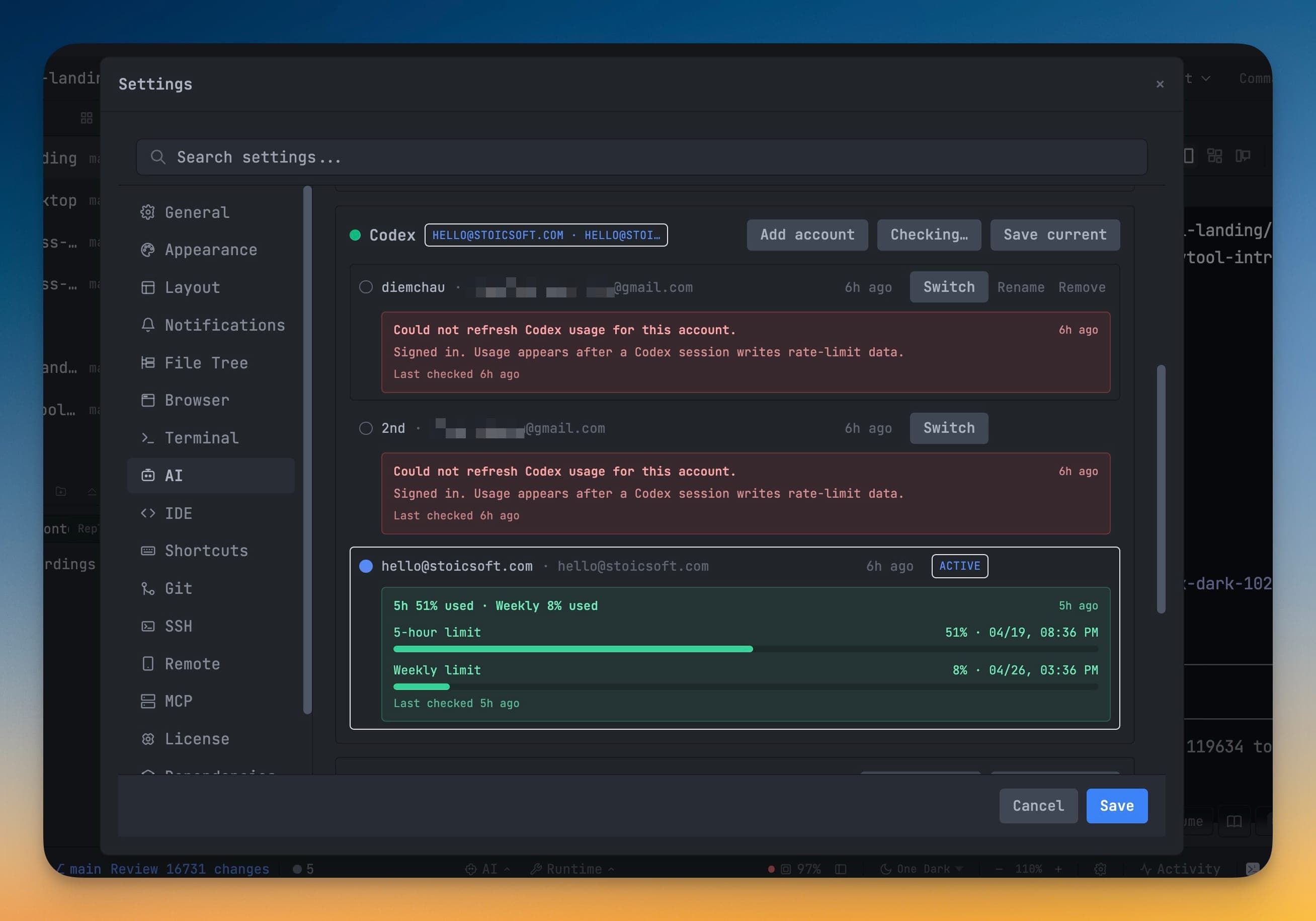
- Codex — usage plus available reset credits and the exact time your quota rolls over, read straight from the desktop popover.
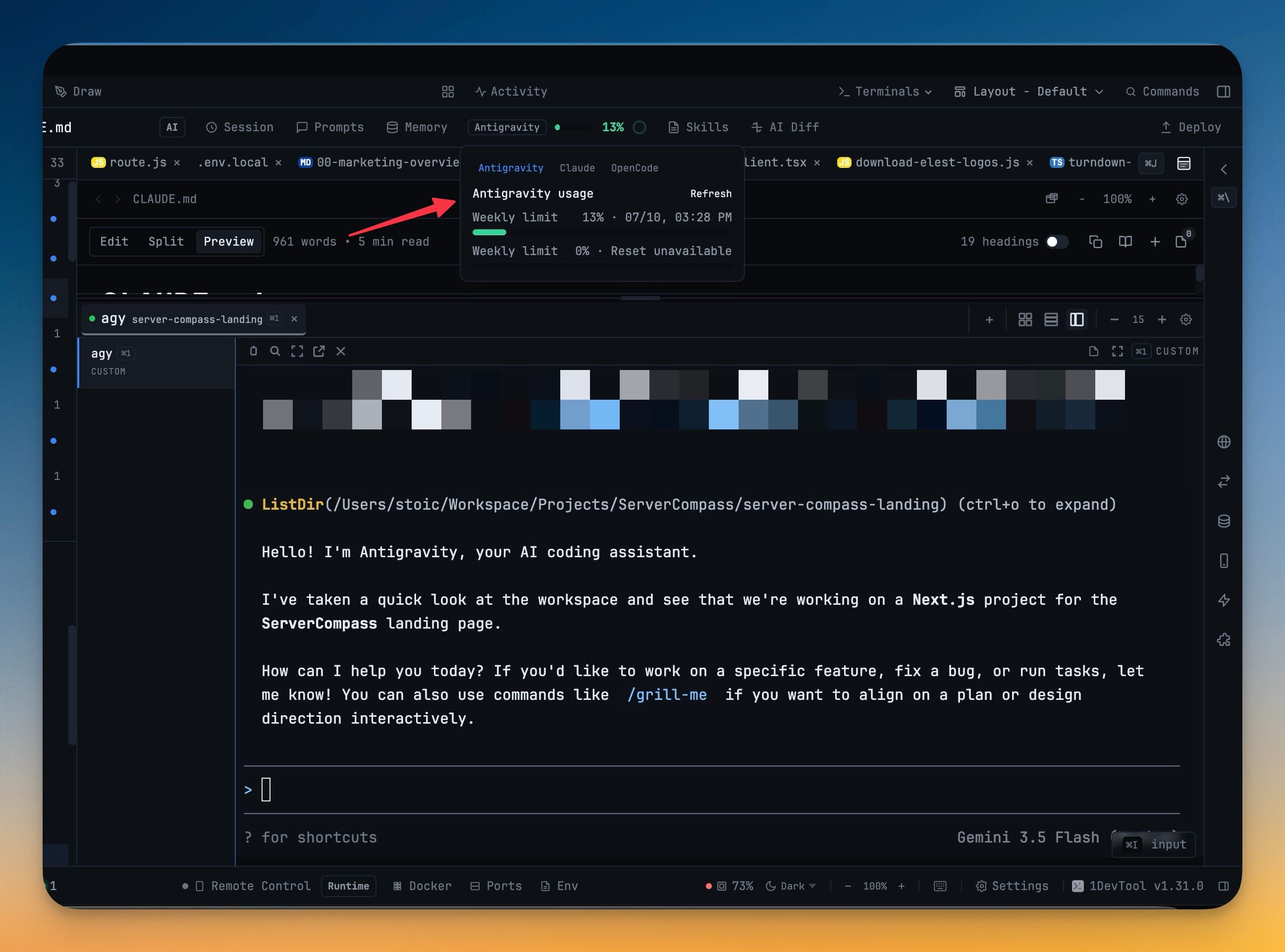
- Antigravity — quota read from its usage screen, with a signed-in Google fallback when needed.
Each agent's numbers update as you go, and the exact reset time is shown so you can plan around it — pause the heavy work until the reset, or switch to a different account.
The Spend & Quota Center
The pill is the glance. When you want the whole picture — every account across Claude, Codex, Gemini, Qwen, OpenCode, Amp, Antigravity, Grok, Cline and Cursor, what each one cost this month, and which account the next terminal will start on — press Cmd+Shift+U / Ctrl+Shift+U to open the Spend & Quota Center.
It also opens with no project loaded, and its Spend tab exports to CSV.
Switching Accounts to Stretch Your Quota
If you have more than one account for a provider, 1DevTool can auto-switch between accounts so a session keeps running when one is exhausted. You can also switch accounts manually from the usage popover.
Rotation happens between launches, never mid-conversation — a terminal keeps the account it started on for its whole life. Pick ⚡ Auto (pool order) when you add a terminal and 1DevTool starts it on the healthiest account of the first pool that can take work; the rules live in the Quota Center's Policies tab.
Usage on Your Phone
The same usage information appears in Remote Control, so when you're prompting agents from your phone you can still see how much quota is left before you commit to a long run.
Related
-
Analytics — a local recap of sessions, tokens and estimated spend over any range
-
Run an AI Agent — start and manage the agents whose usage is tracked here
-
Spend & Quota Center — every account, spend by agent, and account pools
-
Control 1DevTool From Your Phone — usage travels with you