为每次 AI Agent 交接选择模型
从 Agent Input 为每个委派的 AI Agent 任务精确选择模型和推理级别。
当你把工作交接给另一个 AI Agent 时,你可以精确选择运行该任务的模型,而不必依赖该 Agent 的默认设置。支持推理级别的 Agent 还允许你为每次交接选择使用多少推理强度。
此功能位于 Agent Input 的 Agents 标签页中。你选择的模型只对这一次交接生效,因此你可以为小的改动使用速度更快的模型,为困难的重构使用推理能力更强的模型,而无需修改该 Agent 的配置或重启它。
选择 Agent 和模型
- 打开 Agent Input。
- 选择 Agents 标签页。
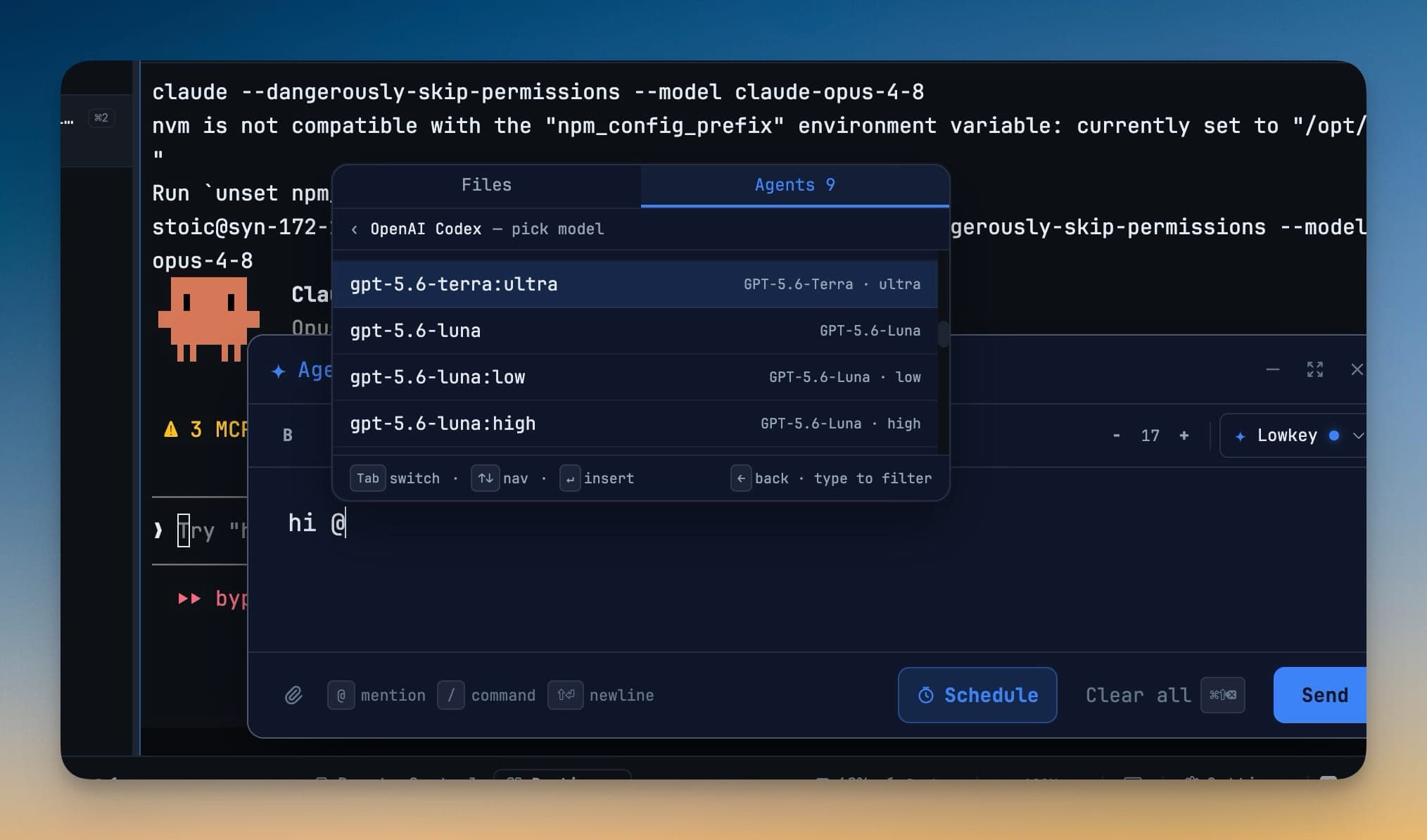
- 选择要委派任务的 Agent,例如 OpenAI Codex — pick model。
- 输入文字以筛选模型列表,或使用方向键在列表中移动。
- 按 Enter 插入所选模型。使用
←返回 Agent 列表。 - 输入任务并发送。
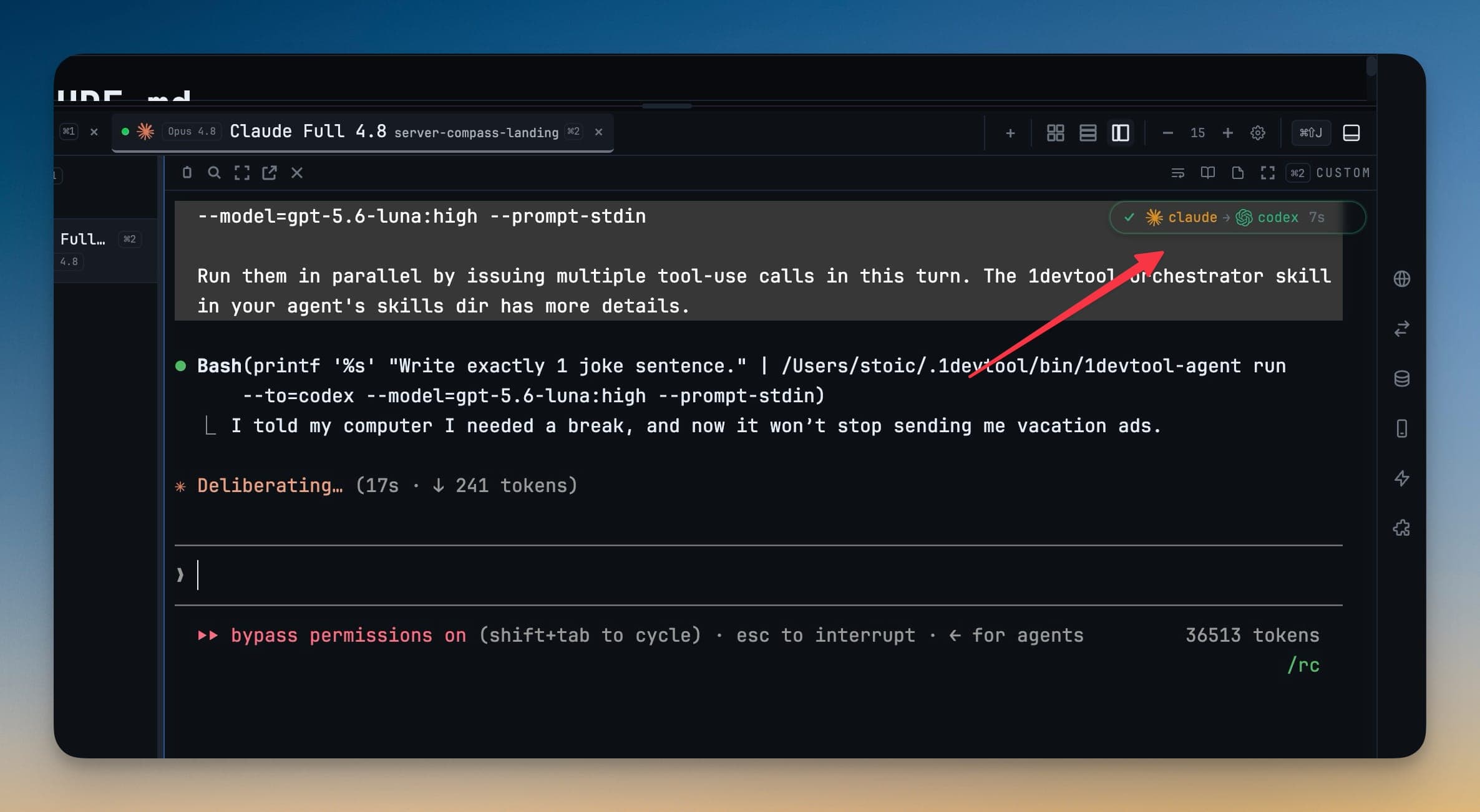
委派的任务会通过本地的 1devtool-agent CLI 运行,并将 --model 设置为你所选的模型。这个选择在委派的那一刻即刻生效——无需编辑配置文件,也无需重启。
选择推理级别
当某个模型提供多个推理级别时,每个级别都会作为单独的选项出现。例如,你可以选择:
model:low用于快速、机械性的改动model:high用于调试或涉及多个文件的实现model:ultra用于架构工作或困难的迁移
选择器中只会显示受支持的推理级别,让每个委派的任务都能在速度、成本与推理深度之间取得合适的平衡。
查看并刷新可用模型
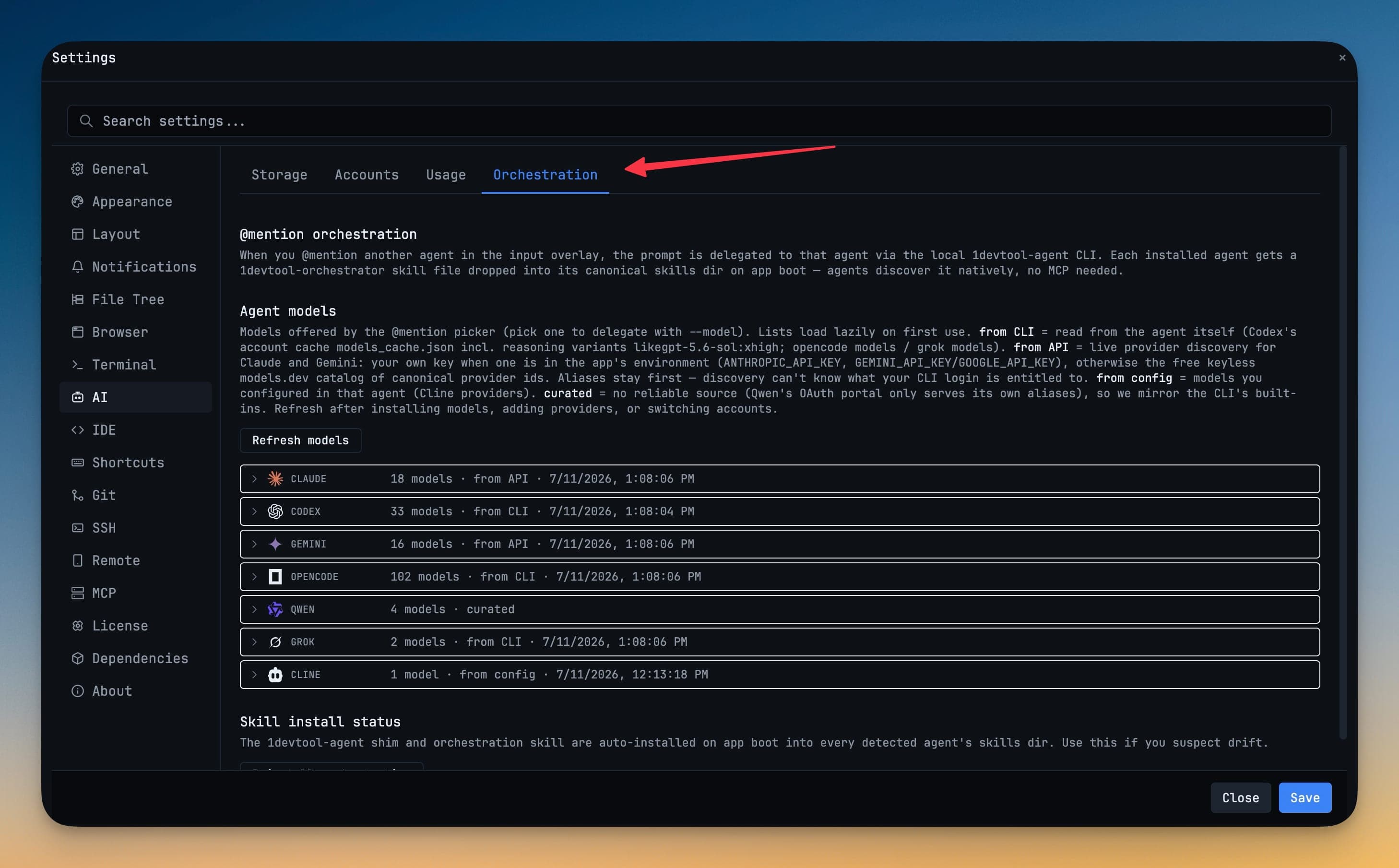
打开 Settings → AI → Orchestration,查看每个已安装 Agent 可用的模型。Agent 旁显示的来源说明了该列表的出处:
| 来源 | 模型的发现方式 |
|---|---|
| from CLI | 从已安装工具的账户或模型缓存中读取,包括受支持的推理变体。 |
| from API | 在有可用密钥时通过服务商 API 加载,如果支持则回退到目录列表。 |
| from config | 从该 Agent 自身配置的服务商中读取。 |
| curated | 作为一份维护中的兼容性列表提供。 |
在切换账户、添加服务商或更改某个 Agent 的配置之后,点击 Refresh models。如果实时刷新失败,1DevTool 会保留上一次成功获取的模型列表,而不会让选择器留空。
验证交接
发送任务后,子 Agent 徽标会显示交接链中的各个 Agent。当前正在运行的 Agent 会有动画效果,委派的命令中也会包含所选模型。你可以通过这些细节确认任务发往了哪里,以及正在运行它的是哪个模型。
为任务选择合适的模型
- 对于重命名、格式化、样板代码等范围明确的改动,使用速度快、成本低的模型。
- 对于调试、重构、迁移以及影响范围较大的决策,使用更强的推理级别。
- 当新安装或新授权的模型没有出现时,刷新模型目录。
- 需要确认当前生效的是哪个 Agent 和模型时,检查交接徽标与委派的命令。
如果想了解更完整的工作流程演示,请参阅为每次 AI Agent 交接选择模型。