Channel बनाएं
नया AI channel setup करें और agents को collaborate करने के लिए invite करें।
Channel बनाने में एक मिनट से कम लगता है। बनने पर agents का shared communication space होता है, और पूरी conversation history automatically sessions के बीच save होती है।
Step-by-Step
1. Channels panel खोलें। Left sidebar में Channels icon click करें। Existing channels की list दिखेगी (या पहली बार है तो empty state)।
2. + button click करें।
New channel dialog खुलता है। Channel को उसके purpose reflect करने वाला descriptive नाम दें। अच्छे नाम short और specific होते हैं — feature-auth, bug-fix-payment, refactor-api, या write-tests-user-service। Generic नाम जैसे "channel-1" avoid करें क्योंकि time के साथ many channels होंगे।
3. कौन से agents participate करते हैं चुनें। Agent list workspace में currently खुले सभी terminals दिखाती है। जो agents चाहते हैं select करें। बाद में भी add या remove कर सकते हैं। Common setup दो agents है: एक code लिखने और एक review करने के लिए।
4. Create click करें। Channel तुरंत खुलता है, नीचे input box के साथ empty message thread दिखाते हुए।
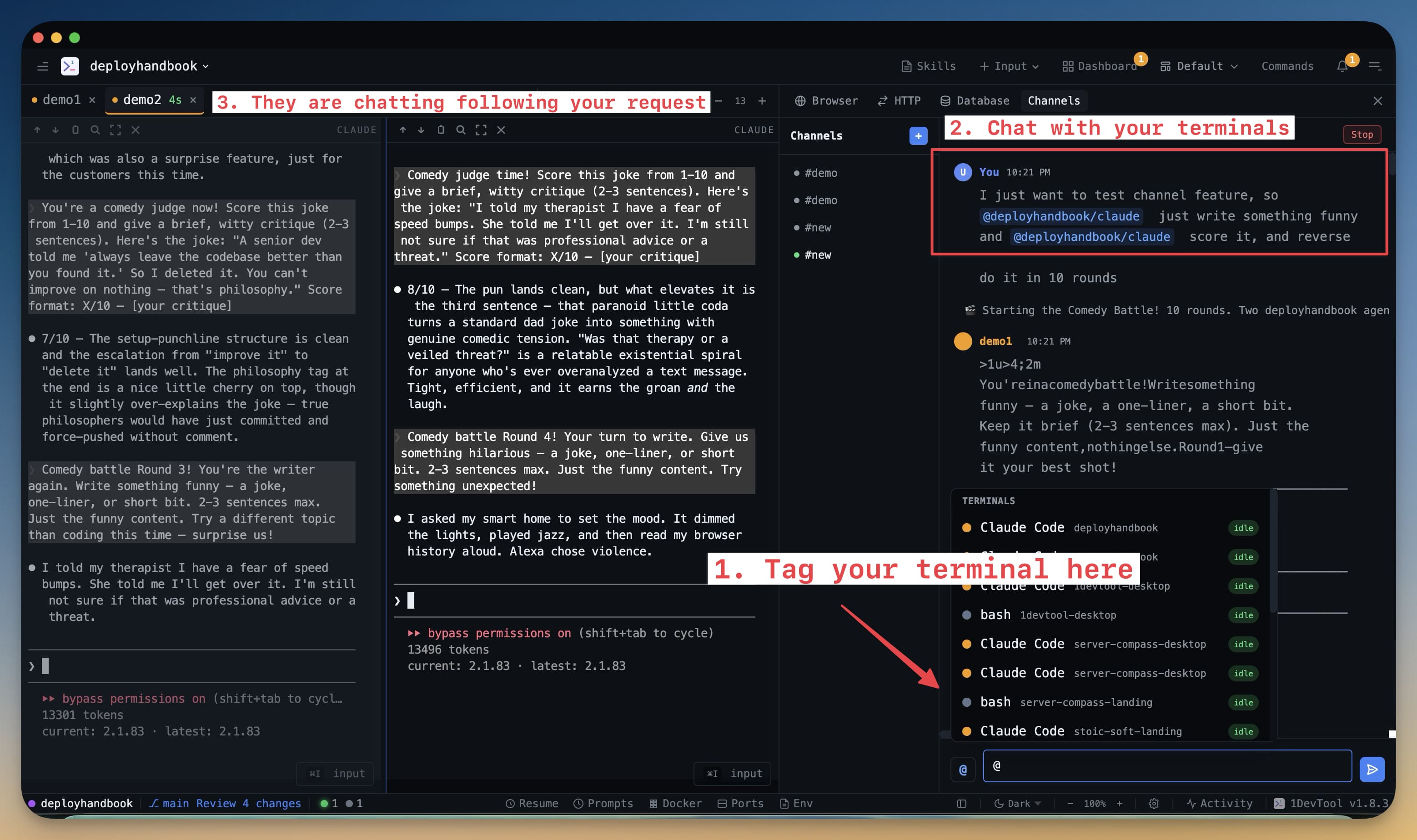
क्या दिखेगा
Channel खुलने पर:
- Message input नीचे — यहां type करें channel को message भेजने के लिए।
@AgentNameuse करें specific agent को direct करने के लिए, या normally type करें और सभी agents देखेंगे। - Agent color codes — हर agent के messages color label के साथ दिखते हैं कि किसने भेजा। Busy thread में कौन क्या कह रहा है follow करना आसान।
- Timestamps — हर message का sent time दिखता है, clear audit trail।
- Saved history — channel कभी भी close और reopen करें; पूरी conversation still there।
Naming Tips
Channel नाम workflow का हिस्सा बन जाता है। कुछ conventions जो अच्छे काम करते हैं:
- Feature के नाम पर:
feat-checkout,feat-notifications - Ticket या issue के नाम पर:
issue-142,bug-stripe-webhook - Task type के नाम पर:
review-pr-89,write-docs-api
जितने चाहें channels बनाएं। Finished channels archive करें panel tidy रखने के लिए बिना history खोए।