Collections Import करें
Postman, Insomnia, या Bruno collections import करें और saved requests तुरंत पाएं।
दूसरे tool में API requests already saved हैं तो उन्हें scratch से recreate करने की ज़रूरत नहीं। 1DevTool सबसे popular API clients से collections import कर सकता है, ताकि existing काम साथ ला सकें।
Supported Formats
| Tool | Format |
|---|---|
| Postman | Collection v2.1 (JSON) |
| Insomnia | Export v4 (JSON या YAML) |
| Bruno | .bru files |
| OpenAPI / Swagger | JSON या YAML spec |
OpenAPI spec है किसी API के लिए जिसे test करना हो, तो import करने पर spec में defined हर endpoint के लिए automatically एक request बन जाती है — third-party APIs के साथ या जब AI agent OpenAPI file generate करे तो बड़ा time saver।
Import कैसे करें
- HTTP Client खोलें — Cmd+H दबाएं या left strip में HTTP icon click करें
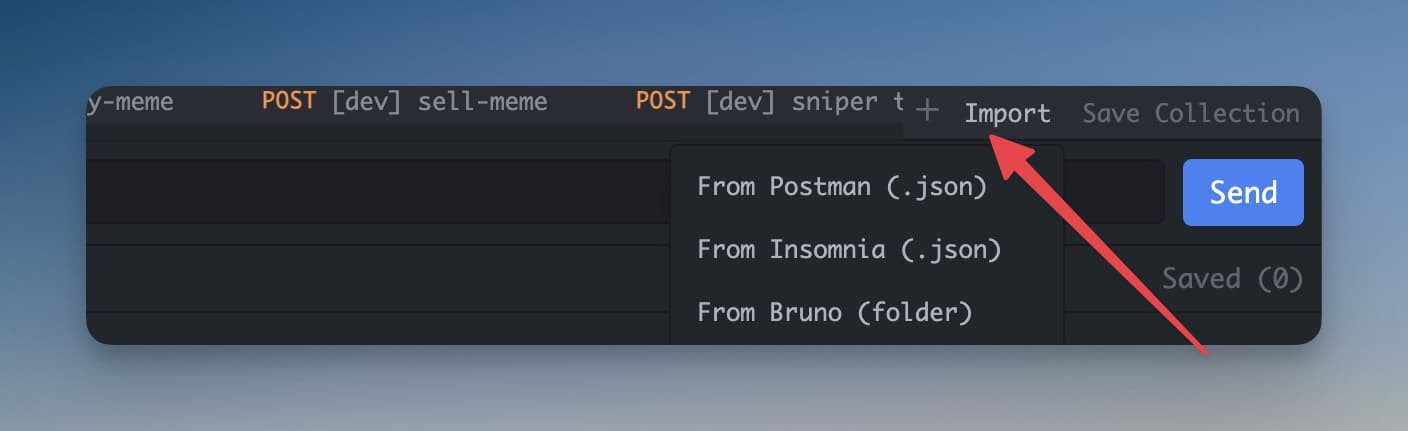
- HTTP client toolbar में Import button click करें (arrow pointing in वाला icon, या collection sidebar में "Import" देखें)
- File picker dialog खुलता है — collection file dialog में drag and drop करें, या Browse click करके disk पर file ढूंढें
- 1DevTool file पढ़ता है और सभी requests import करता है
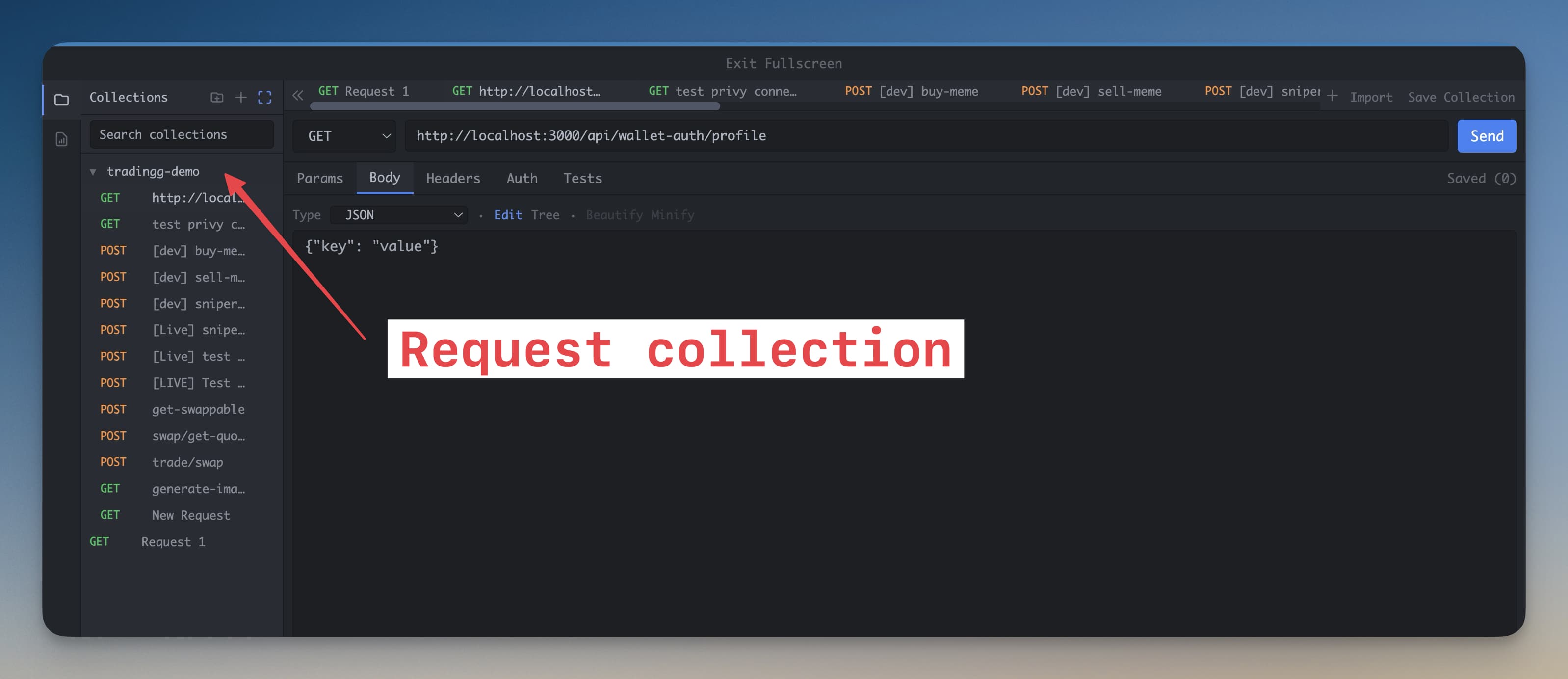
Import पूरा होने पर सभी requests left sidebar में दिखती हैं, original tool में जो folder structure थी उसी में organize। कोई भी request click करके load करें — URL, method, headers, और body सब restore।
Imported Collection Navigate करना
Imported requests left sidebar में collection और folder के हिसाब से grouped रहती हैं। Folder expand करने के लिए click करें। Request load करने के लिए click करें। वहां से as-is send करें या modify करके।
Postman से Export कैसे करें
Collection Postman में है और पहले export करना हो:
- Postman खोलें और left sidebar में collection ढूंढें
- Collection name के बगल में ... (three dots) menu click करें
- Export चुनें
- Format के रूप में Postman Collection v2.1 चुनें
- Export click करें और JSON file computer पर save करें
- वो file 1DevTool में ऊपर बताए तरीके से import करें
Tip: Postman Collection v2.1 recommended format है — पुराने formats से बेहतर folder structure, headers, body, और pre-request scripts preserve करता है।
Insomnia से Export कैसे करें
Insomnia में जाएं Application → Preferences → Data → Export Data और Current Collection select करें। File JSON के रूप में save करें। Insomnia v4 JSON fully supported है।
OpenAPI / Swagger Specs Import करना
openapi.json या swagger.yaml file है? उसी तरह import करें — 1DevTool spec पढ़ता है और हर endpoint के लिए एक saved request बनाता है, correct method, path, और parameter structure के साथ pre-filled। यह खासकर useful है जब AI agent API build करते वक्त OpenAPI spec generate करे।