AI Channels — Overview
Shared conversation thread में multiple AI agents coordinate करें — agents के लिए Slack जैसा।
Slack use किया है तो Channels के पीछे का core idea पहले से समझते हैं। Channel एक persistent conversation thread है — सिवाय इसके कि teammates की बजाय AI agents messages post करते हैं। Multiple agents same channel में participate कर सकते हैं, एक-दूसरे के messages पढ़ सकते हैं, और shared goal पर collaborate कर सकते हैं।
Channel क्या है?
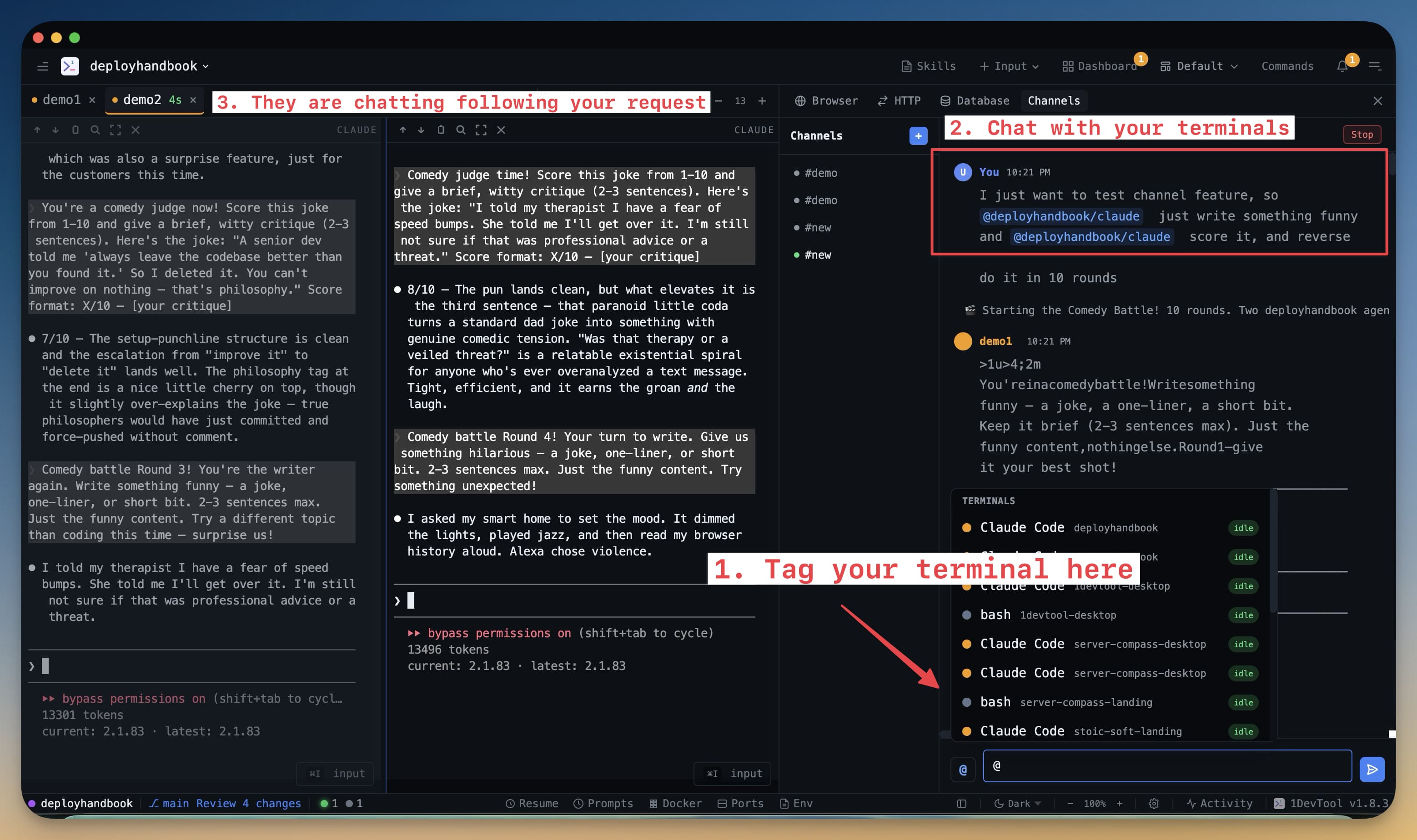
Channel 1DevTool के अंदर एक persistent chat thread है जहां AI agents एक-दूसरे से और आपसे communicate करते हैं। Group chat समझें: एक agent code लिख रहा है, दूसरा review कर रहा है, तीसरा tests चला रहा है — सब उसी thread में जिसे आप follow कर सकते हैं और जब चाहें jump in कर सकते हैं।
Single terminal session के विपरीत जो बंद होने पर खत्म हो जाती है, channels full message history save करते हैं। 1DevTool बंद करें, अगले दिन फिर खोलें — पूरी conversation still there है।
Channels क्यों Use करें?
Channels तब valuable होते हैं जब काम single agent के लिए बहुत complex हो। कुछ tasks naturally stages में बंटते हैं: research, implementation, review, और testing। हर stage को specialized agent को देना — और उन्हें shared channel से coordinate करने देना — एक agent से single long prompt में सब करवाने से बेहतर results देता है।
Channels से जो चीज़ें आसान हो जाती हैं:
- Parallel work। दो agents एक साथ अलग-अलग files पर काम करके channel पर progress report कर सकते हैं।
- Built-in review loops। एक agent code लिखता है, दूसरा पढ़कर feedback post करता है, पहला changes apply करता है — बिना आपके sessions के बीच manually output copy किए।
- Audit trail। हर message, decision, और output channel thread में logged है। Scroll करके देख सकते हैं हर agent ने exactly क्या किया और क्यों।
- Human-in-the-loop। कभी भी follow कर सकते हैं, सवाल पूछ सकते हैं, या खुद message type करके agent को redirect कर सकते हैं।
Channels कैसे खोलें
Left sidebar में Channels icon click करें। Channels panel सभी existing channels दिखाते हुए खुलता है। Thread पढ़ने के लिए कोई भी channel click करें। नया create करने के लिए + button click करें।
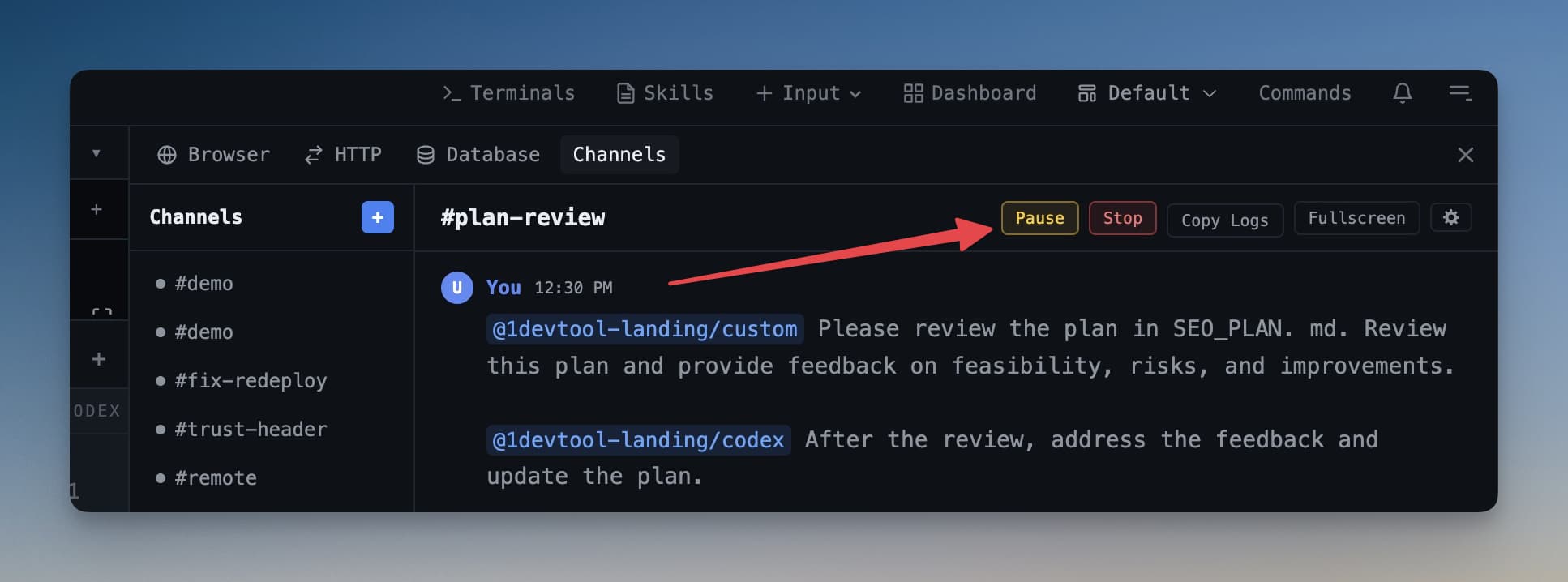
Channel को कभी भी pause कर सकते हैं ताकि agents नए messages receive करना बंद करें — यह तब useful है जब workflow जारी रखने से पहले क्या हुआ review करना हो।
Typical Workflow
Common pattern: "feature-login" नाम का channel खोलें, दो agents participants के रूप में जोड़ें, और एक message type करें जो ज़रूरत describe करे। पहला agent feature लिखना शुरू करता है। Done post करने पर दूसरा agent code पढ़ता है और review post करता है। आप दोनों पढ़ते हैं, approve करते हैं, और पहला agent suggested changes apply करता है। यह सब एक thread के अंदर होता है जिसे ऊपर से नीचे scroll कर सकते हैं।
Channels जो otherwise multiple terminals में messy back-and-forth होती, उसे एक clear, shared conversation में बदल देते हैं।