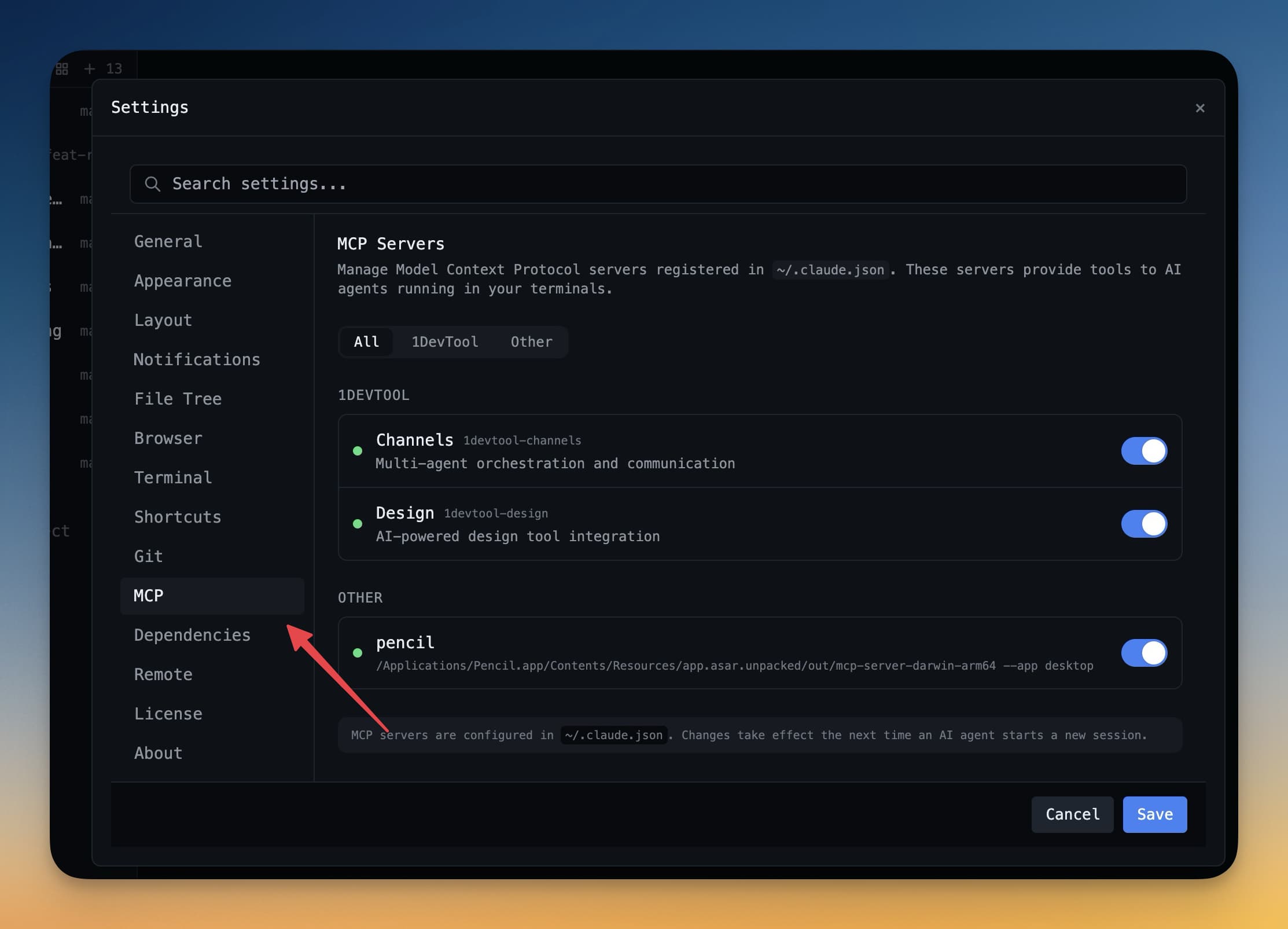
MCP Servers
AI agents को external tools का access देने के लिए Model Context Protocol servers configure करें।
MCP क्या है?
Model Context Protocol (MCP) एक open standard है जो AI agents को external tools और services से connect करने देता है। इसे AI के लिए plugin system समझें: MCP के बिना Claude Code जैसा agent सिर्फ files पढ़ और लिख सकता है। MCP के साथ वो web search कर सकता है, database query कर सकता है, APIs call कर सकता है, और design tools से interact कर सकता है — same conversation में।
MCP server एक small program है जो background में चलता है और tools का set expose करता है जिन्हें agent call कर सकता है। Agent से पूछें "current weather क्या है?" तो वो weather MCP tool call करके real answer दे सकता है।
MCP servers standard protocol पर communicate करते हैं, इसलिए MCP support करने वाले कोई भी agent (Claude Code, Cursor, Windsurf, और अन्य) same servers use कर सकते हैं।
Built-in MCP Servers
1DevTool कई MCP servers out of the box ready-to-use के साथ आता है:
- Database access — agent connected databases पर queries चला सकता है और results explain कर सकता है। Schema automatically जानता है।
- File system — agent project directory में files पढ़ और search कर सकता है, codebase का full context देता है।
- HTTP client — agent API calls कर सकता है, endpoints से JSON fetch कर सकता है, और responses inspect कर सकता है।
- Design tools — Figma और Pencil के साथ integration, ताकि agent design files inspect कर सके, component specs पढ़ सके, और designs से match करता code suggest कर सके।
ये servers terminal session खोलने पर automatically start होते हैं। Configure करने की ज़रूरत नहीं।
Custom MCP Server जोड़ें
MCP ecosystem में community-built सैकड़ों servers हैं। एक जोड़ने के लिए:
- Settings → MCP Servers पर जाएं
- + Add Server click करें
- Server command enter करें — जैसे:
npx @modelcontextprotocol/server-brave-search - नीचे fields में required environment variables (जैसे API keys) जोड़ें
- Save click करें
Server अगली बार terminal खोलने पर automatically start होगा। Agent से new tool use करने को कहकर test कर सकते हैं।
Per-Project MCP Config
Different projects को अक्सर different tools चाहिए। Frontend project को Figma server चाहिए हो सकता है, backend project को Postgres या Redis। Per project MCP servers configure करें:
- Sidebar में project पर right-click करें
- Settings → MCP चुनें
- सिर्फ उस project के लिए servers जोड़ें या remove करें
Project-level MCP settings सिर्फ उस project के लिए global defaults override करती हैं।
Tip: MCP ecosystem में community के सैकड़ों servers हैं — Slack, GitHub, Notion, databases, और अधिक के लिए। Browse करें modelcontextprotocol.io पर