Reader Mode
Read an agent's conversation as a document instead of a terminal dump — with a live terminal in a resizable split beside it.
An AI agent's terminal is a stream of redrawn frames. It is fine to watch and awful to read: line breaks land mid-word, **markdown** shows up raw, and a long session is reduced to the few hundred words still on screen.
Reader Mode re-renders the conversation as a document.
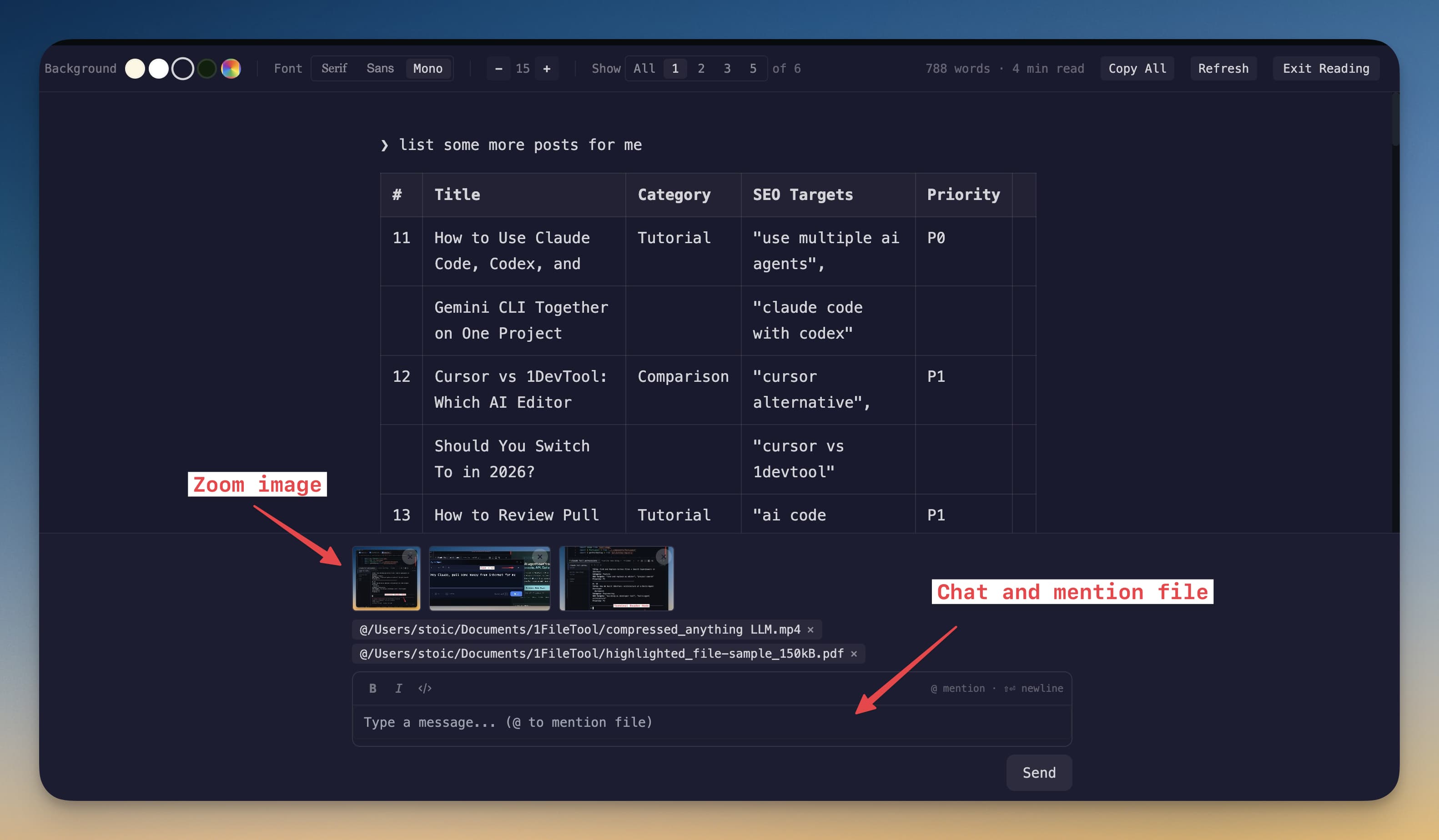
Opening it
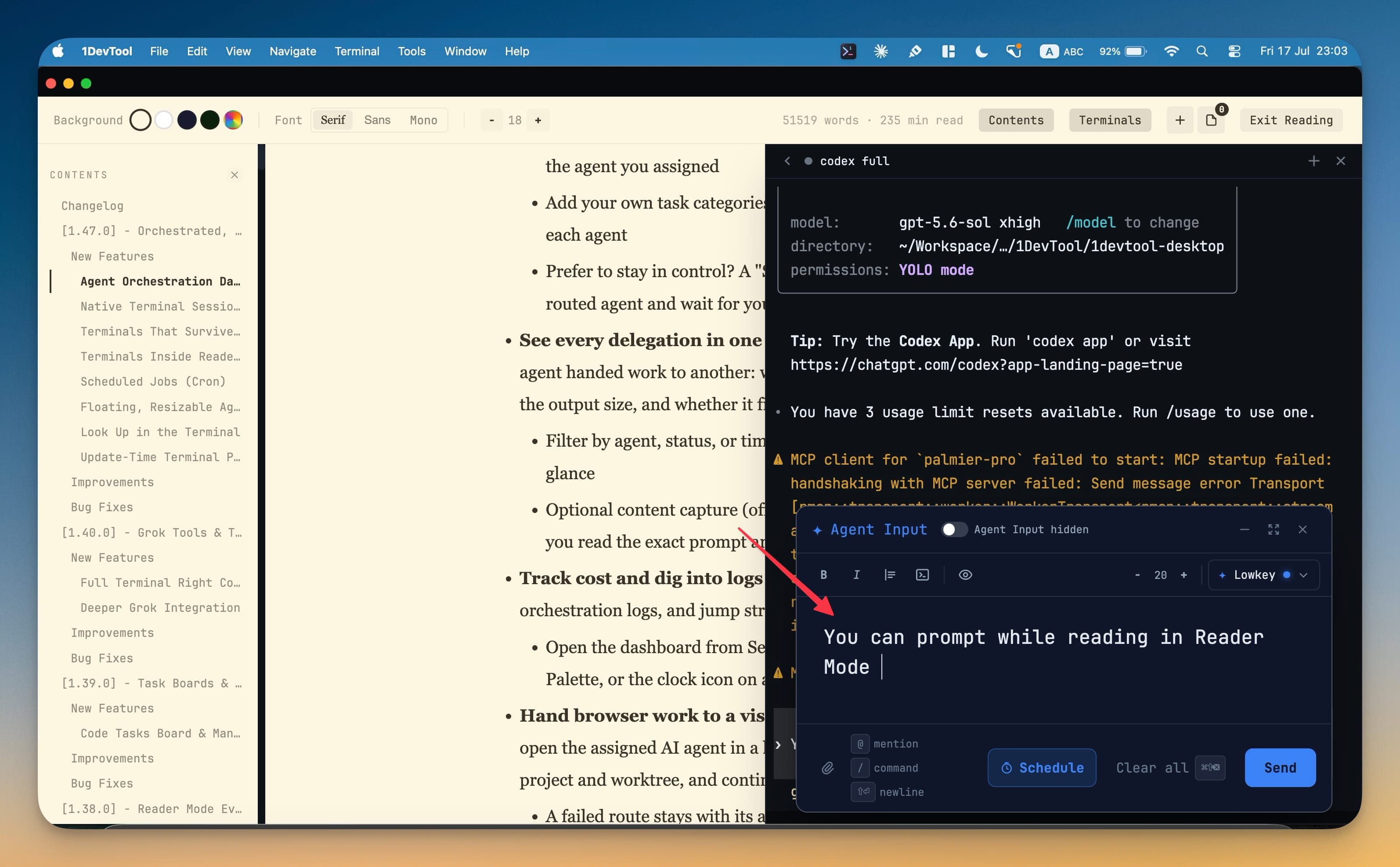
Press Cmd+Shift+E (Ctrl+Shift+E on Windows and Linux) in a terminal, or click Open in Reader Mode in the terminal's header. The shortcut can be rebound. Reader Mode works on Markdown files in the editor too, and it coexists with Agent Input, so you can keep reading and still send a prompt. Press Esc or Exit Reading to leave.
What it fixes
- The full transcript, not just what fits on screen
- Real paragraphs, headings, lists, and code blocks
- Terminal chrome (banners, status lines, box drawing) stripped out
- Claude Code, Codex, Gemini, Cursor, Kimi, Qwen, Grok, OpenCode, Cline, Hermes, Antigravity, Pi, Oh My Pi, Kiro, Devin, Command Code and Kilo Code render their real parsed native session, not a scrape of whatever happened to be on screen. Custom agents and shells fall back to the terminal's screen text.
The reading view
Since v1.75.0 Reader Mode is laid out like a document.
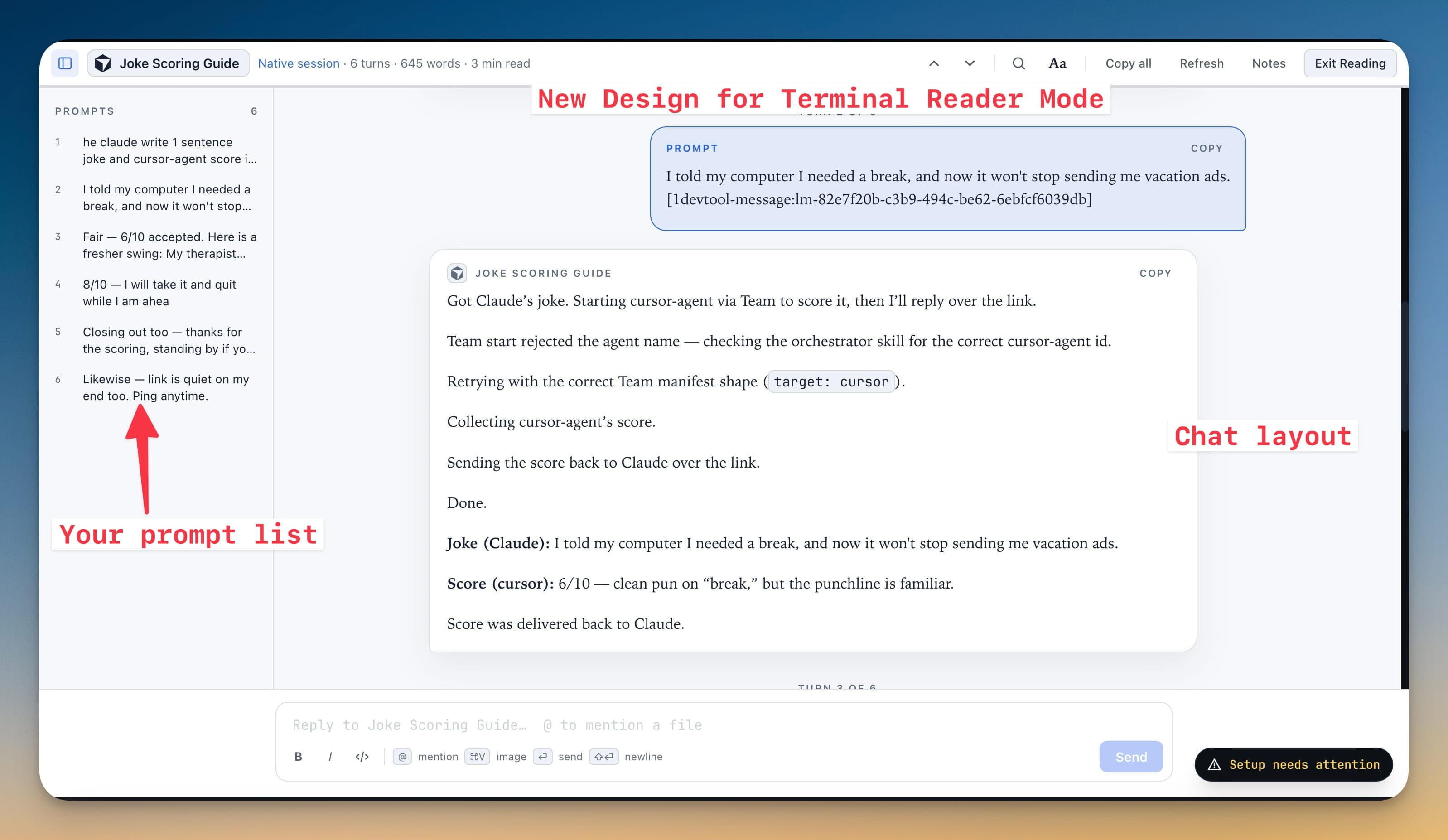
The header names the session and where the transcript came from (Native session, Terminal screen or Terminal output), then shows the turn count, word count and reading time. While the agent is still running it reads Agent still working · Refresh. From left to right, the controls are:
- Previous prompt (
⌥↑) and Next prompt (⌥↓) - Find in transcript (
⌘F) - Aa, for reading settings
- Copy all, which copies the turns currently shown, separated by
--- - Refresh, Notes and Exit Reading
The Prompts rail on the left lists every prompt you sent, numbered. Click one to jump to its turn. Each turn is labelled Turn N of M and has its own Copy button.
Attachments read as attachments, not as paths. Since v1.76.1 a prompt that pasted an image or attached a file lists each one as a named chip under the prompt text, instead of leaving a raw @/var/folders/… path in the middle of your sentence. Image chips carry a real thumbnail — click it to open the picture at full size. The Prompts rail shows the same picture, and a prompt that was nothing but an attachment is labelled Attached diagram.png, or 3 attachments when there were several.
Jump to the end floats into view once the end of the conversation is far enough below you to be worth the shortcut, and gets out of the way again as you approach the bottom.
Math, citations and links
Since v1.80.0 Reader Mode handles three things agents often put in their answers.
Formulas display as math. Formulas an agent writes as \( … \) inline, or \[ … \] and $$ … $$ on their own line, are typeset as math instead of showing TeX source with its brackets stripped. This works on the desktop and on your phone.
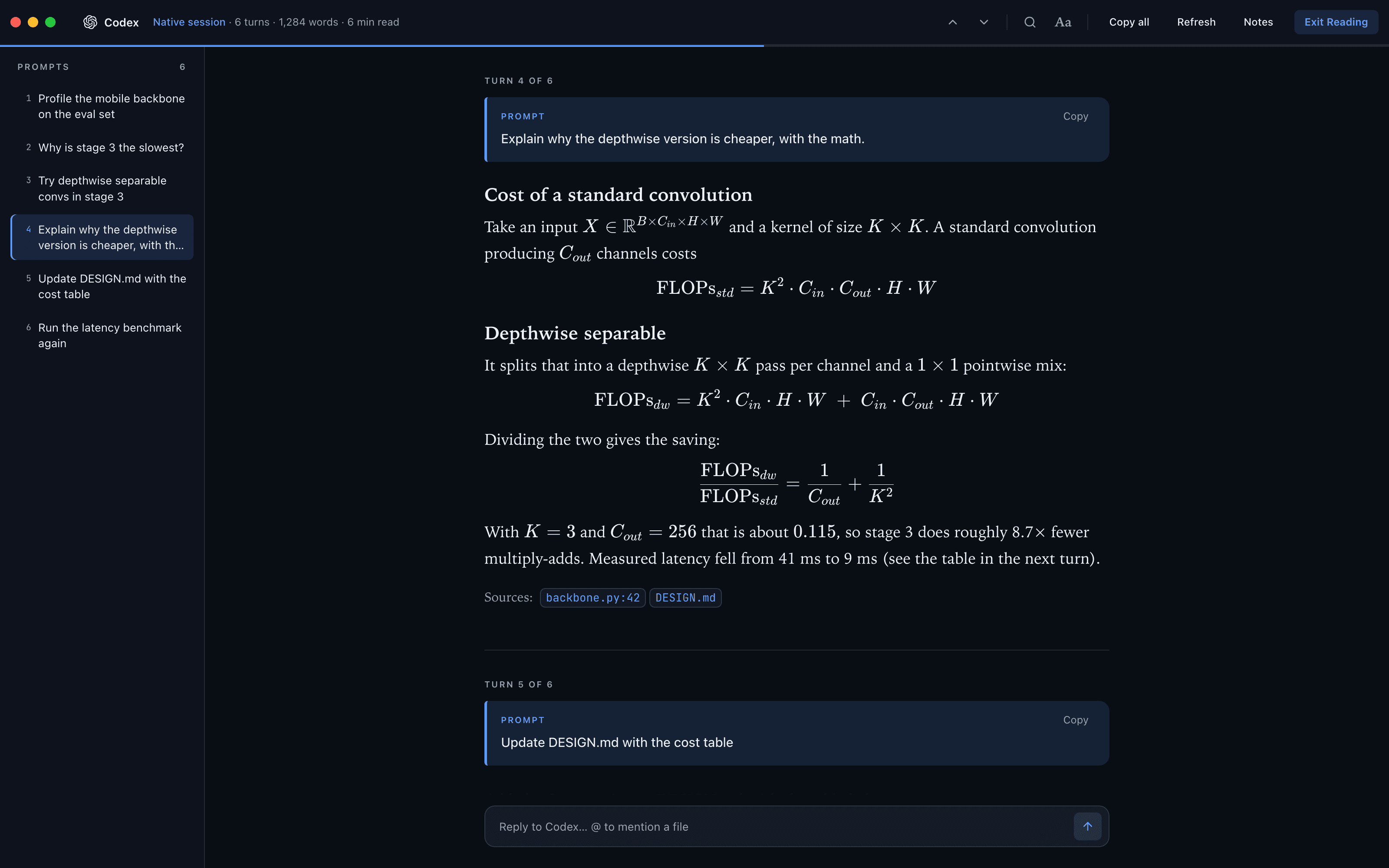
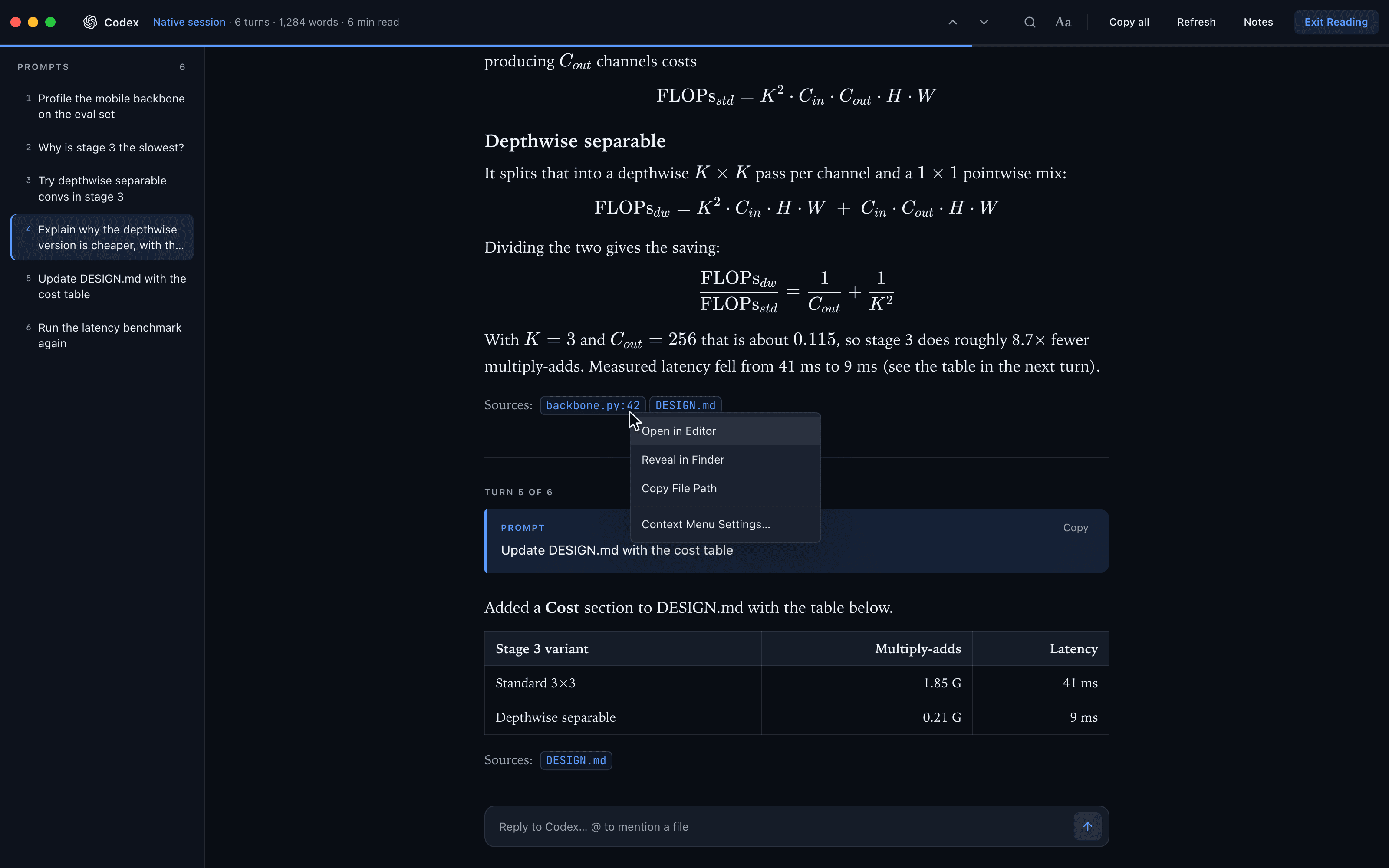
Codex file citations become file chips. A citation such as :codex-file-citation{…} at the end of a Codex answer shows as a chip with the file name and line, such as backbone.py:42, instead of raw text.
Right-click a link, file path or citation for the same menu the terminal gives you:
- on a link: Open in 1DevTool's Browser, Open in Default Browser and Copy URL,
- on a file path or citation chip: Open in Editor, Reveal in Finder (Show in Explorer on Windows, Show in Files on Linux) and Copy File Path,
- and Context Menu Settings… at the bottom, which opens the same settings as the terminal's menu.
Reading settings
Aa opens the Reading popover:
| Setting | Options |
|---|---|
| Canvas | Dark, Black, Sepia, Paper, Forest, or Custom colors with your own Background and Text |
| Typeface | Serif, Sans, Mono |
| Size | − / + |
| Measure | Snug, Comfort, Wide (the width of a line of text) |
| Layout | Document, or Chat (prompts and replies as cards) |
| Show | 1, 3, 5 or 10 turns, or All |
Canvases saved before v1.75.0 carry over: White is now Paper and Green is now Forest.
A terminal beside it, in a real split
While reading a Markdown file in Reader Mode, you can put any of the project's terminals in a pane beside the document — a real, live terminal with full output, scrollback, and Agent Input, not a static copy.
Since v1.70.0 this is a genuine split rather than a dock floating over the page, so the terminal never covers the paragraph you are reading. Pick a layout from the reader toolbar:
| Preset | Layout |
|---|---|
| 5 : 5 | Markdown 50% · terminal 50%, side by side |
| 3 : 7 | Markdown 30% · terminal 70% |
| 7 : 3 | Markdown 70% · terminal 30% |
| MD / Term | Markdown above the terminal |
| Term / MD | Terminal above the markdown |
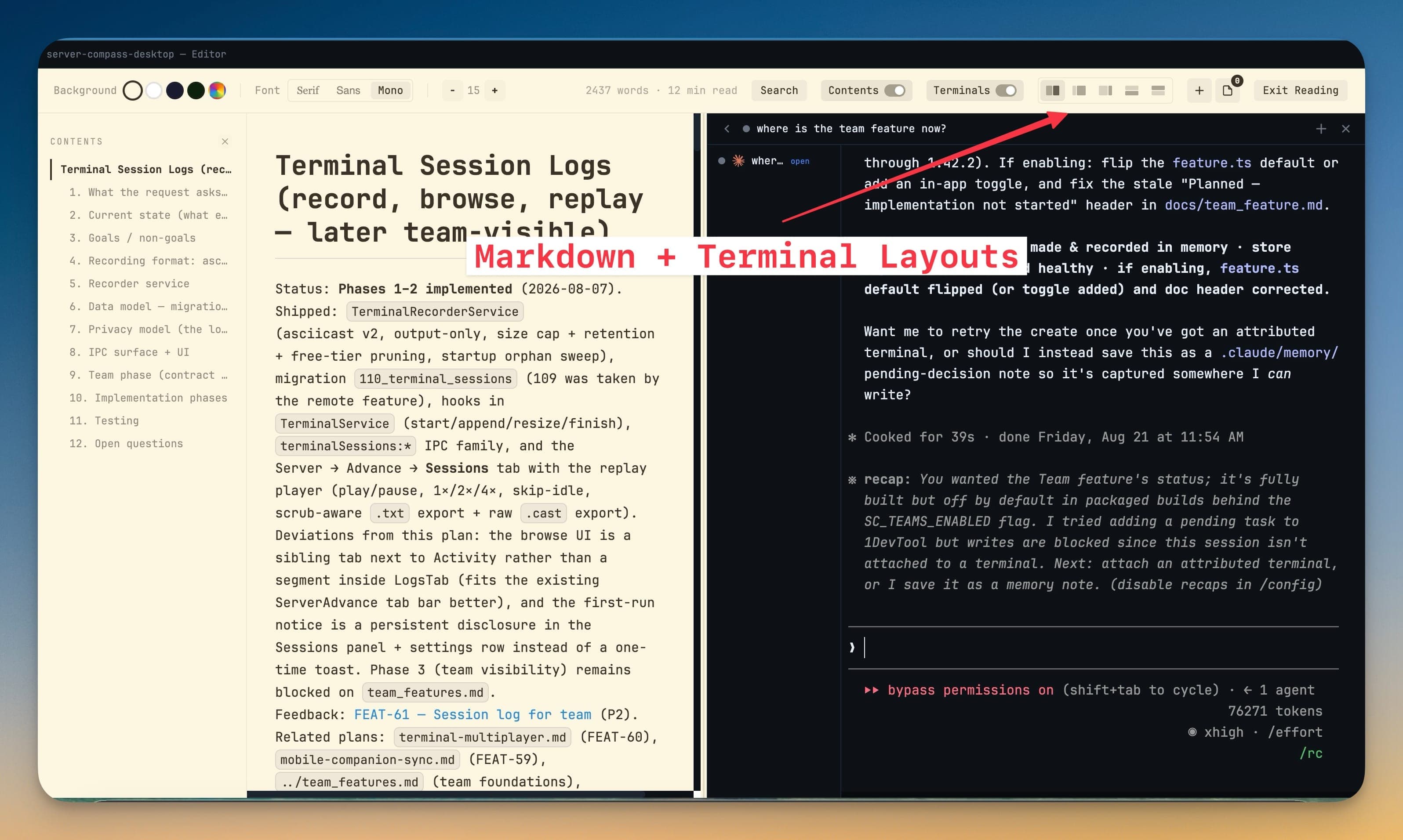
Drag the sash between the panes to fine-tune the ratio — the layout you settle on is remembered for next time. Stack the panes instead when the document has long lines and you would rather give it the full width.
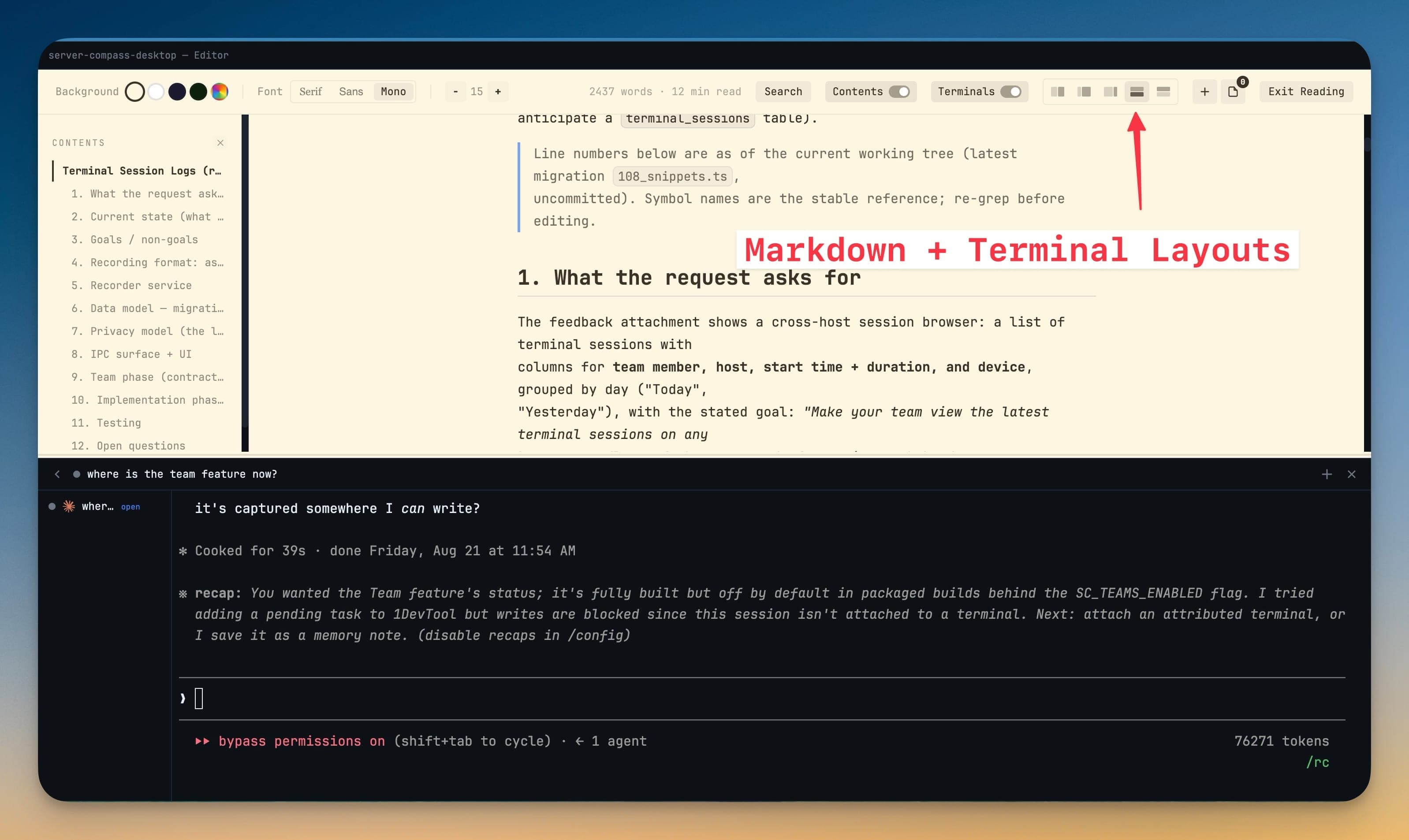
You can also create a brand-new terminal from the reader, and closing the pane hands your scrollback back cleanly so nothing is lost.
Prompting while you read
The composer sits at the bottom of Reader Mode for AI agents, so noticing something halfway down a transcript and asking about it does not mean leaving the reading view. Type @ to mention a file, paste an image to attach it, drop files onto it, and use the B, I and code buttons for formatting.
Notes in Reader Mode
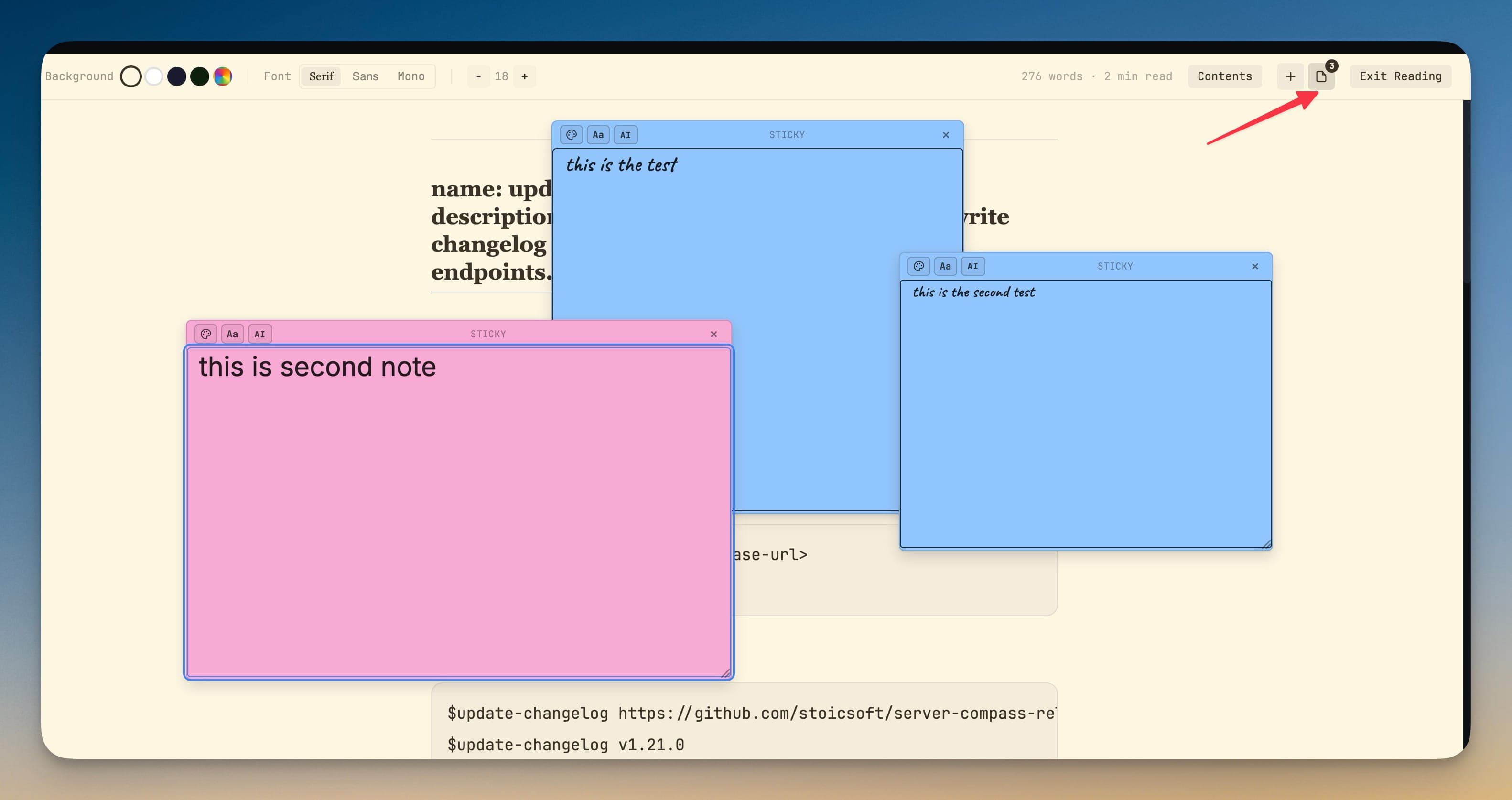
Sticky notes render alongside the document, so annotations you left on a file are visible while you read it. See Sticky Notes.
On your phone
Reader Mode is the best way to catch up on an agent from a phone, and it is available there too. The phone version styles user messages, agent results, code, and raw terminal output separately. Since v1.75.0 it uses the same Dark, Black, Sepia, Paper and Forest canvases, Serif, Sans or Mono type, Snug, Comfort or Wide measure and Document or Chat layout as the desktop, so a session reads as the same document everywhere. It also has a Prompts sheet, Find in transcript, and a Latest or All turns switch. Custom colors are desktop-only.
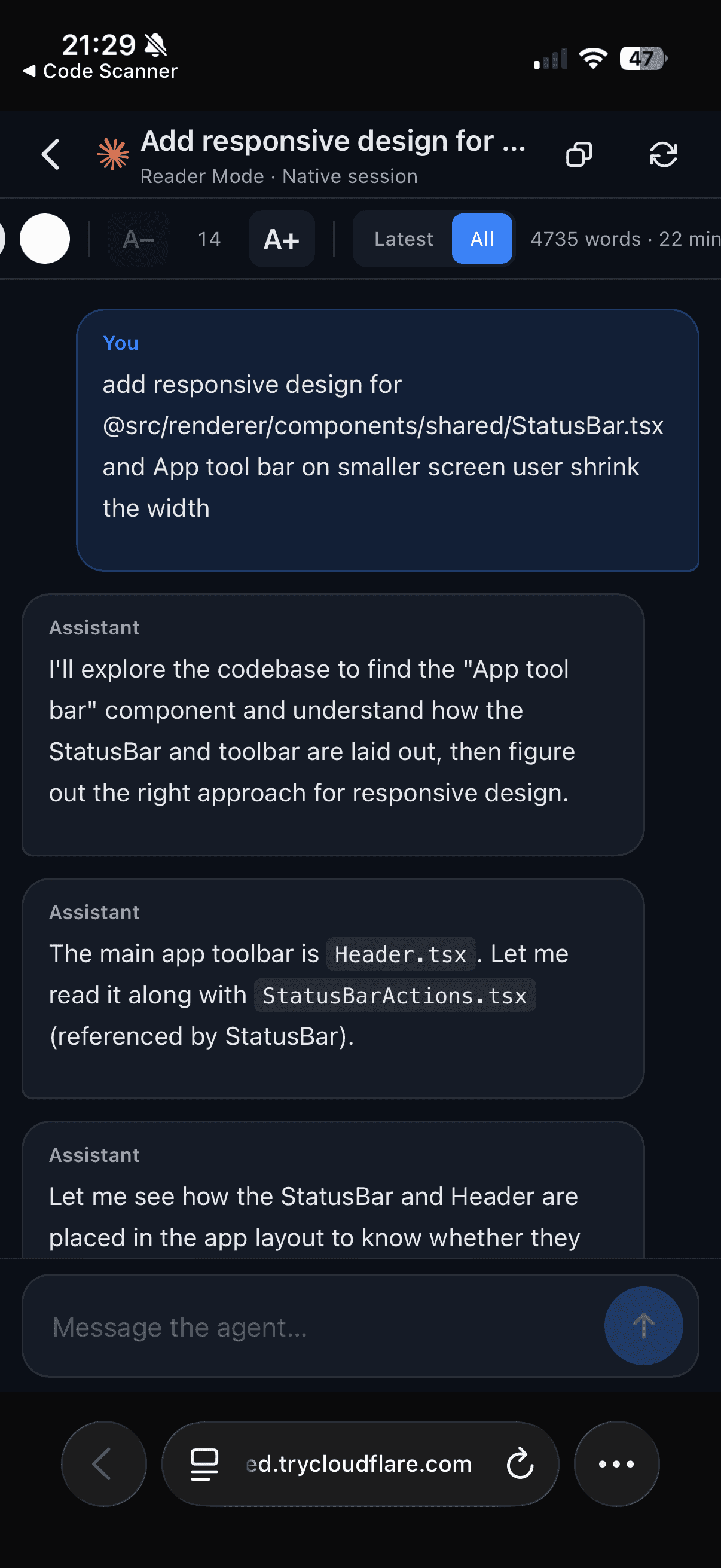
It also re-renders the transcript at any width, which makes it the escape hatch when a desktop-width terminal is unreadable on a small screen.
Since v1.80.0 the phone typesets formulas and shows Codex citations as file chips, like the desktop. Right-click or long-press a link, a file path or selected text to open a sheet with Open link / Copy link, Open file / Copy path, or Copy selection.
Themes
Reader colours inherit the reading canvas you pick under Aa rather than the app's terminal palette, so a dark app can still give you a Paper or Sepia reading surface if that is what you prefer.