Scheduled Jobs (Cron)
Read and edit your system crontab from inside 1DevTool, with every schedule spelled out in plain English.
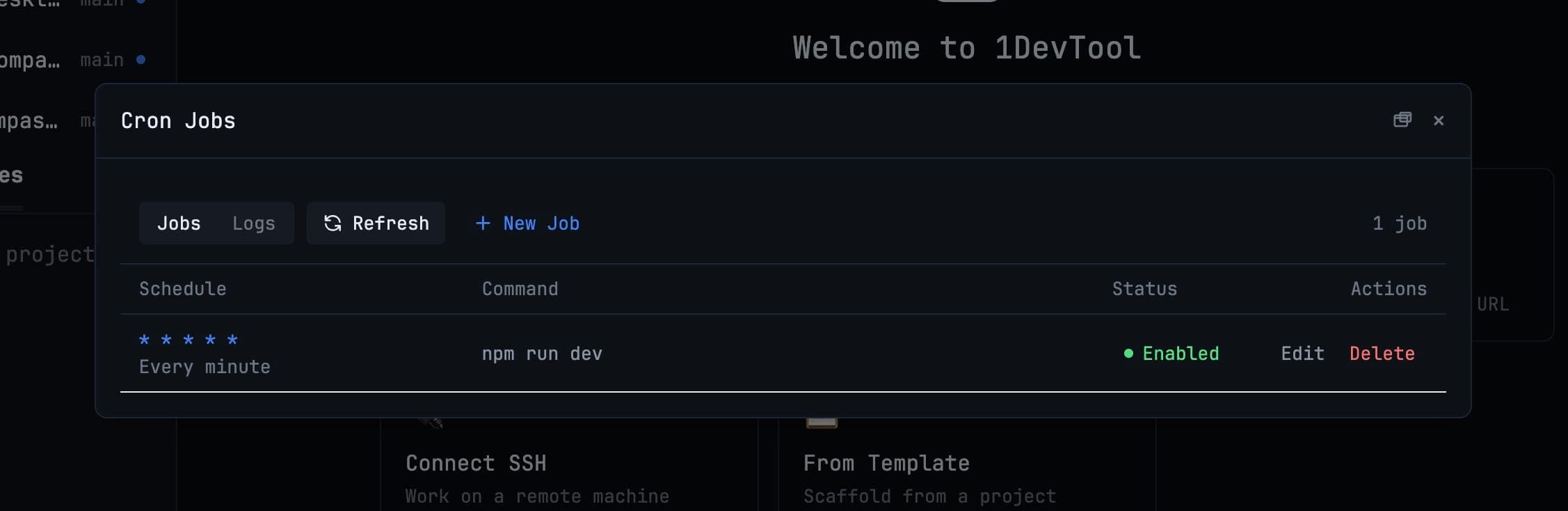
Cron is the classic case of a tool that is easy to use and hard to read. 17 3 * * 1-5 is unambiguous and also, for most people, unverifiable at a glance. The Cron Jobs manager shows you the same schedule in words.
Opening it
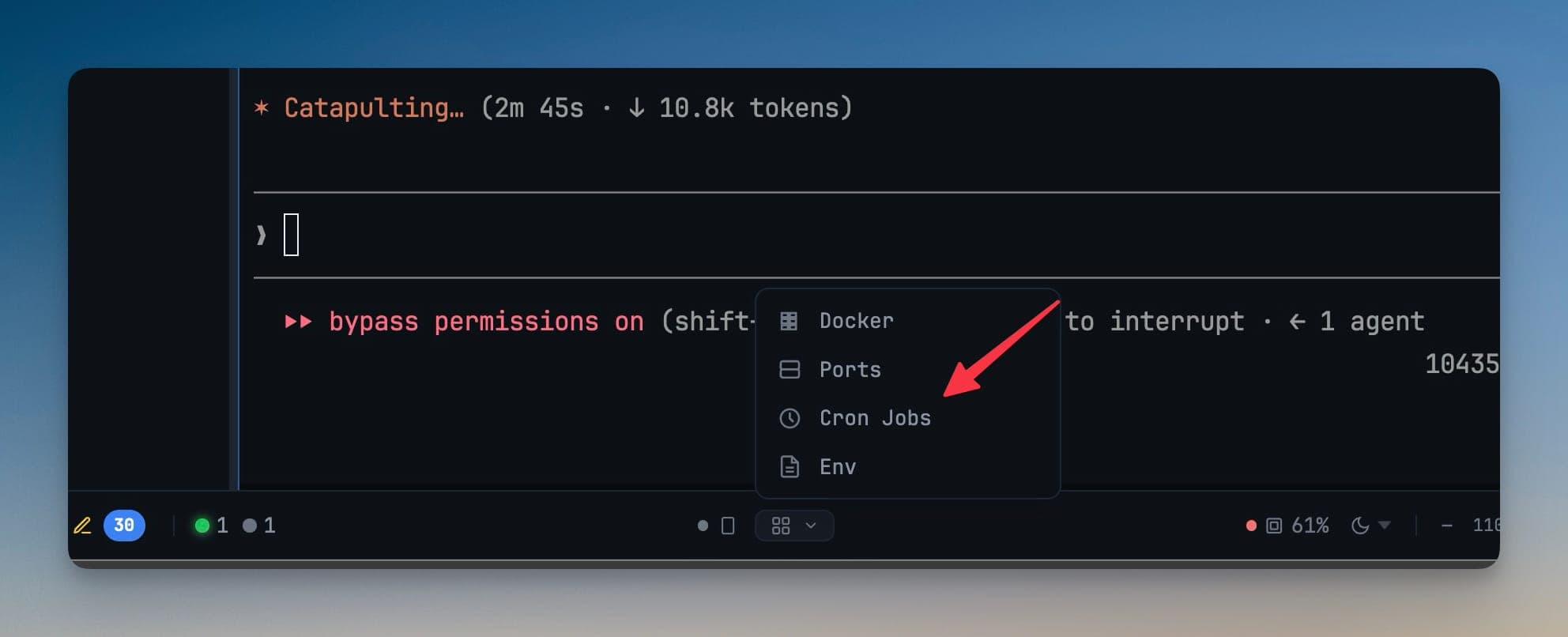
Runtime tools in the status bar → Cron Jobs.
Available on macOS and Linux. On Windows, 1devTool points you at Task Scheduler rather than pretending to manage a crontab that does not exist.
What you can do
The manager lists every job in your system crontab and lets you:
- Add a job
- Edit its schedule or command
- Enable or disable it without deleting it
- Remove it
Picking a schedule
Choose a ready-made schedule — every 5 minutes, hourly, weekdays at 9:00, monthly, at startup — or write your own expression.
Whatever you pick, the schedule is spelled out in plain English underneath so you can confirm exactly when the job will run before you save it.
Reading the logs
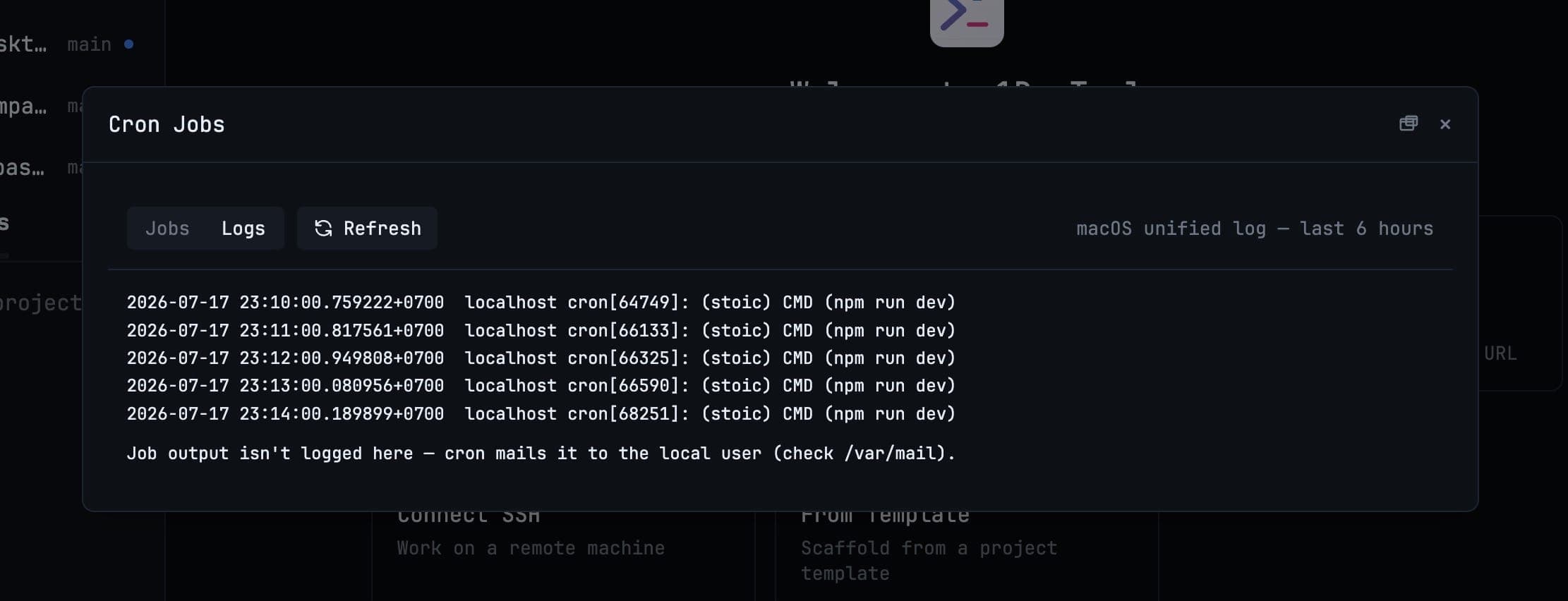
Job output is viewable in the manager, so a job that silently fails at 3am is diagnosable in the morning without hunting through system logs.
Popping it out
The manager can be popped out into its own window and dragged to another monitor — useful when you are editing a job while watching it run somewhere else.
Runtime tools
Cron Jobs sits alongside the other runtime tools in the status bar: the port manager, the Docker manager, and the environment variable manager. They are all things you reach for while something is running rather than while you are writing code.
Related
- Scheduled prompts — sending an AI prompt later, which is a different thing
- Environment Variables
- Workspace Overview