Multi-Repo Workspaces
One project, several repositories — with a repository picker in the Git client and change badges throughout the file explorer.
Plenty of work spans more than one repository: a frontend and an API, a service and its shared library, a monorepo plus the infrastructure repo beside it. In 1DevTool a project can hold several repository roots, so all of it is one workspace.
Adding a second root
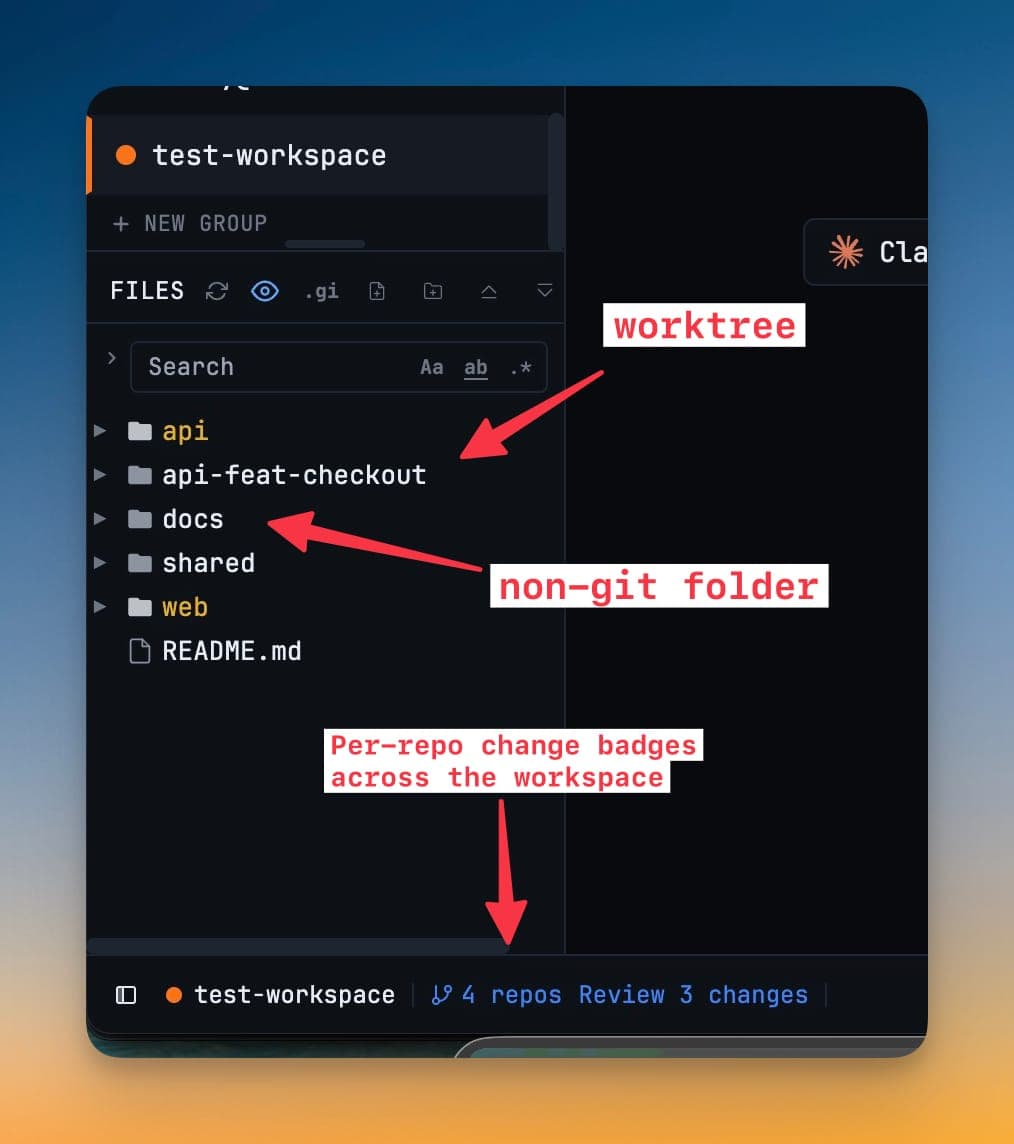
Add another folder to the project from the project's context menu in the sidebar. The file explorer then shows both roots side by side, each with its own tree.
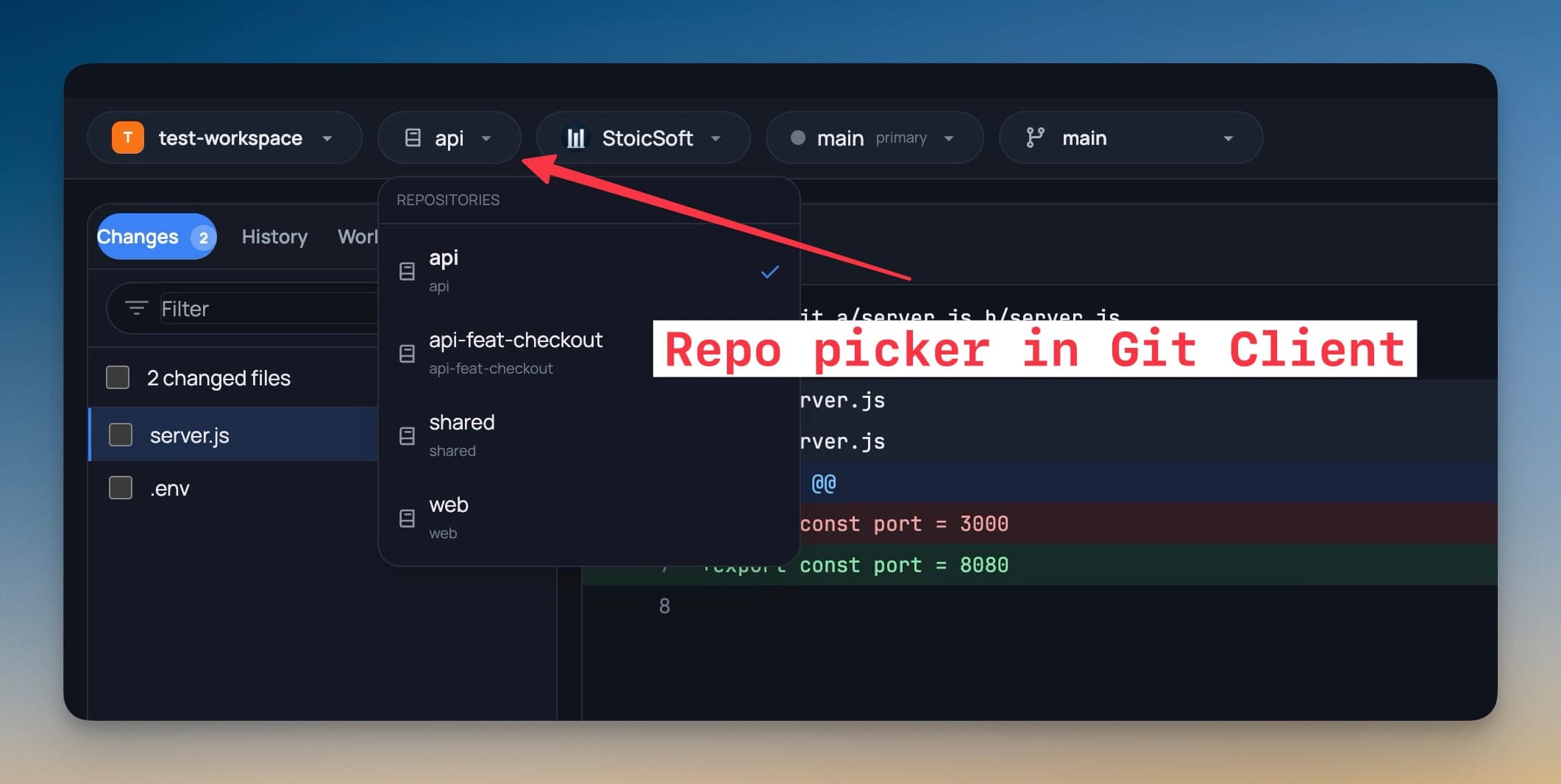
The repository picker
The Git client gets a repository picker at the top. Switching repositories switches the staged changes, the history, the branch list, and the worktree list — everything in the client follows the repository you have selected.
The status bar's branch indicator follows the repository you are working in, so the branch name on screen is always the branch of the file you are looking at.
Change badges in the explorer
Modified, added, and untracked files are badged in the file explorer per repository, so you can see at a glance which of your roots has uncommitted work.
Repo-scoped worktrees
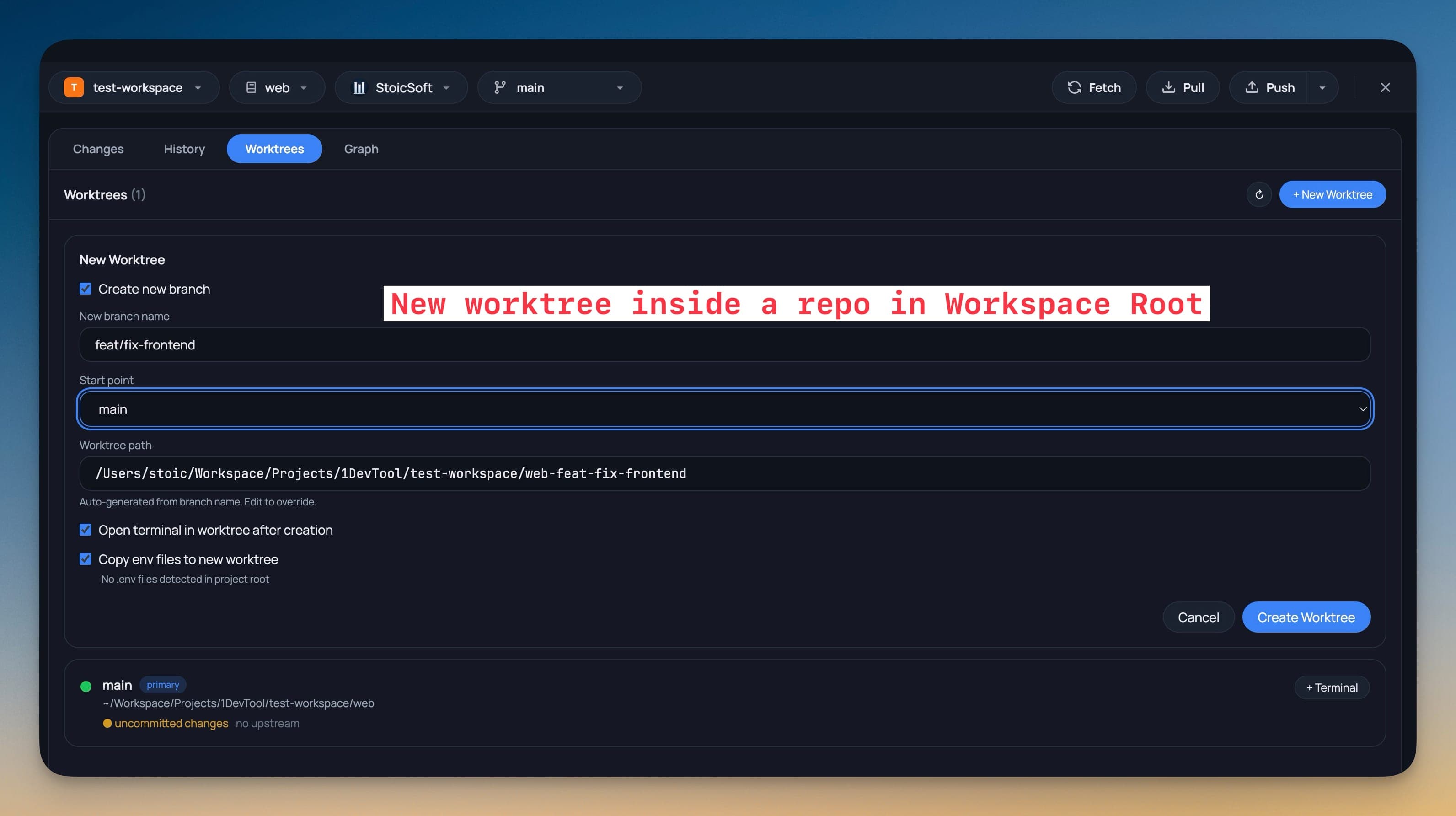
Creating a worktree asks which repository it belongs to, and the worktree is created against that repository's root rather than against whichever one happened to be active.
A terminal opened on a worktree is named after it, so a tab bar full of worktrees stays readable.
Terminals and worktrees
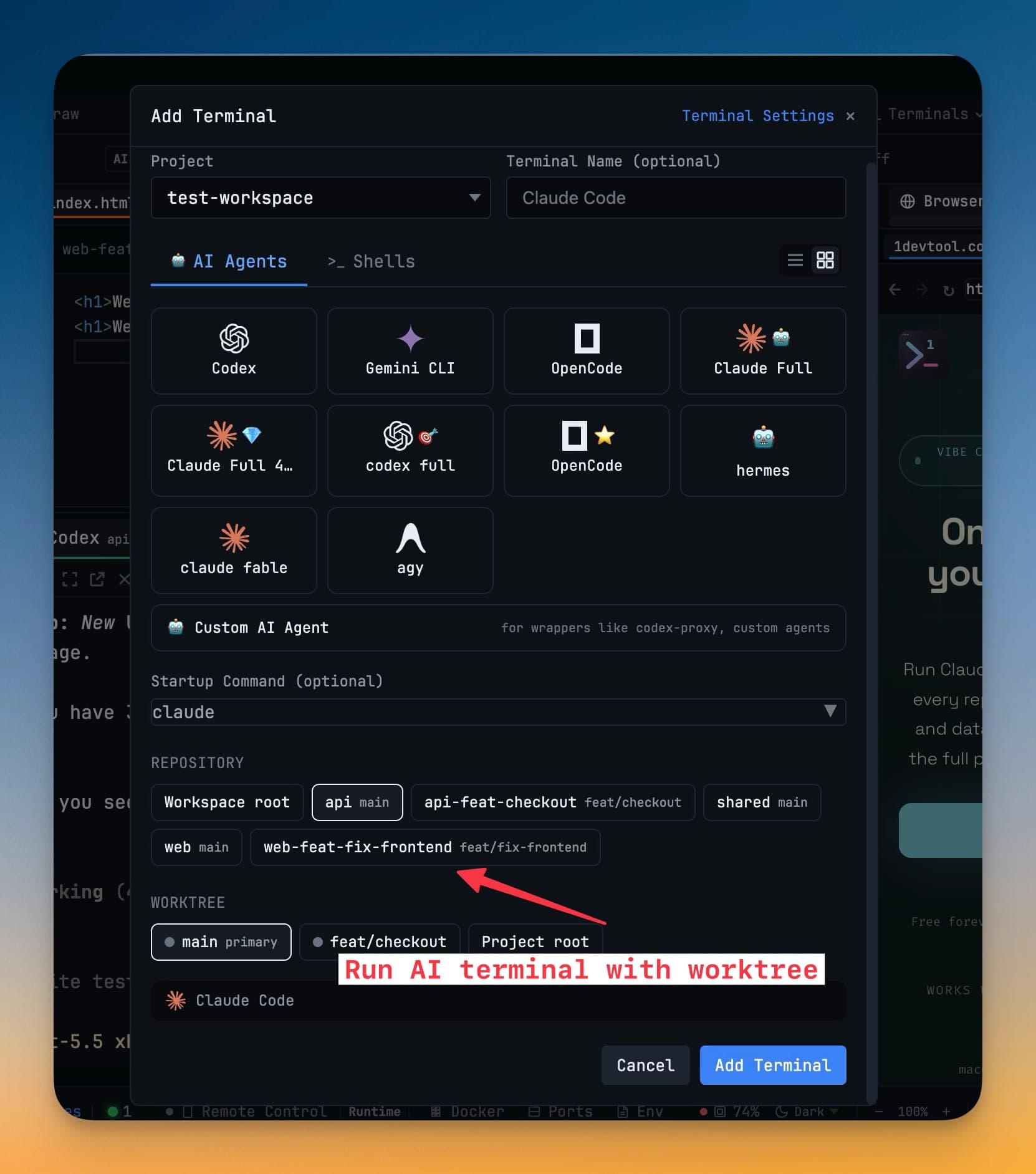
When you add a terminal you can choose which repository — or which worktree — it should open in. An AI agent launched this way starts in the right root with no cd needed.
Git accounts per repository
Each repository can use a different Git account — useful when a work repo and a personal one live in the same project. The account is remembered per repository, not per project.
SSH roots
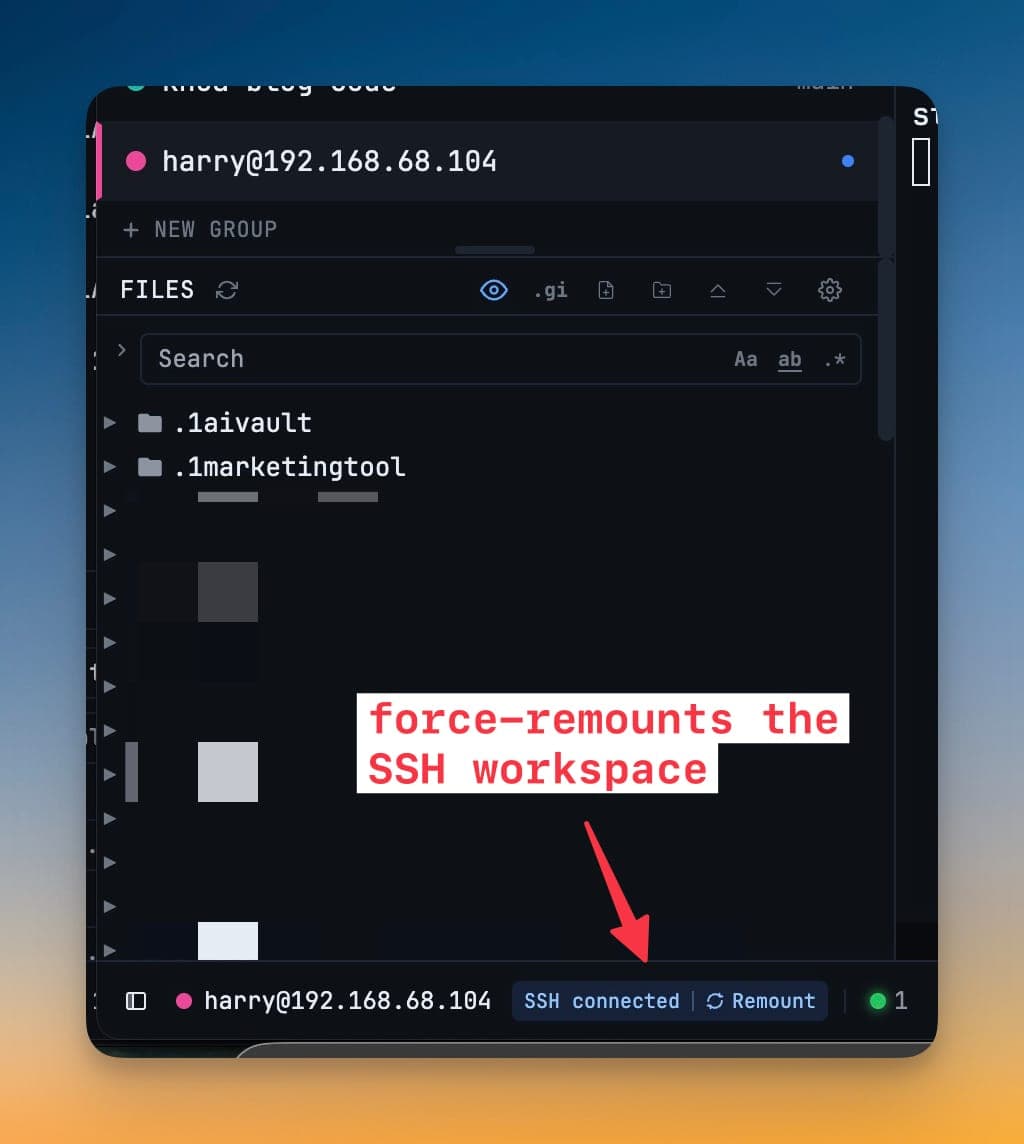
A root can live on a remote machine over SSH. Mounted remote roots can be remounted from the project menu when a connection drops, without rebuilding the project.