MCP Activity History
A searchable record of every tool call your agents made through 1DevTool — names, statuses, durations, errors, and safe previews.
When an agent does something surprising, the useful question is which tool did it call, with what, and what came back. Settings → MCP → Activity answers it.
What is recorded
Every MCP tool call your agents make through 1DevTool, kept across app restarts:
- Tool name and status
- Duration
- Project and terminal it came from
- The error, if it failed
- A safe preview of the input and the output
Reading it
- Filter by status to jump straight to failures
- Expand a call for its full detail
- Group by agent or by project to see who has been doing what
- Copy the visible history when you want to paste it into a bug report
- Load older entries to page back through the log
- Clear retained activity when you want a clean slate
Redaction
Sensitive values are redacted and large binary results are shortened before they reach the interface. A screenshot does not arrive as a wall of base64, and a call carrying a token does not print it into a panel you might share.
The per-terminal view
Activity is the historical record; the live one is on the terminal itself. Each AI terminal shows badges for its recent tool calls — at most three at a time, with completed ones clearing after a short confirmation period. Click a badge for the call's details.
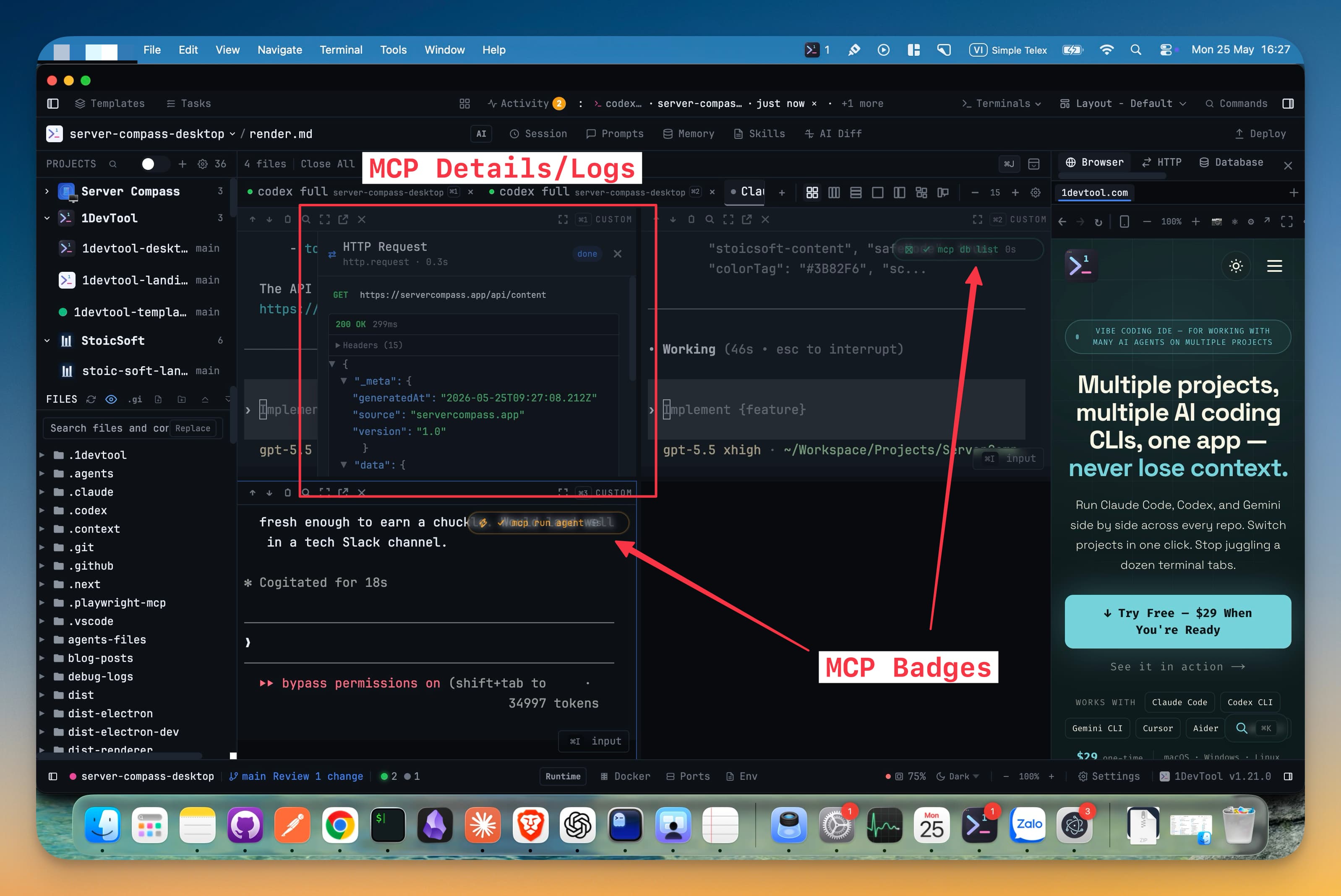
When a call was refused
If an agent called a tool you have switched off in MCP Control, the refusal is recorded here too, and the terminal gets a badge naming the tool with a one-click Enable. That is usually the fastest explanation for "the agent said it couldn't do it".
Related
- MCP Control — where tools are enabled and disabled
- Browser Automation — the noisiest source of tool calls
- MCP Servers — external servers your agents connect to