Project Configuration
A .1devtool/ folder in your repo that carries terminals, startup commands, and tasks — so a teammate cloning it gets your setup.
Most of what makes a project comfortable to work in — which terminals you open, what each one runs on startup, which agent goes where — is knowledge that normally lives in one person's head. 1DevTool can put it in the repository instead.
The .1devtool/ folder
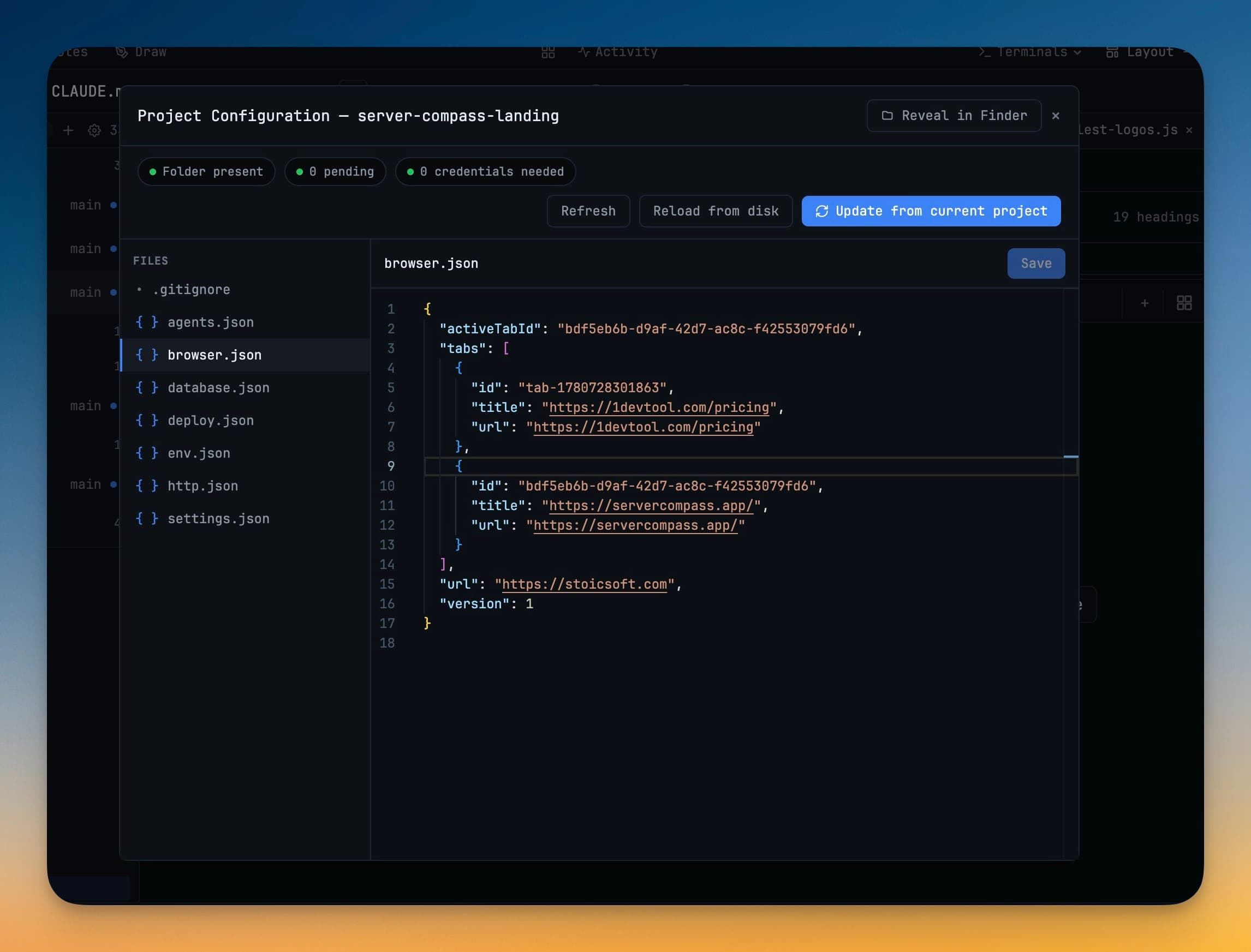
Project configuration is a folder at the root of your repository:
.1devtool/
  tasks/          # one markdown file per task
  ...             # project setup files
It is ordinary text, so it diffs, reviews, and travels with a branch like any other file. Commit it and a teammate who clones the repo gets your setup; add it to .gitignore and it stays yours.
Editing it
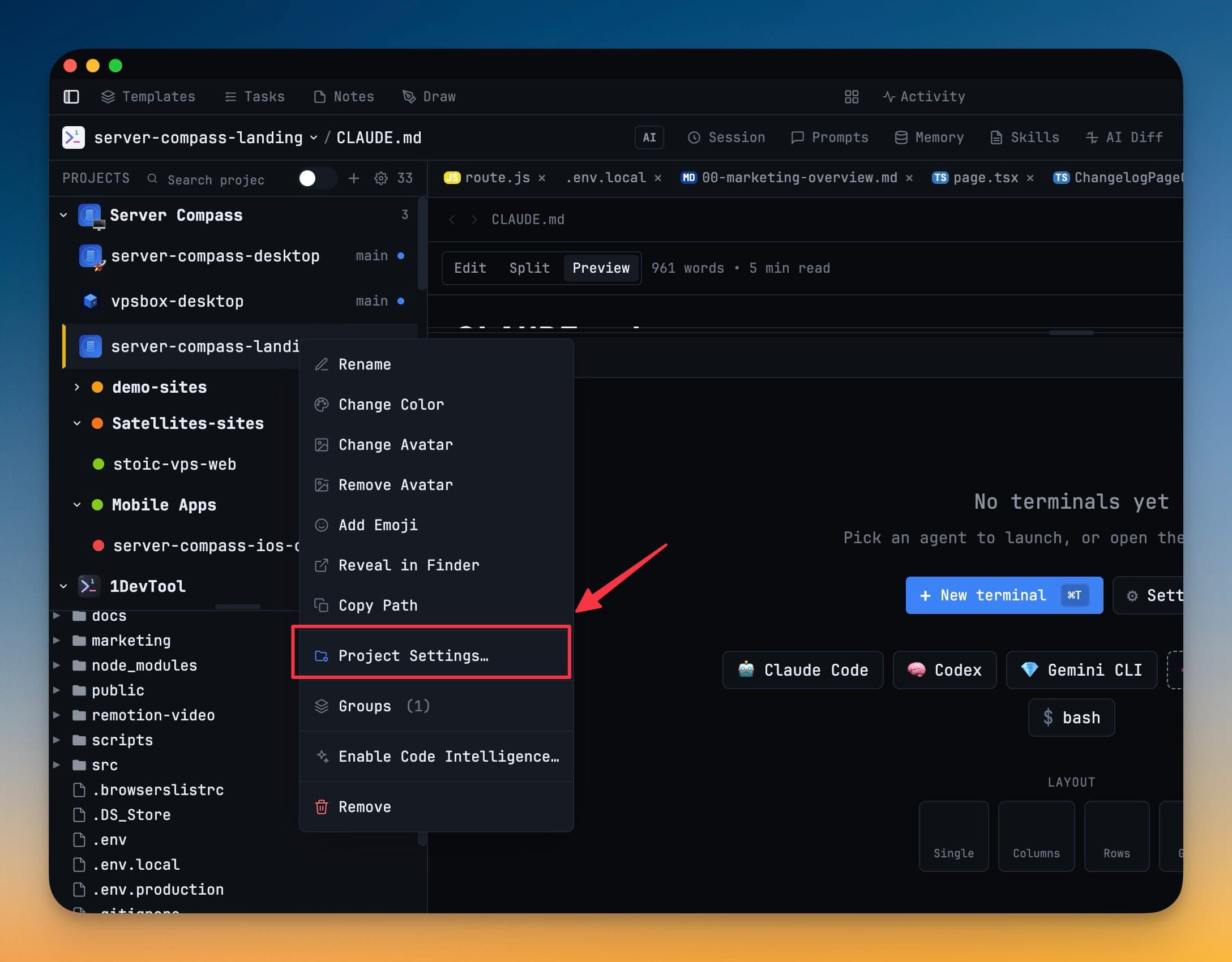
Open the configuration editor from the project's context menu in the sidebar. It edits the files in place, so anything you can do here you can also do by hand in an editor.
Startup commands
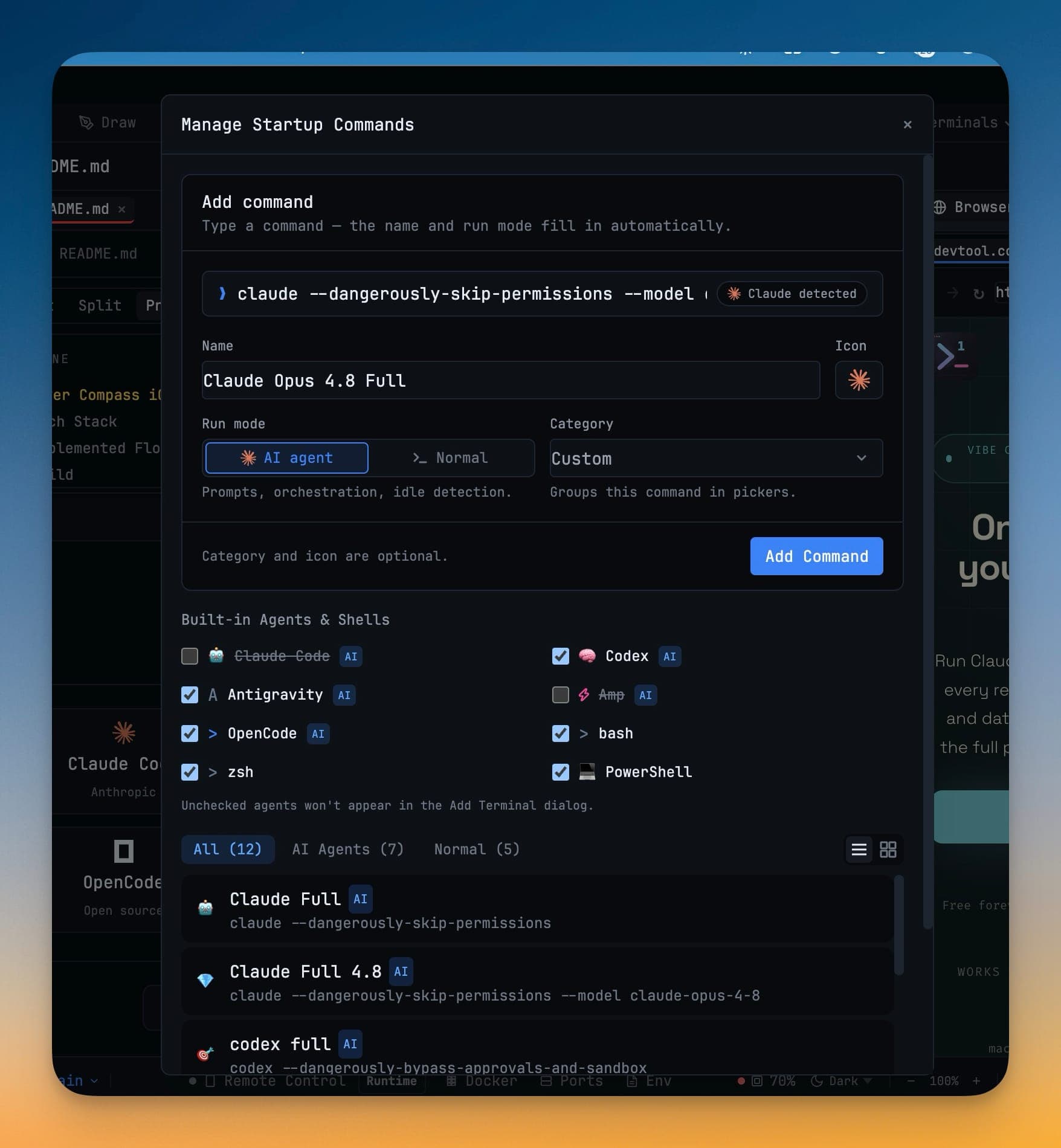
Each terminal can carry a startup command that runs when it opens — npm run dev, docker compose up, an SSH tunnel, a source .venv/bin/activate.
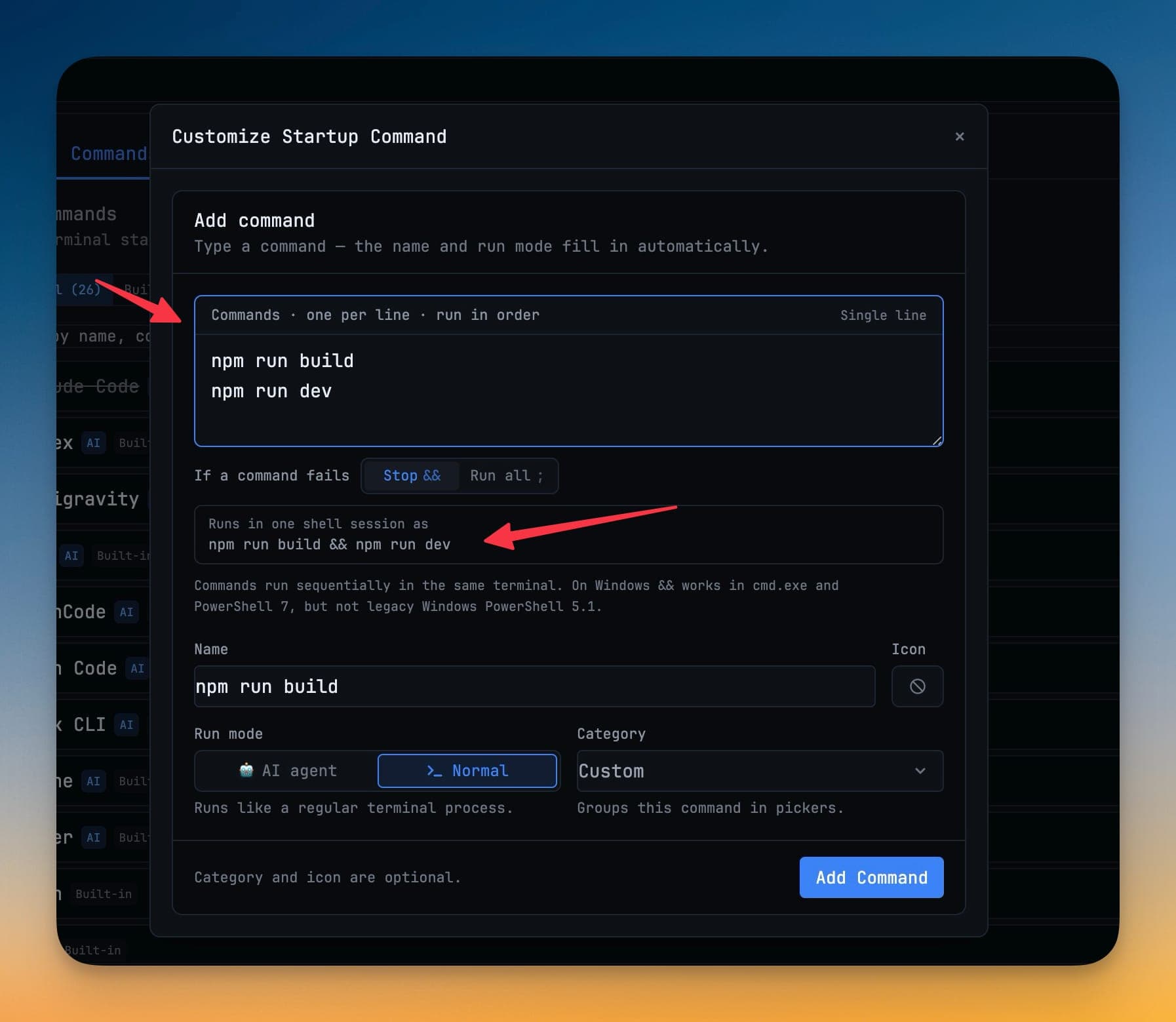
Multi-command sequences are supported and are compiled into one shell line, which is what keeps them working on Windows ConPTY. On Windows, WSL commands are wrapped as wsl -- bash -lc.
Tasks travel with the branch
Tasks are markdown files under .1devtool/tasks/. A feature branch carries its own tasks, a pull request shows the ones it added, and git log tells you when a task changed. See Tasks.
Sharing vs keeping it local
Consuming a shared configuration is free. Authoring and exporting one is a Pro feature — the intent being that a team can hand their setup to anyone, including people on the free plan.
What does not go in it
Secrets. Use the Environment Variables manager for values, and keep .env out of the repository as usual. Project configuration describes shape — which terminals, which commands — not credentials.