Agent Changes
See which agent is changing which file while it happens, keep every version of every touched file, and get a review when two agents land on the same lines. Off by default; Watch and Guide never block a write.
Agent Changes records what your AI agents write, as they write it. It answers three questions on one screen: what needs you, where two agents collide, and who is working on what right now. It also keeps every version of every file an agent or you touched, so an overwrite between commits is recoverable — something git cannot help with, because those versions were never staged.
Open it from the right dock, or from the top bar's Changes menu, where it sits beside Git Diff.
Pick a level
Agent Changes is off by default, and the level is chosen per project and per working tree, from the panel's setup screen or the File Explorer header. Until you pick one, the panel only reads.
| Level | What it does |
|---|---|
| Off | Nothing is tracked, and nothing is backed up. |
| Watch | Records who's changing what and keeps every version. Never gets in the way. |
| Guide | Also tells agents what they are about to write over. Never blocks anything. |
No level ever blocks an agent or changes a file. Guide tells a cooperating agent what it is about to write over and lets the agent decide; the write still lands, and the version it replaced is preserved either way.
Setup is explicit about reach: a Works for N of M pill marks which of your agents are told before they write, and which are only watched after the fact.
Remote roots and uncovered working trees can only be Off.
The Map — who is working on what
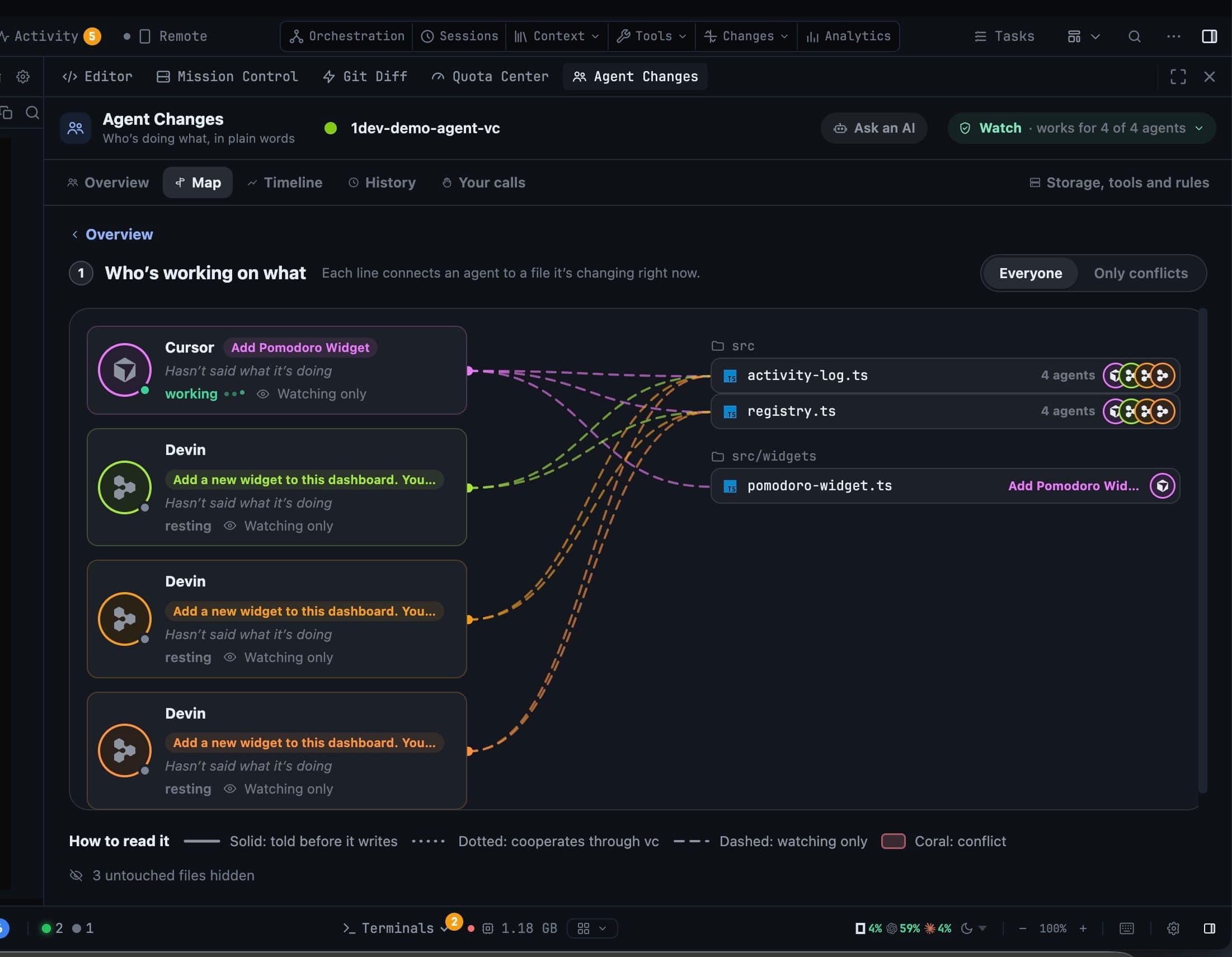
Each line connects an agent to a file it is changing right now. The Everyone / Only conflicts switch narrows the picture to the files that actually need you.
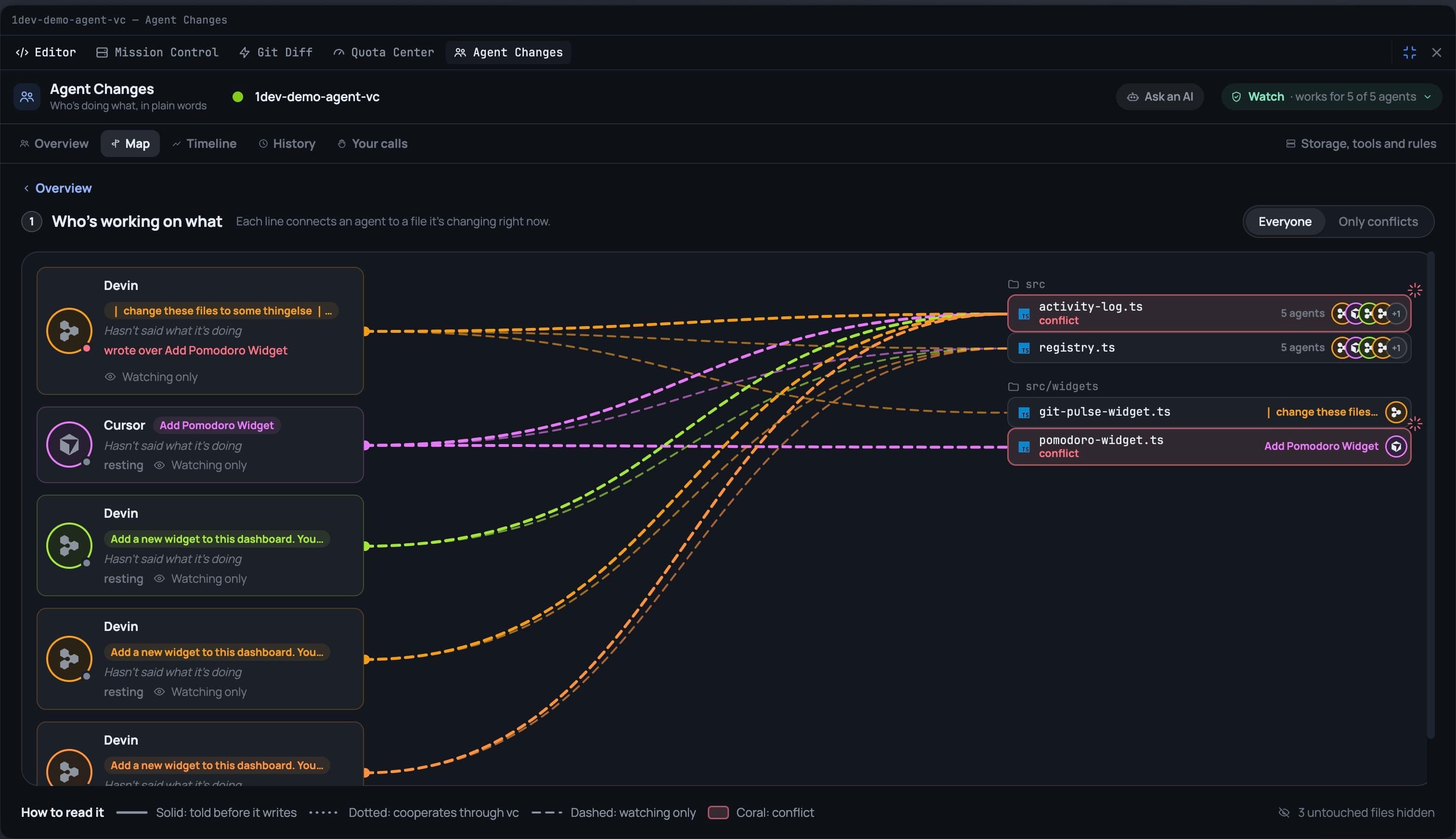
The legend under the map explains the line styles:
- Solid — the agent is told before it writes.
- Dotted — the agent cooperates through the vault.
- Dashed — the agent is watching only.
- Coral — a conflict.
Timeline — who worked when
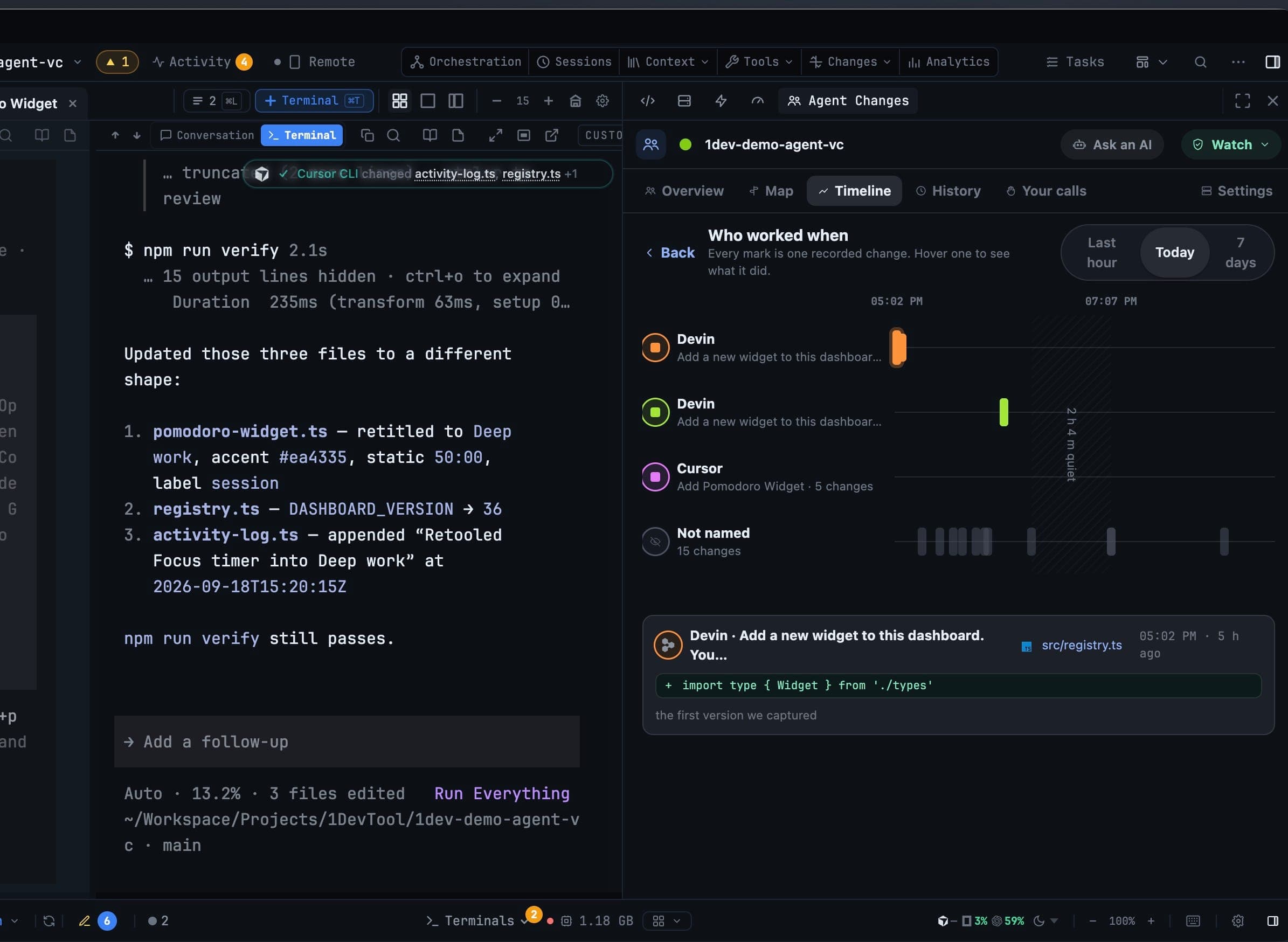
The Timeline tab gives each agent a lane and one mark per recorded change, over Last hour, Today or 7 days. Hover a mark to see what it did; quiet stretches are drawn as gaps, so a stalled agent is visible.
Every version of every changed file
Recent changes lists the newest version of each file an agent or you touched. Open one and you get every version that was captured, newest first, each labelled by its writer:
- Captured just before an agent wrote
- Seen after it was saved · writer unknown
- Saved outside an agent
- Applied from a conflict
- You restored this
- When tracking started
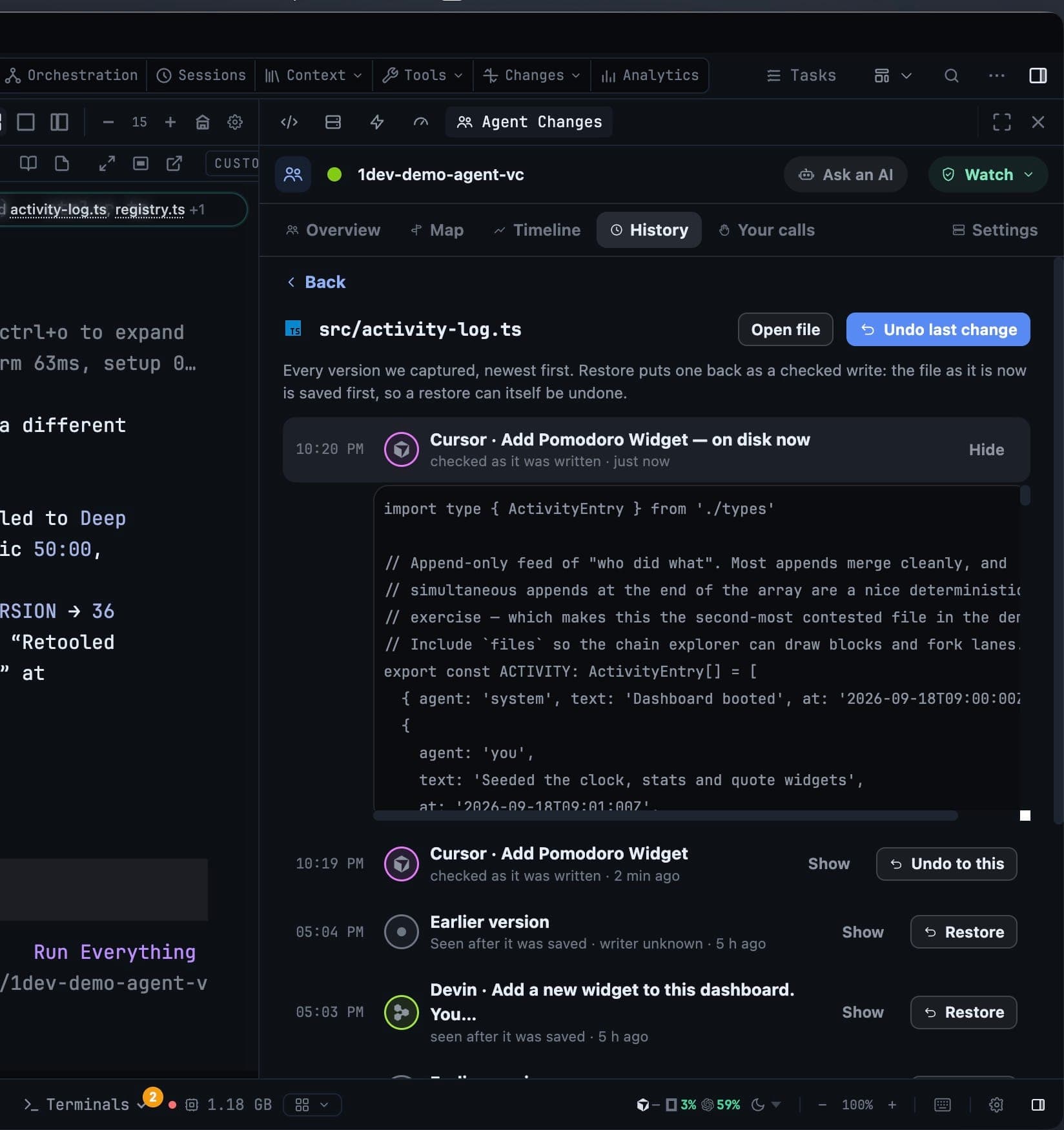
Show expands a version so you read the file as it stood at that moment. Restore, Undo to this and Undo last change put one back as a checked write: the file as it is now is saved first, so a restore can itself be undone.
If a file changed since 1DevTool last read it, a restore is refused rather than guessed at — "We have not read this file since it last changed, so we can't safely swap it."
When two agents touch the same file
A collision opens a review rather than a merge conflict. It explains what happened, in three pictures — who wrote first, that a second agent wrote from a version that had already changed, and whether the change landed or was stopped — and states plainly that nothing is deleted whatever you choose.
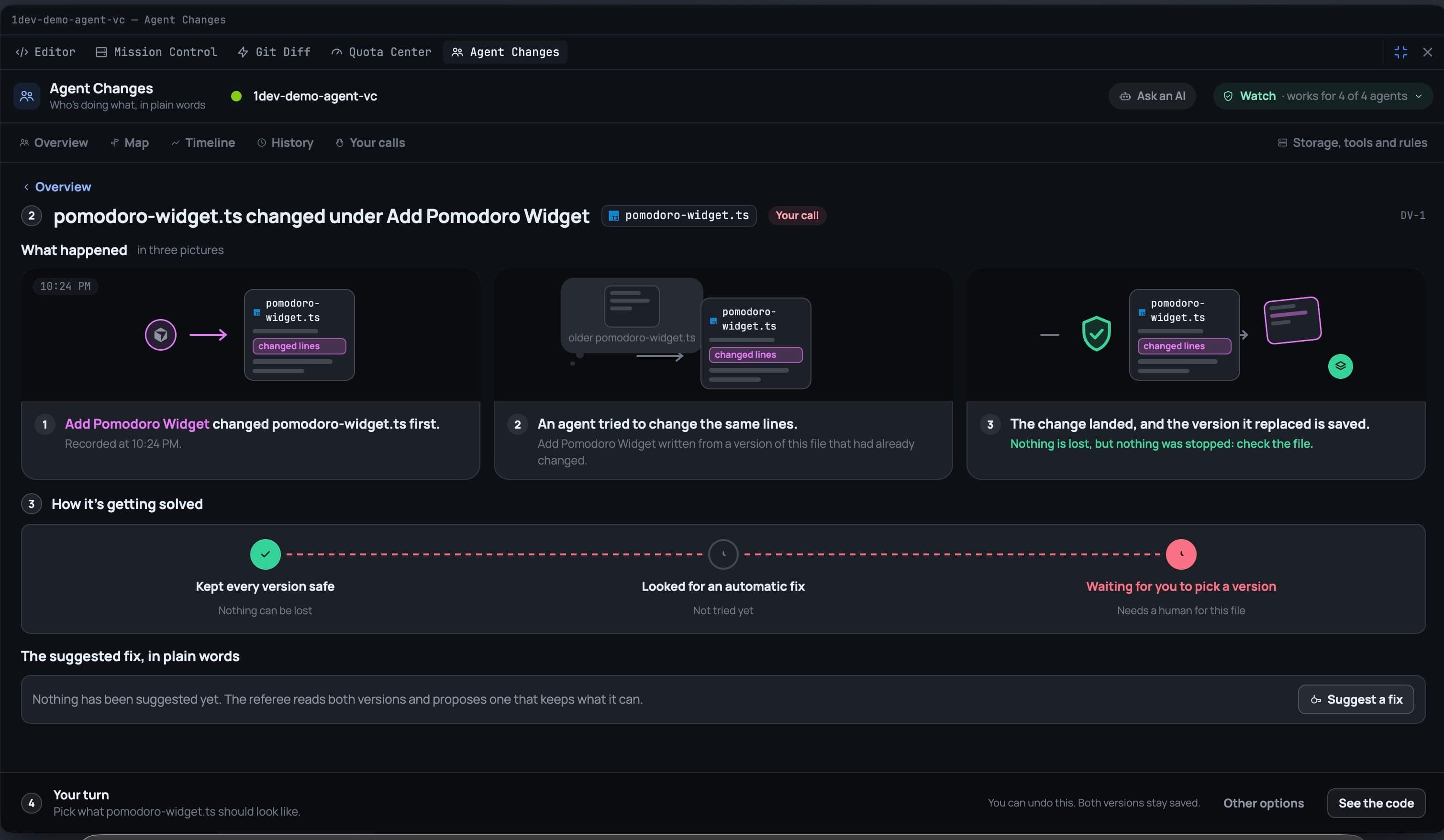
How it's getting solved runs the same three beats every time:
- Kept every version safe — nothing can be lost.
- Looked for an automatic fix — a deterministic merge when the two sets of changes did not overlap.
- Waiting for you to pick a version — when it needs a human.
Your options are Use this version, Use the merged version, Use the referee's fix (press Suggest a fix and an AI helper reads both versions and proposes one), or Decide later. Peek at the code shows the text before you commit to it.
Your calls keeps every decision you made, and whether it can still be taken back.
Attention where you already are
You do not have to open the panel to find out something happened:
- A count on the top bar's Changes menu.
- A ring in the File Explorer on files an agent is working in, and a banner over the open file naming the agent working on it.
- A pill over the terminal when the agent in that tab changed files — or wrote over yours.
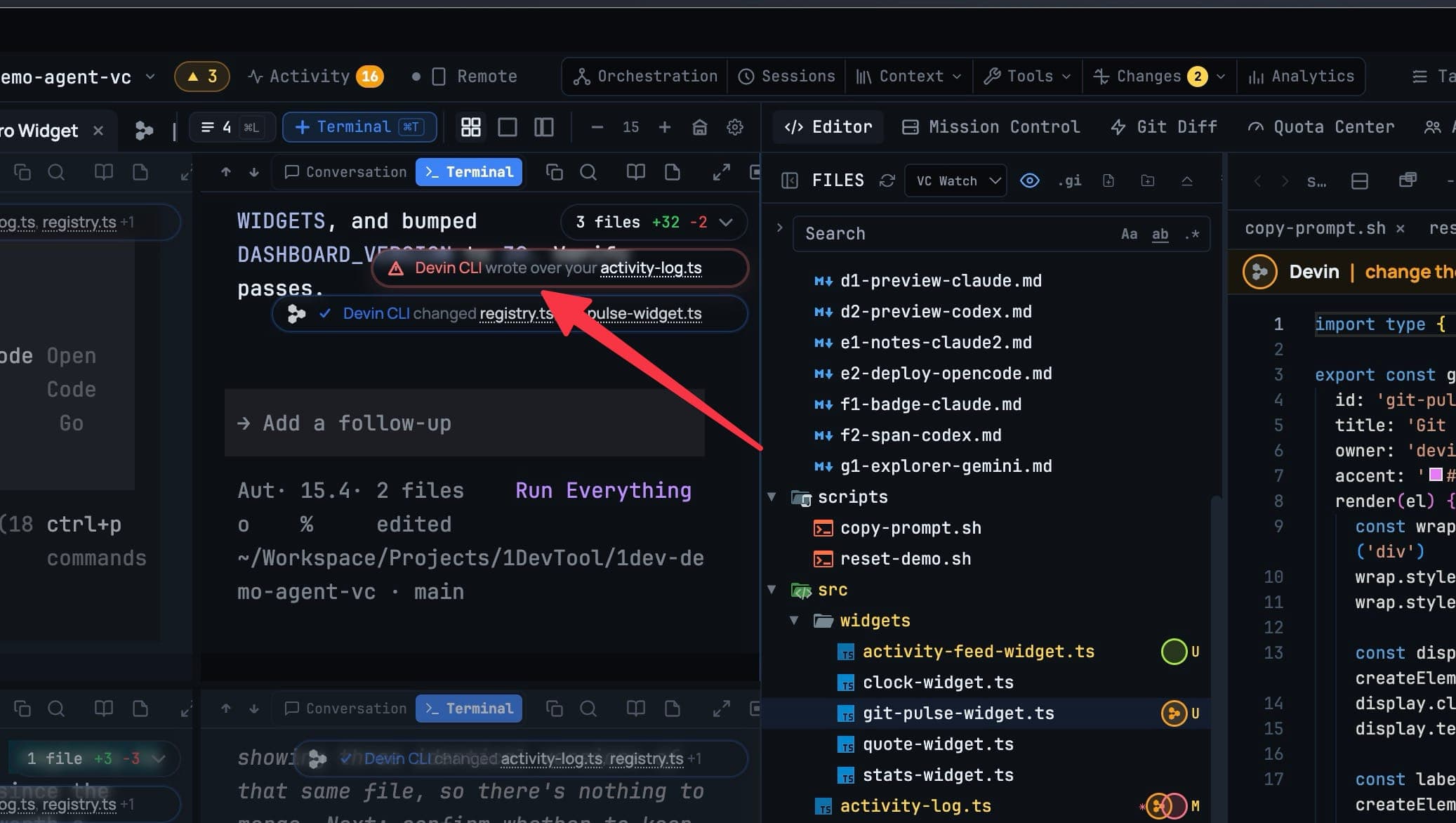
Expanding the pill lists what that terminal changed, and under Someone else touched these too, what another agent overwrote — with the line that matters: your version is not on disk any more, it is kept, nothing was lost.
Ask an AI to sort it out
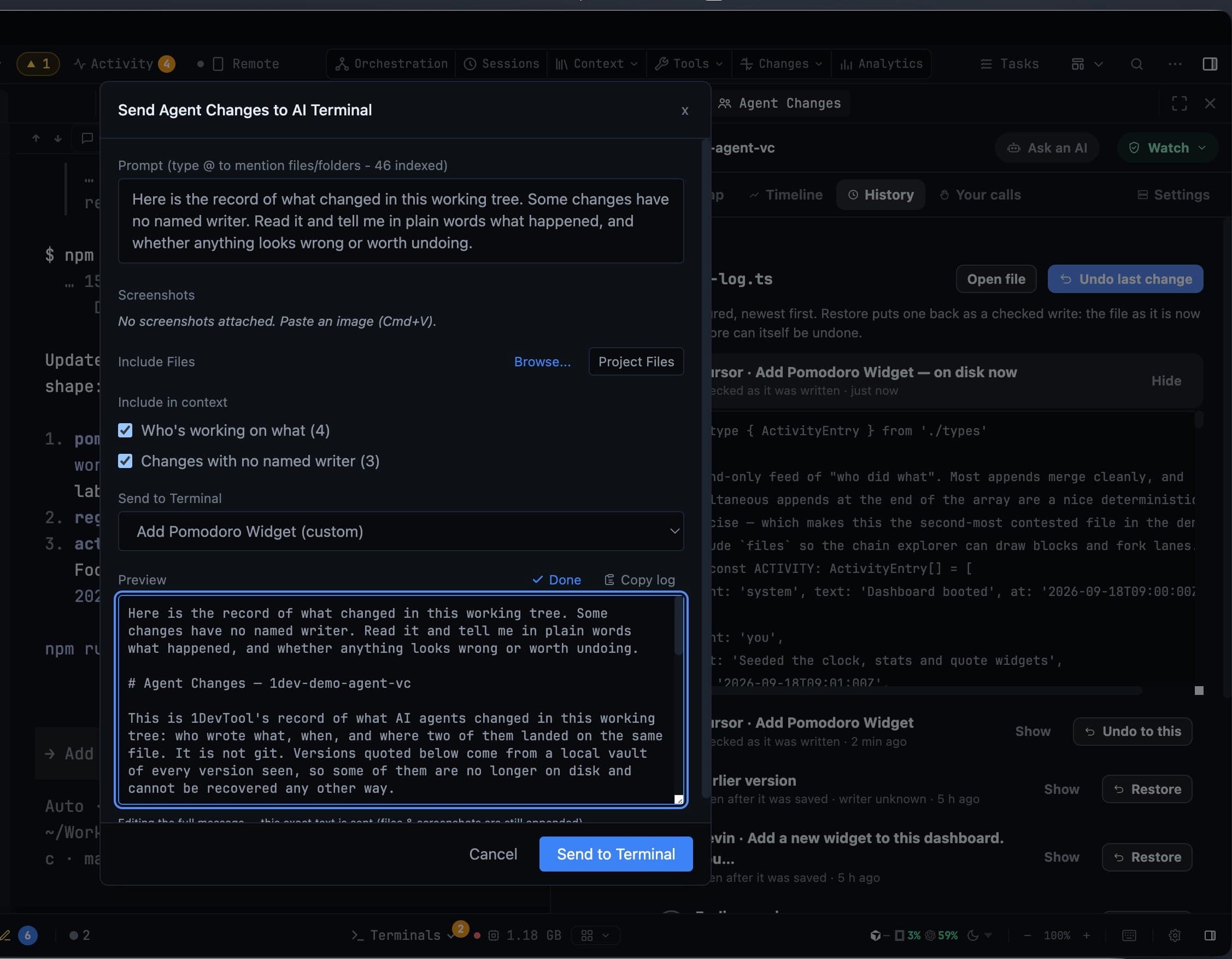
Ask an AI hands a recorded conflict to an AI terminal with its context attached, instead of making you re-explain it. Tick what to include — Who's working on what and Changes with no named writer — pick the target terminal, and read the exact message in the preview before it sends.
Storage
Settings → AI → Agent Changes shows what the vault keeps and what can be released, with a size budget you set and a Clean up button. Open conflicts are never released, and a closed project's record is kept for 30 days before it goes.