ToolBox
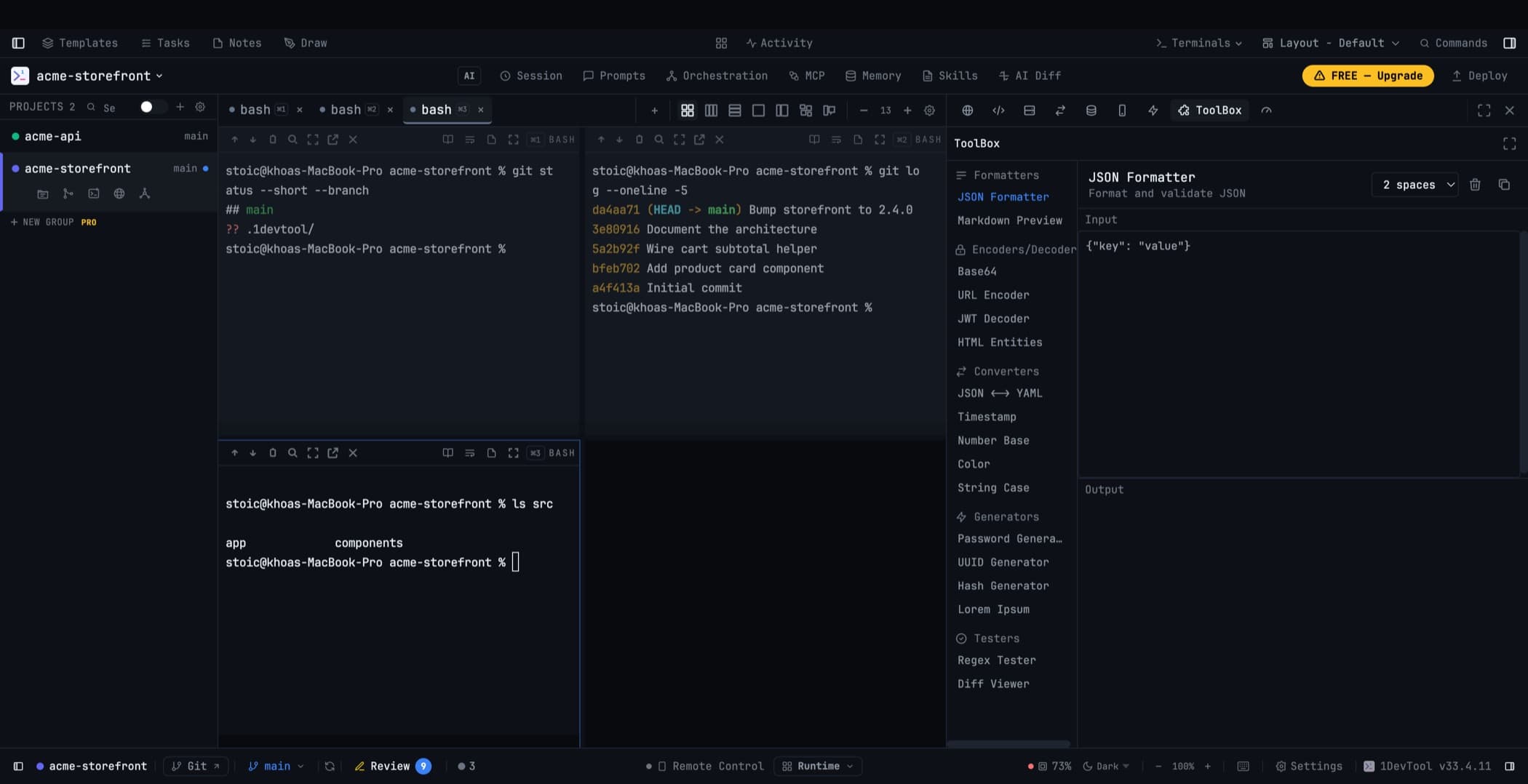
The small developer utilities — JSON formatter, JWT decoder, hash and password generators, converters — as a panel in your workspace.
Every developer has a bookmark folder of single-purpose web tools: format this JSON, decode this JWT, convert this timestamp, generate a UUID. The ToolBox panel is that folder, running locally, inside the window you already have open.
Opening it
ToolBox is a layout panel. Place it from Settings → Layout, or open it from the panel tabs in a sidebar.
What is in it
Formatting and encoding
- JSON formatter and validator
- Base64 encoder / decoder
- URL encoder / decoder
- String case converter
Inspecting
- JWT decoder
- Regex tester
- Diff viewer
- Timestamp converter
Generating
- UUID generator
- Hash generator
- Lorem ipsum generator
- Password generator
The password generator
Generate a password locally: choose 8 to 4,096 characters, mix lowercase, uppercase, numbers, and symbols, and exclude lookalike characters (l, 1, I, O, 0) when the password will be typed by a human.
Every character set you select is guaranteed to be represented — a password that "includes symbols" actually contains one. Estimated strength is shown as you change the options, and the generated password is never stored by the tool.
Everything runs locally
None of these tools send your input anywhere. A JWT you decode, a hash you generate, a password you create — all of it stays on your machine. That is the practical argument for having them in the app rather than in a browser tab: you can paste a real token into it.
Related
- Workspace Overview
- Layout Modes — placing the panel
- HTTP Client — for the requests those tokens end up in