Board & Filters
Two views of the same work — a plain kanban and an agent roster — plus filters and drag rules that treat a drop as a request.
The Tasks board has two views, and a segmented control switches between them. They answer different questions.
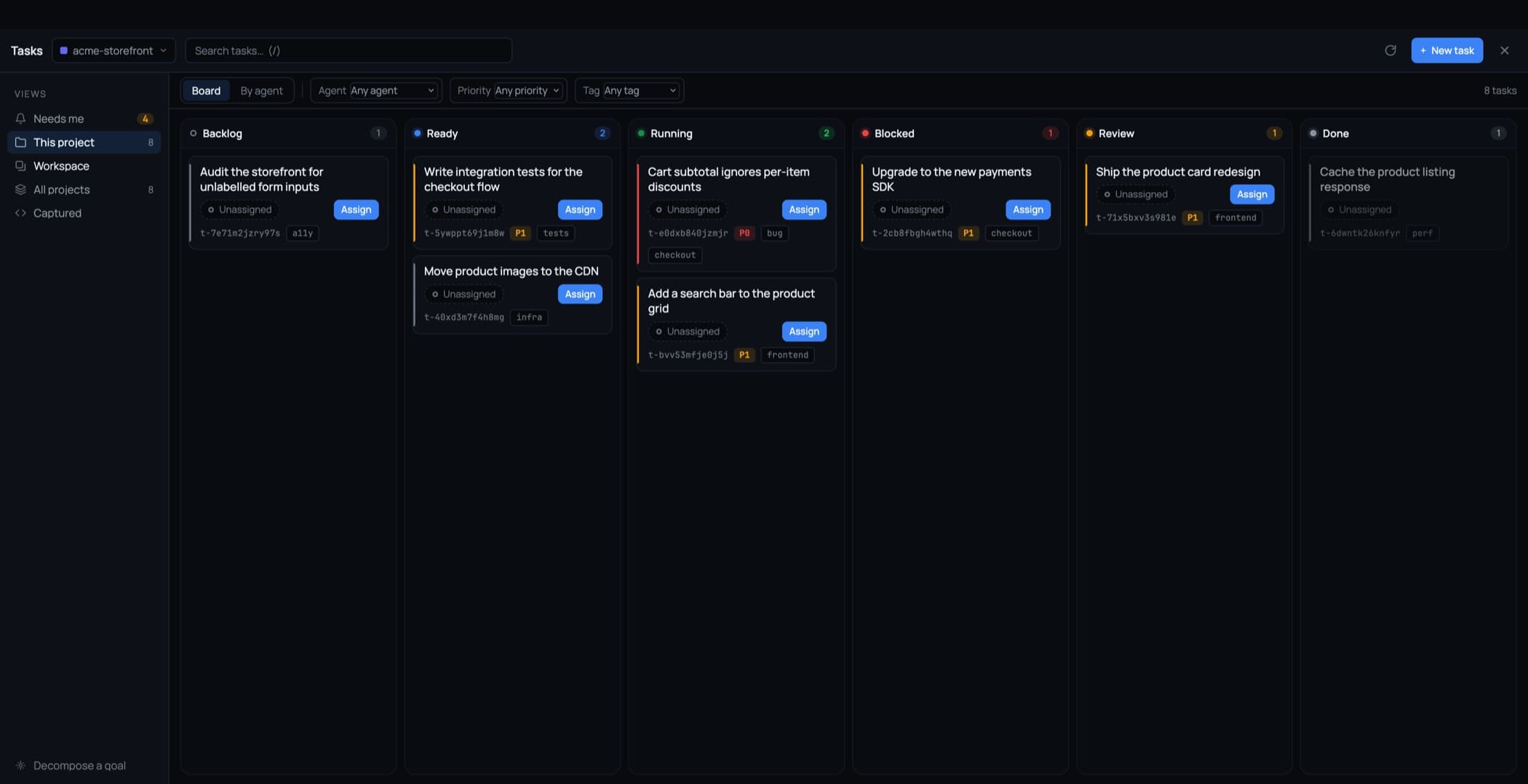
Board
A plain kanban with a column per status: Backlog, Ready, Running, Blocked, Review, Done.
- Every card says who owns it.
- A column separates unassigned work from assigned work only when it holds both — no empty divider on a column where everything has an owner.
- The Blocked column appears when there is blocked work and disappears when there isn't.
By agent
A roster instead of a grid: one line per agent, with its state written out — Working, Waiting for approval, Idle, Offline — and its own counts (2 tasks · 1 running · 1 done).
Agents that are mid-flight or waiting on you open themselves; idle ones stay collapsed. It is the view to open when the question is "who is stuck?" rather than "what is left?".
Filters
Filter by agent, priority, tag, and project. Every option carries a count, and one click clears everything.
Search is a plain box at the top (/ focuses it) and stays responsive as a project grows — routine actions no longer rescan every task, and hidden boards stop fetching full rows.
A drop is a request, not a write
Dragging a card is a fast gesture, so 1DevTool refuses to let it quietly overrule a decision:
- Dropping into a column an agent is waiting on opens the approval instead of stepping over it. The move is recorded with your verdict.
- A move that would skip a pending plan or spec review is refused, and says what is holding it.
- Accepting a status an agent already wrote, or starting work that has an open blocker, asks first.
- Pulling a task back, or cancelling it, always works.
- Dragging never assigns work. Assign is the only way an agent is given a task.
Counts that add up
Board counts and view counts describe the same tasks. If Needs me says 2, there are two cards you can go and look at — blocked work has a real column to be drawn in rather than sitting in a collapsed strip nobody scrolls to.
Keyboard
/— focus searchEscape— close the nested dialog you are in, then the search, then the workspace- Board and By agent each have their own hotkey in the workspace
Related
- Tasks Overview
- Approval Gates — what a refused drop is protecting
- Assign a Task to an Agent