Resume AI Sessions
Browse past conversations from every agent and pick up exactly where you left off — including a whole team at once.
Your agents keep their conversations on disk. Resume AI Sessions reads them, shows you what each one was about, and starts a terminal that continues it.
Opening it
The Sessions button in the top bar, Resume AI Sessions… in the app menu, or the Resume entry in the command palette.
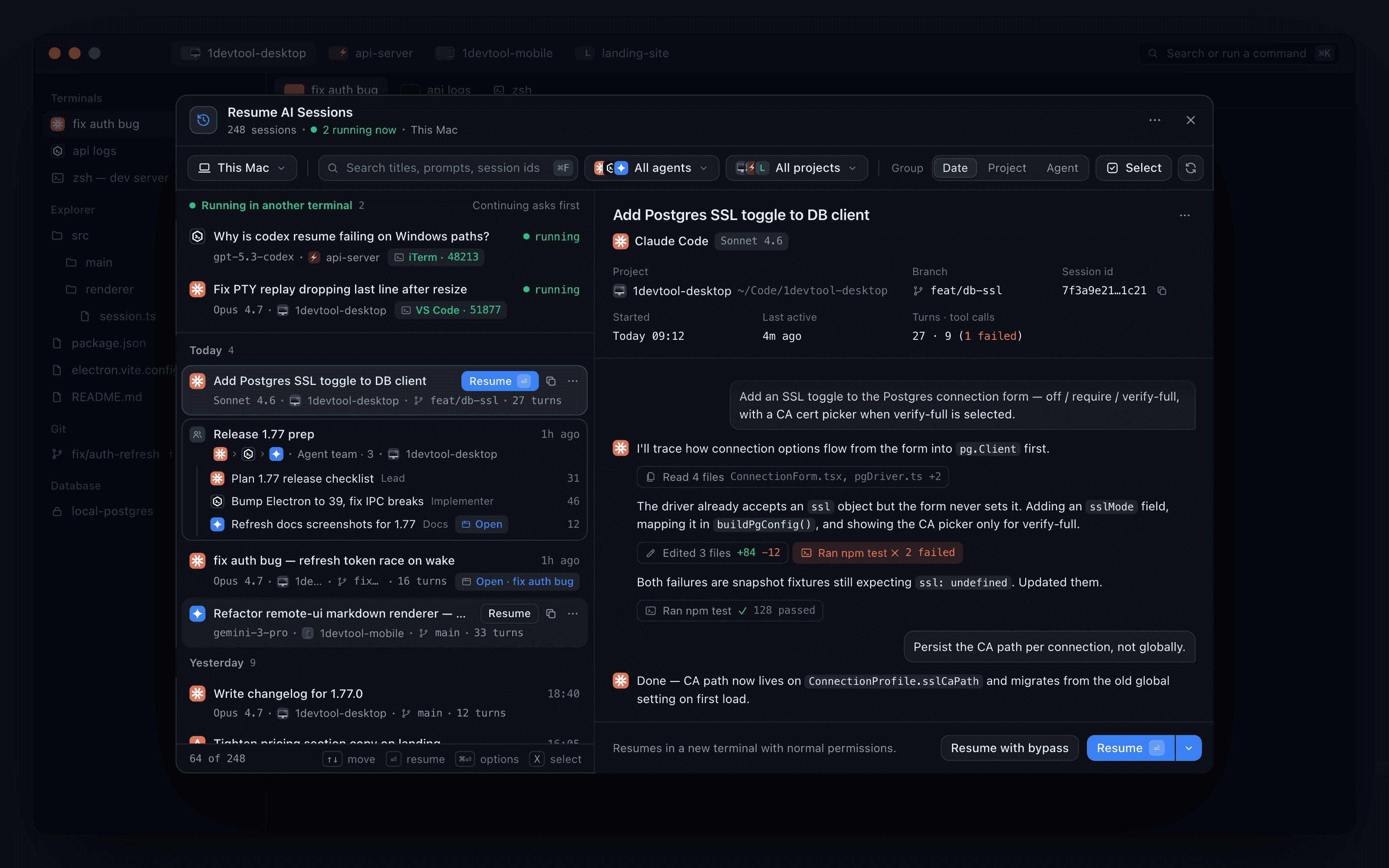
The window is a split view: a quiet two-line list on the left and a live preview of the selected session on the right. Picking a row fills the preview instead of replacing the list, so you can move down the list and compare. In a narrow window the preview slides in over the list, and Back to sessions returns to it.
The list keeps loading as you scroll, so a machine with thousands of conversations still opens instantly.
Finding a session
- Search matches titles, prompts and session ids, so an id pasted from a log finds its session directly.
- Group switches the list between Date, Project and Agent, and your choice is remembered. Date grouping splits the history into Today, Yesterday, This week, This month and Older, with headers that stay in view as you scroll.
- The Machine filter narrows the list to This computer, one of your SSH machines or a paired device, next to the project and agent filters.
Each row shows the agent's logo, the title, and a second line with the model, project, branch and turn count. Rows have no buttons at rest: on hover or selection, Resume, a copy-id button and a ⋯ menu take the place of the time. The ⋯ menu offers Resume with bypass permissions, Resume with options…, Copy session id and Hand off to another agent.
The preview
The preview header shows the project and its path, the branch, the session id, when the session started and was last active, and Turns · tool calls, with failed tool calls counted in red. The conversation follows. Tool calls appear as compact chips you can expand, and long conversations open on the last 40 messages with Show N earlier messages above them. Assistant replies render as Markdown, so headings, lists, bold text and code look the way the agent wrote them instead of as raw asterisks; a long reply collapses behind Show more, and links open in your browser.
Sessions that are still running
Sessions live in another terminal sit on top under Running in another terminal, labelled with the app and process that holds them, and each has Continue here →. Continuing asks first, so two copies of one conversation never drift apart unnoticed:
- A session live elsewhere offers Close it & continue here.
- A session already open in one of your tabs offers Go to tab instead of opening a duplicate.
Resume options
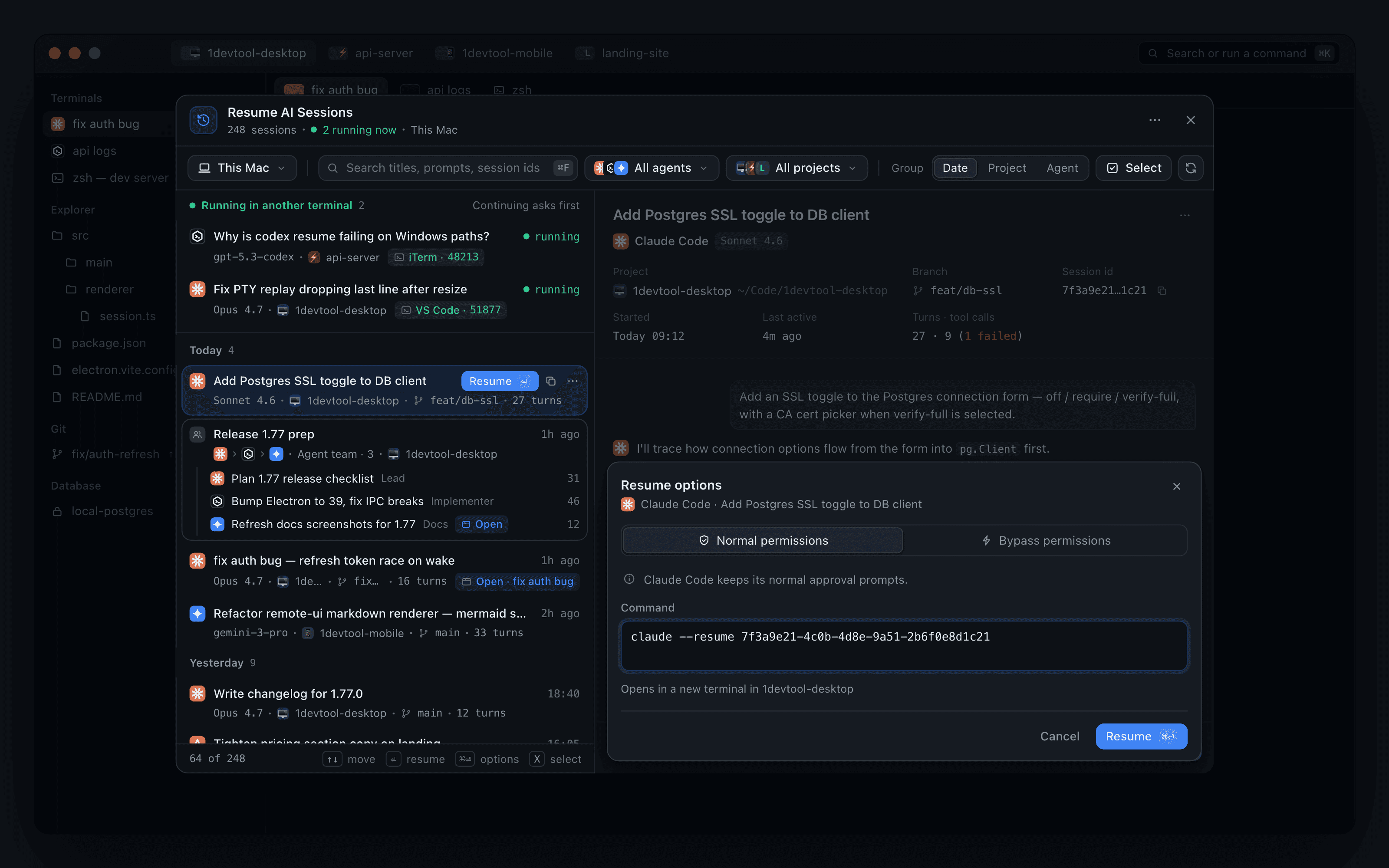
The preview's Resume is a split button; its menu adds Copy transcript. Resume with options… opens a sheet inside the preview:
- Choose Normal permissions or Bypass permissions.
- Edit the exact Command before it runs, for example
claude --resume <session id>. - See which terminal it opens in, then press Resume.
The permission mode you used last becomes the default for the next plain Resume.
Combine or hand off sessions
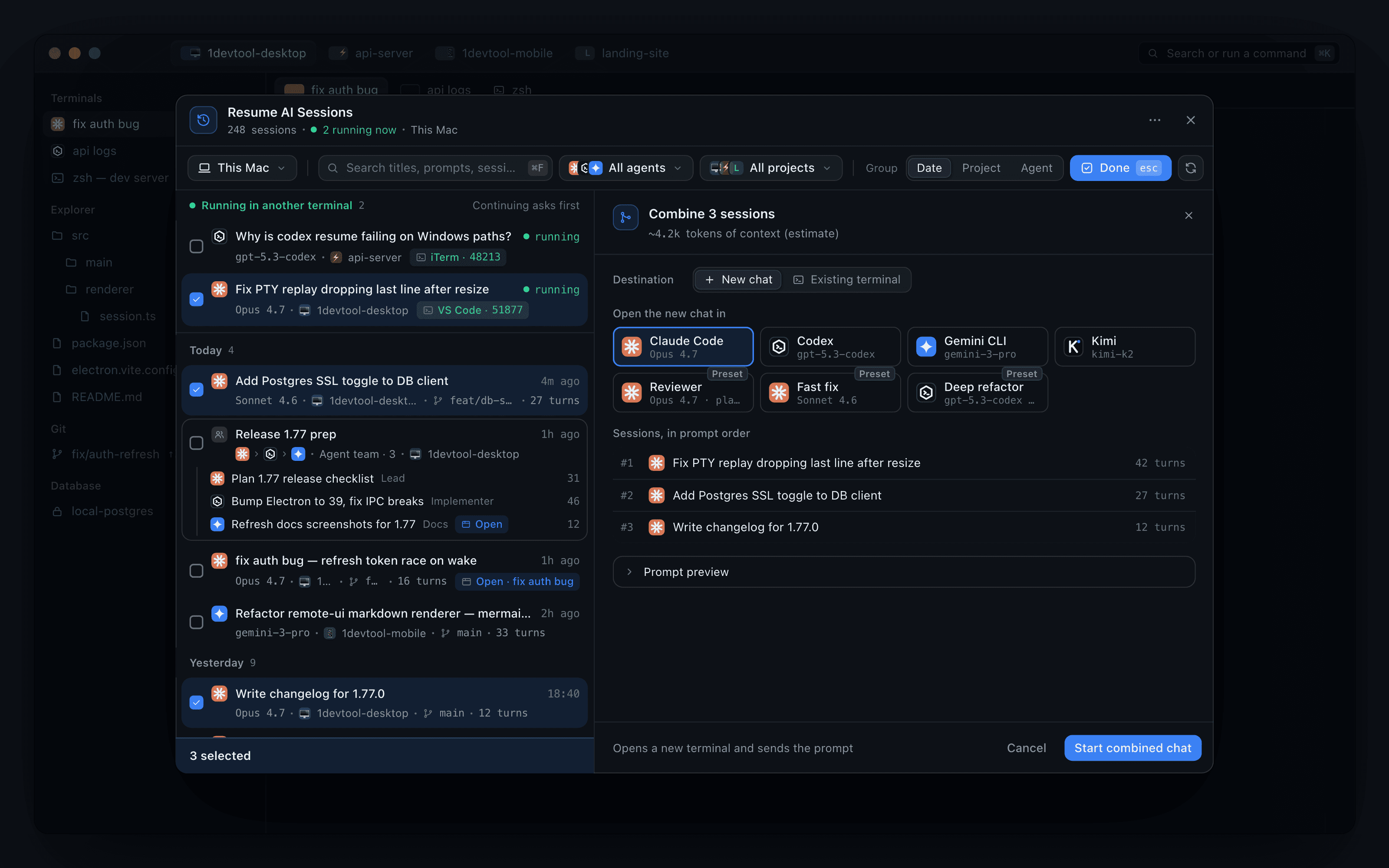
Press Select and tick sessions. Pick one to hand it to a different agent, or several to merge them into one opening prompt in the order shown under Sessions, in prompt order.
Under Destination, send the result to a New chat with any agent or saved preset, or to an Existing terminal you can search for. The pane shows an estimate of how many tokens of context the prompt adds, and Prompt preview shows the prompt itself, before you press Start combined chat or Send to terminal.
Keyboard
| Key | Action |
|---|---|
| ↑ ↓ | Move the selection and update the preview |
| ⏎ | Resume |
| ⌘⏎ | Resume with options… |
| X | Enter select mode |
| ⌘C | Copy the session id |
| Esc | Back out |
Supported agents
Claude, Codex, Gemini, Cursor, Antigravity, Cline, Grok, Hermes, Amp, OpenCode, Qwen, Kimi, Kilo Code, Command Code — plus any custom agent presets and observed agents you have configured, with the correct names and icons.
Cursor conversations are listed with their titles and previews, and resuming one continues it like any other agent. Antigravity sessions show their workspace, title, recent messages, and full conversation detail.
An agent that has no separate editable memory store says so plainly rather than showing an empty generic view.
Resuming a whole team
Sessions that ran as one linked team appear as a single card showing the member chain, each member with its role and turn count, and one Resume team action brings every member back in one confirmation.
Once the terminals are running, Mission Control's Resume team reconnects the links between them.
Already-open sessions
Resuming a conversation that is already open takes you to the existing terminal, marked with an Open badge, instead of creating a duplicate tab (Go to tab in the preview). This works on the desktop and in Remote Control.
Changing agent on resume
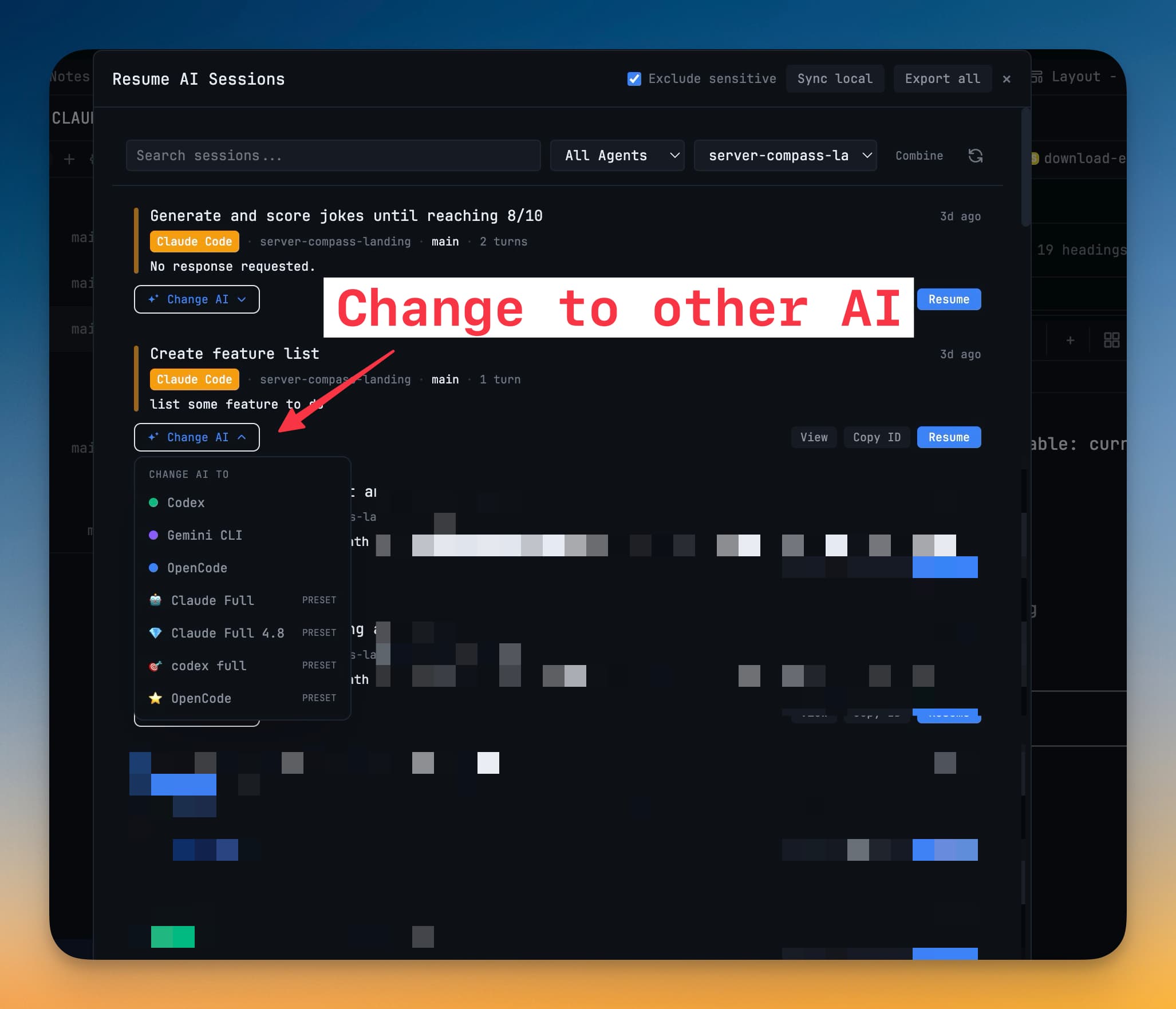
You can resume a conversation into a different agent — hand a Claude session to Codex for a second opinion, for example. The transcript travels; the new agent picks it up from there.
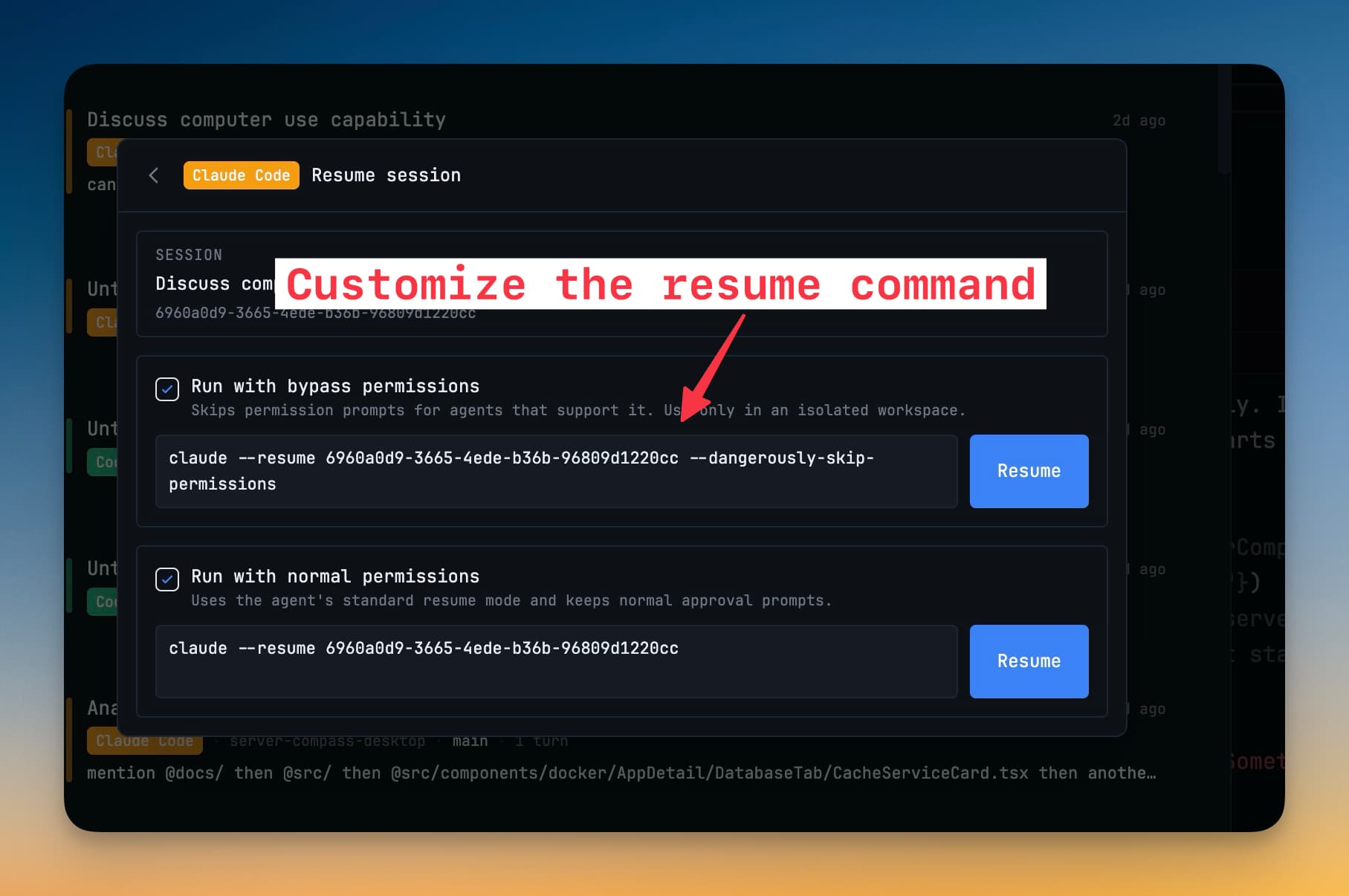
Customizing the resume command
If your agent needs a specific invocation to resume, you can edit the command 1DevTool uses per agent.
Adopting sessions started elsewhere
Conversations you started outside 1DevTool — in Ghostty, iTerm, or an editor's terminal — are discoverable too, so a session does not have to have begun here to be resumable here.
Terminals no longer borrow a session that is not theirs: a Claude or Codex conversation running in the same folder outside 1DevTool cannot be mistaken for the terminal you opened, and later evidence repairs an incorrect binding.
Related
- Session Persistence — what survives a quit without resuming
- Select & Merge Terminals — combine transcripts from terminals that are open right now
- Agent Teams & Swarms
- Run an AI Agent