Batch Terminals & Sets
Open a whole line-up of terminals at once, give each agent a count, and save the combination as a named set.
Opening terminals one at a time is fine until your habit is a reviewer, a builder, a shell, and a dev server, every morning. Batch mode and terminal sets turn that into one click.
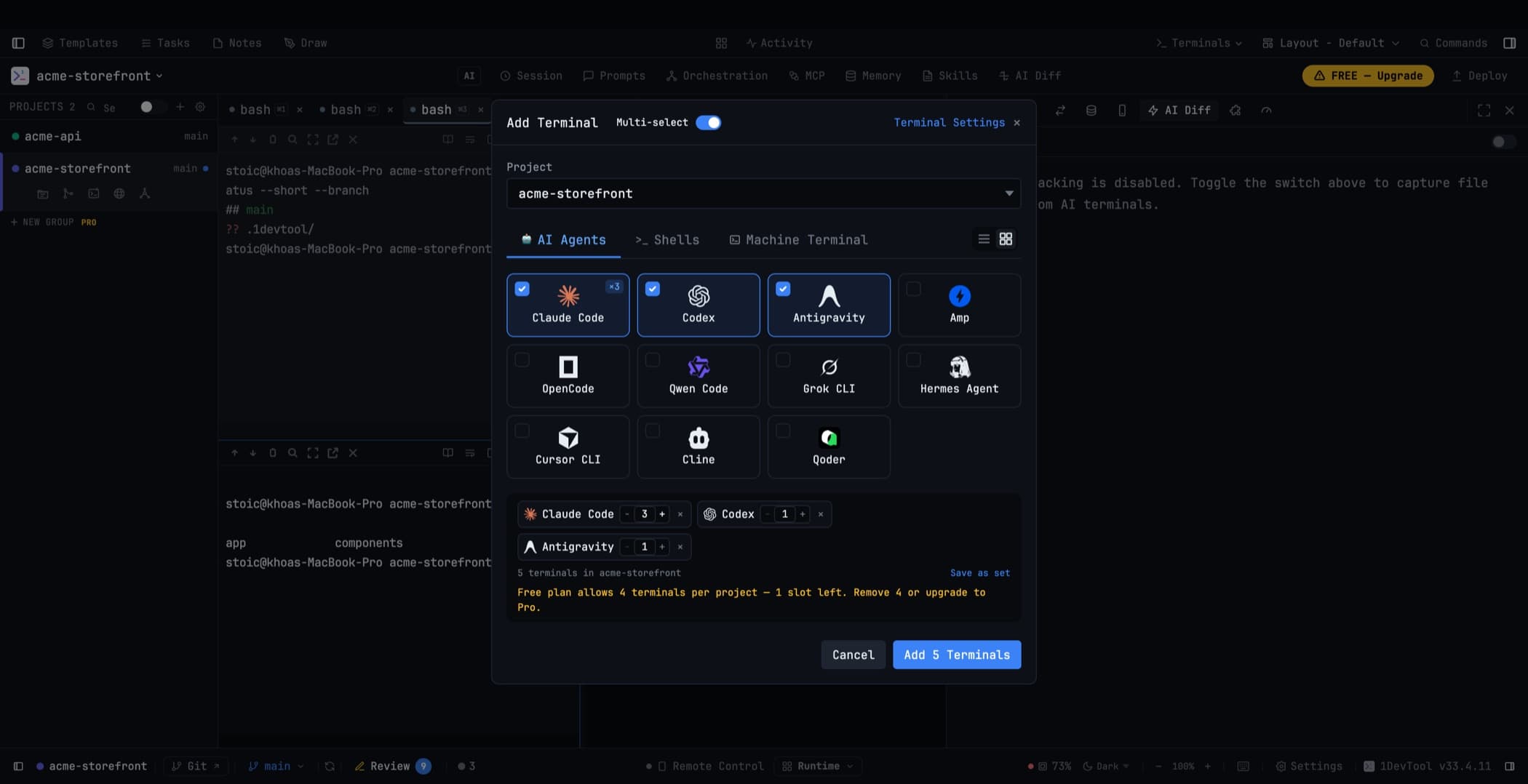
Multi-select
Flip Multi-select in the Add Terminal dialog and every card becomes tickable. Choose any mix of AI agents, shells, and machine terminals, then open the whole batch at once.
Every terminal in the batch starts immediately — the agents boot in the background at the right size, so switching to a tab shows a running agent rather than an empty pane.
Counts per agent
Each selected entry carries a −/N/+ counter, so one batch can open ten Codex terminals and five Cline terminals together instead of ticking the same card over and over.
- Type the number directly or step it; up to 20 per entry
- Enter commits the count without submitting the batch
- A checked card shows a ×N badge
- The summary counts real terminals, and the button reads Add 15 Terminals rather than the number of cards you ticked
Copies are numbered — Codex 1, Codex 2 — so a same-agent batch stays readable in the tab bar. AI tabs still rename themselves to their conversation title once they have one.
On the free plan, the per-project limit is compared against the total the batch would create, so you are told to trim before anything is opened.
Named terminal sets
Save a combination as a set and it becomes a chip in the Add Terminal dialog. Click the chip to reopen the whole line-up; update or delete the set in place.
Sets remember their counts, and the chip shows how many terminals it will actually open. The set's name is its identity — renaming it creates a different set rather than editing the one you had.
Machine terminals
The Machine Terminal tab discovers native terminal apps installed on your computer — Terminal.app, iTerm, Ghostty, Windows Terminal, and so on — and launches your choice at the selected project folder.
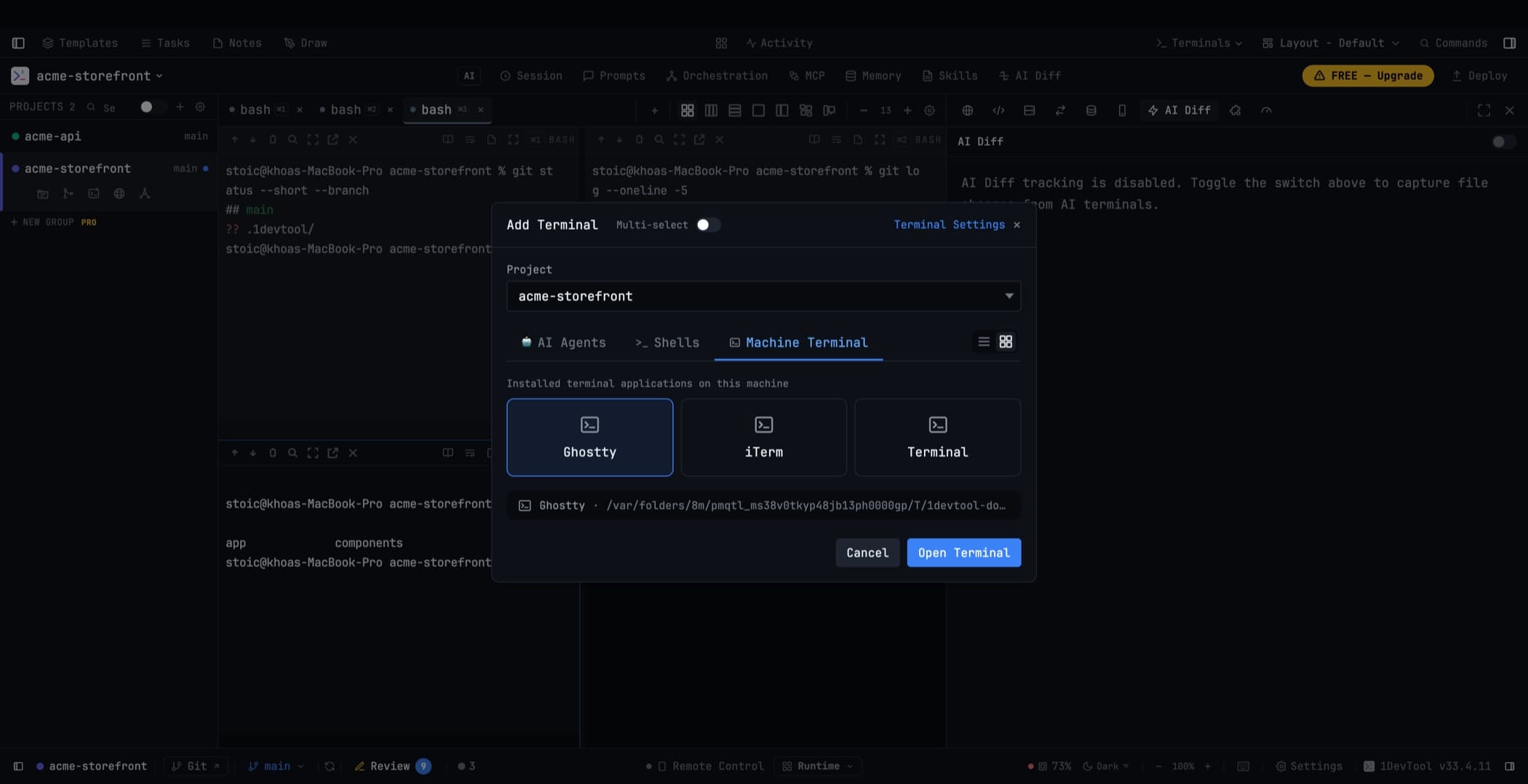
Use it when you want a real OS terminal window for something 1DevTool is not the right home for, without navigating to the project by hand.
Related
- Add a Terminal — the dialog itself, agent by agent
- Run an AI Agent
- Layout Modes — arranging the terminals you just opened