Tasks Overview
A task board your AI agents can actually work — markdown files in your repo, approval gates, and assignment that dispatches real terminals.
Most task boards are a place to write down what you intend to do. 1DevTool's Tasks board is a place where the work actually happens: assigning a task to an agent spawns the terminal, sends the task, and binds the run to the card.
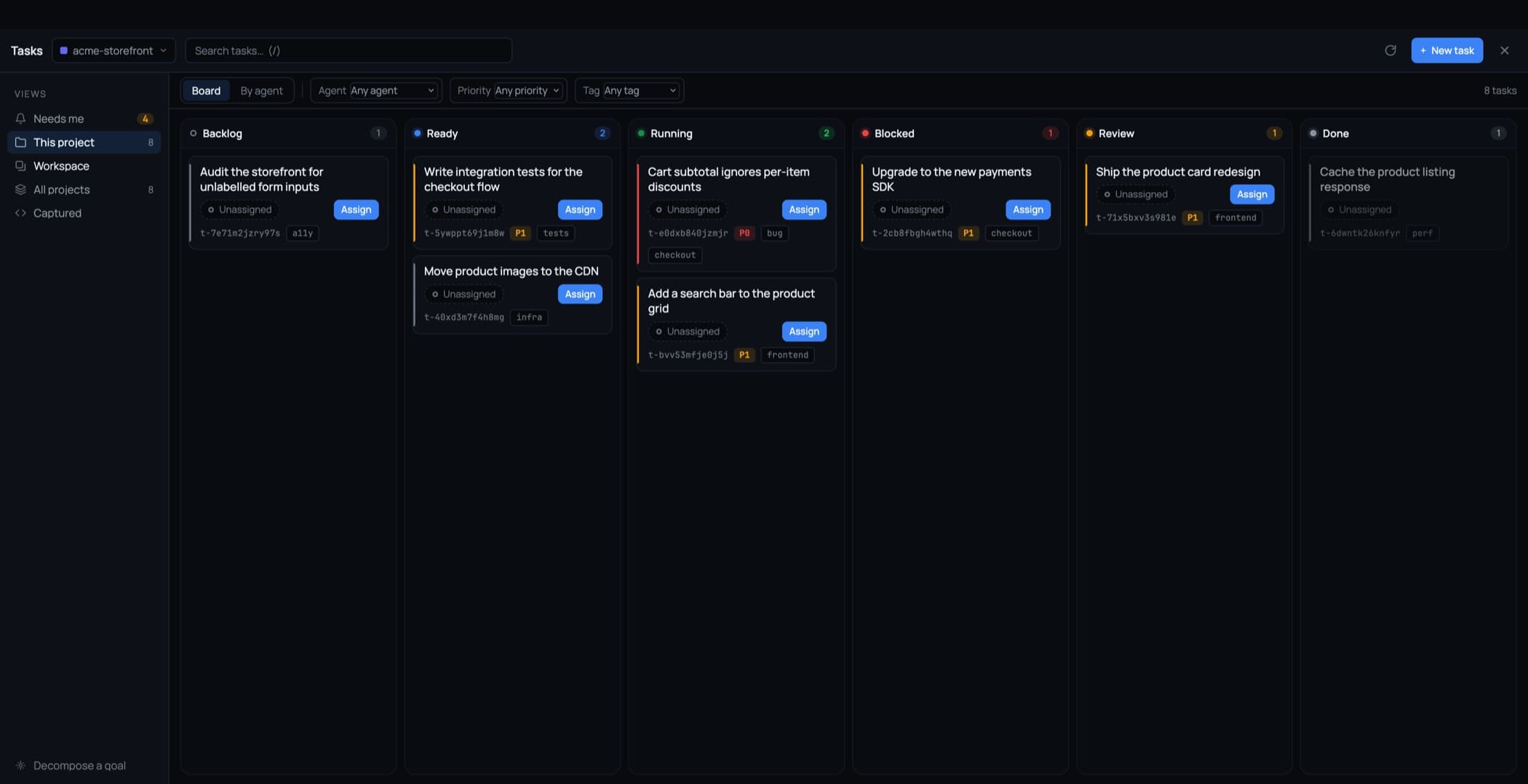
Opening Tasks
Tasks in the top bar opens it as its own full-window workspace, like the Git client — status columns, a swimlane per agent, and a detail pane wide enough to read a plan in.
The views rail
Down the left is a rail of views, each carrying its own count:
- Needs me — everything waiting on a decision from you
- This project — the current project's board
- Workspace — every project in the current workspace
- All projects — everything, everywhere
- Captured — tasks created by right-clicking a terminal selection or code in the editor
Tasks are files in your repo
Every task is a Markdown file with YAML frontmatter under .1devtool/tasks/ in your repository. That is the whole storage format.
It means tasks diff, review, and travel with a branch like anything else: a feature branch carries its own tasks, a pull request shows the tasks it added, and git log tells you when a task changed. Nothing is locked in a database you cannot read.
Task history that outgrows the file is archived alongside it, not discarded.
Cards say who is on it
Every card shows who is working the task and what that terminal is doing right now — live, waiting on you, idle, or lost. Every agent state is written as a word, not only as a coloured dot, so "mid-turn" and "waiting on you" can be told apart at a glance.
Nothing auto-approves
An agent asks before implementing a plan and before closing a task. Your verdict reaches it wherever it is, and your words travel verbatim. If nobody answers in time, the task blocks — silence is not consent. See Approval Gates.
Agents work them over MCP
Ten MCP tools cover the whole loop: list, get, create, update, claim, comment, request approval, wait, complete, and link. One rule is built in and not negotiable — an agent cannot assign itself work. Assignment is a human action, or nothing.
The tools are visible and switchable in MCP Control, grouped under Tasks.
Merging duplicates
When two paths produce the same task, merge them: one survives and the rest become tombstones whose ids still resolve. An agent holding an old id is never sent down a dead end.
Where to go next
- Assign to an Agent — assignment is dispatch
- Approval Gates — plan and done reviews
- Capture & Decompose — where tasks come from
- Board & Filters — Board vs By agent, drag rules
Related
- Orchestration Overview — the machinery Tasks dispatches onto
- MCP Control — the tools agents use to work a task