History
Go back and forward between the projects and terminals you visit, browser-style, with a shortcut, your mouse's side buttons or the History list in the top bar.
History is a Back button for 1DevTool. It keeps a trail of the projects and terminals you land on, so after a detour to approve a plan, check a dev server or read a log, one shortcut takes you back to the agent you left. It was added in v1.80.0.
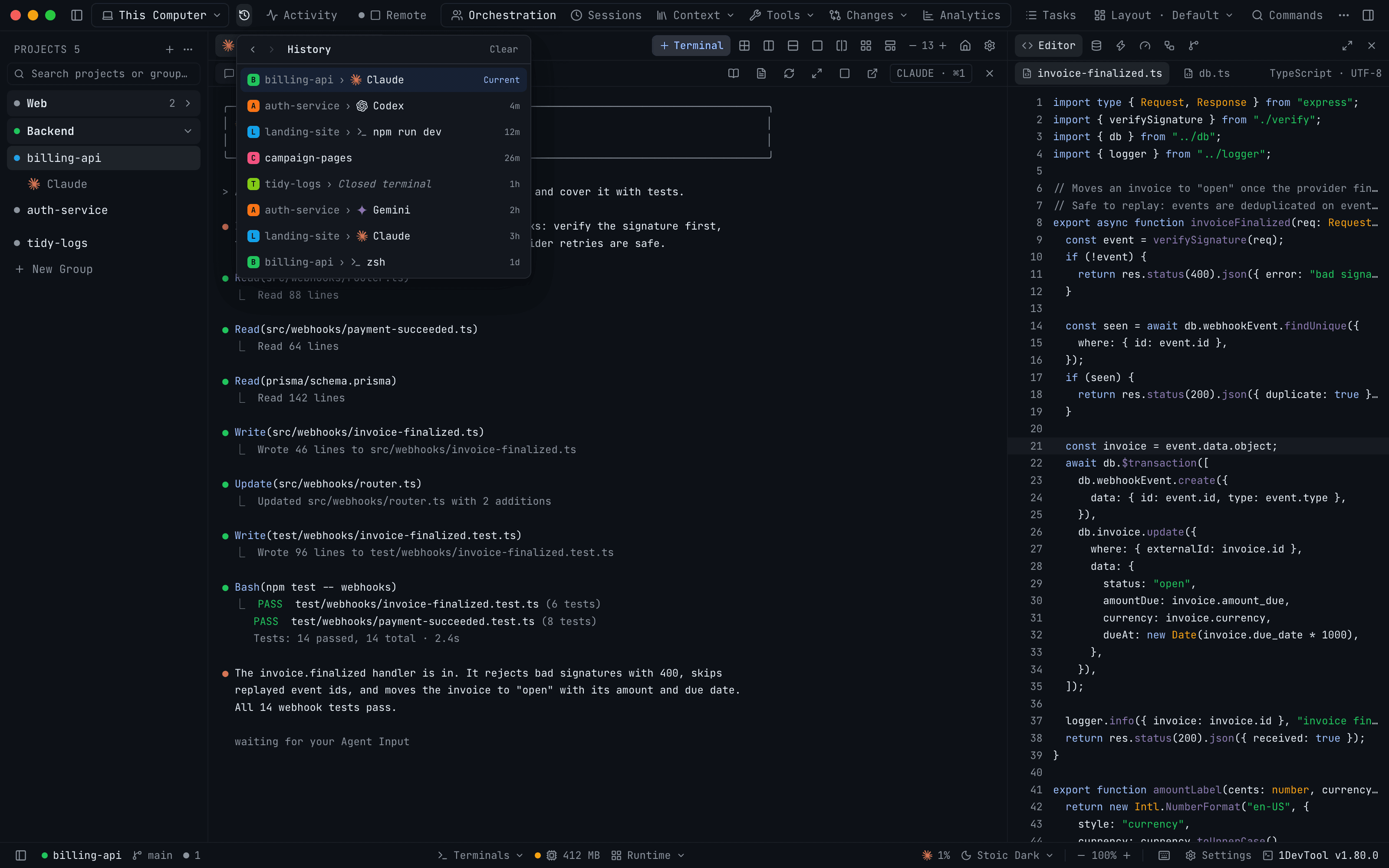
Go back and forward
| Action | macOS | Windows / Linux |
|---|---|---|
| Go Back | Cmd+Ctrl+Left (⌃⌘←) | Alt+Left |
| Go Forward | Cmd+Ctrl+Right (⌃⌘→) | Alt+Right |
The side Back and Forward buttons on a mouse do the same. Inside the Browser panel those buttons still move through the web page's own history.
It behaves like a browser:
- Going back three stops and then opening a different terminal drops the stops ahead of you, and the trail continues from where you are.
- Moving with Back, Forward or the list never adds a stop of its own.
- Opening another project's terminal counts as one stop, even though the project's last terminal shows for a moment first.
Both shortcuts are listed as Go Back and Go Forward under Settings → Keyboard Shortcuts, where you can change them.
The History list
Click the History button at the left of the top bar (the clock icon). Hovering over it shows the shortcuts. The list shows your stops newest first, and the one you are on is marked Current. Click any other row to go straight there.
Each row shows:
- the project's avatar and name,
- the terminal's name with its agent logo (Claude, Codex, Gemini …) or a shell icon for a plain terminal,
- how long ago you were there:
now,45s,4m,2h,1d.
A row with only a project name is a visit to the project with no terminal selected. The Back and Forward arrows sit at the top of the list too, and are dimmed when there is nowhere to go. Until you have moved somewhere the list reads Projects and terminals you visit show up here.
Closed terminals and removed projects
- A terminal you have closed since the visit stays in the list in italics as Closed terminal. Picking it takes you to its project. The same happens for a terminal you have hidden.
- A project you have removed from the sidebar disappears from the list, and Back and Forward skip over it.
How much it keeps
History keeps your last 50 stops. Clear empties the list except for the stop you are on. The trail is not saved between launches: it starts fresh each time you open 1DevTool.